CHC i83 User Manual 22
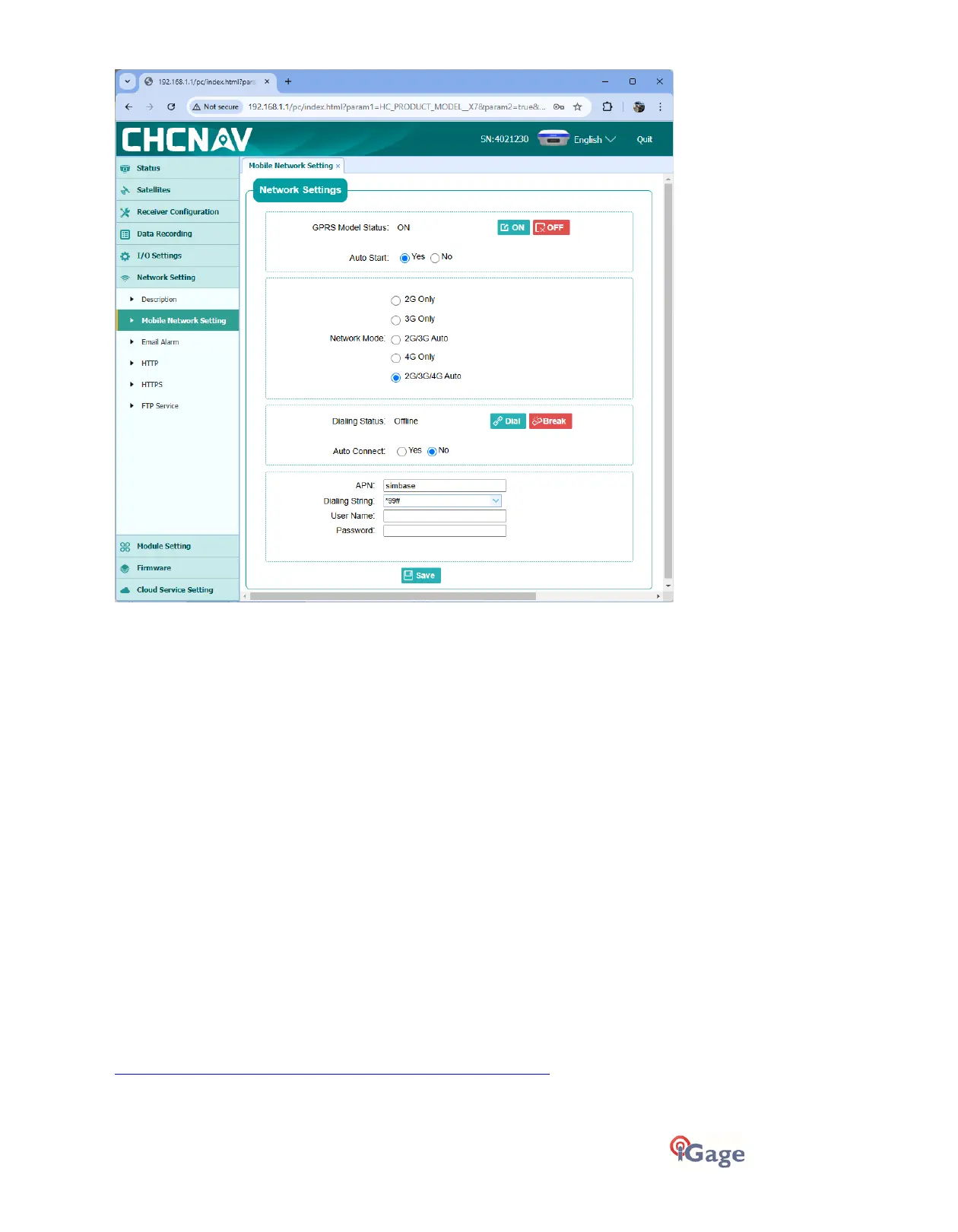
Click the
ON
button to turn on the cellular modem.
Set
Auto Start
to Yes, set
Auto Connect
to Yes.
If you are using a simbase card: set the APN to
simbase
‘True ATT’ SIM card: set the
APN
to
Broadband
(with capital ‘B’)
Verizon: set the APN to
vzwinternet
T-Mobile: set the APN to
fast.t-mobile.com
If you use another type of SIM card enter the appropriate APN for the card.
Set the
Dial String
to
*99#
, leave the
User Name
and
Password
empty. Click
Save
.
Turn off the GPRS Modem by clicking
OFF
, wait 15 seconds then turn the GPRS Modem on again by clicking
ON
.
This resets the network connection with the correct APN and forces the network to reinitialize the data
connection.
Click on
Dial
to connect. Within 30 seconds, the
Dialing Status
will change to ‘
Connected
’ after the receiver is
registered on the cellular network.
Alternatively, you can configure the Cellular modem with X-PAD, Field Genius or SurvCE/SurvPC when setting the
receiver as a network Rover or Base.
Programming Radio Frequencies and FCC ID
In the United States an FCC license is required to operate the UHF radio at any power, on any frequency. Your FCC
license will specify one or more frequencies and a ‘Call Sign’ which must be broadcast at least once every 15-minutes.
You can download the iGx_RadioChannel.exe tool along with prebuilt common radio frequency groups from the
iGage.com website:
https://igage.com/out/RadioChannelFiles/cfg_WebInterface/index.htm



 To Next Page