35 CHC i83 User Manual
Viewing the Observation Log
(Hidden when Simple)
A detailed log is automatically kept for the files that you download and submit for processing.
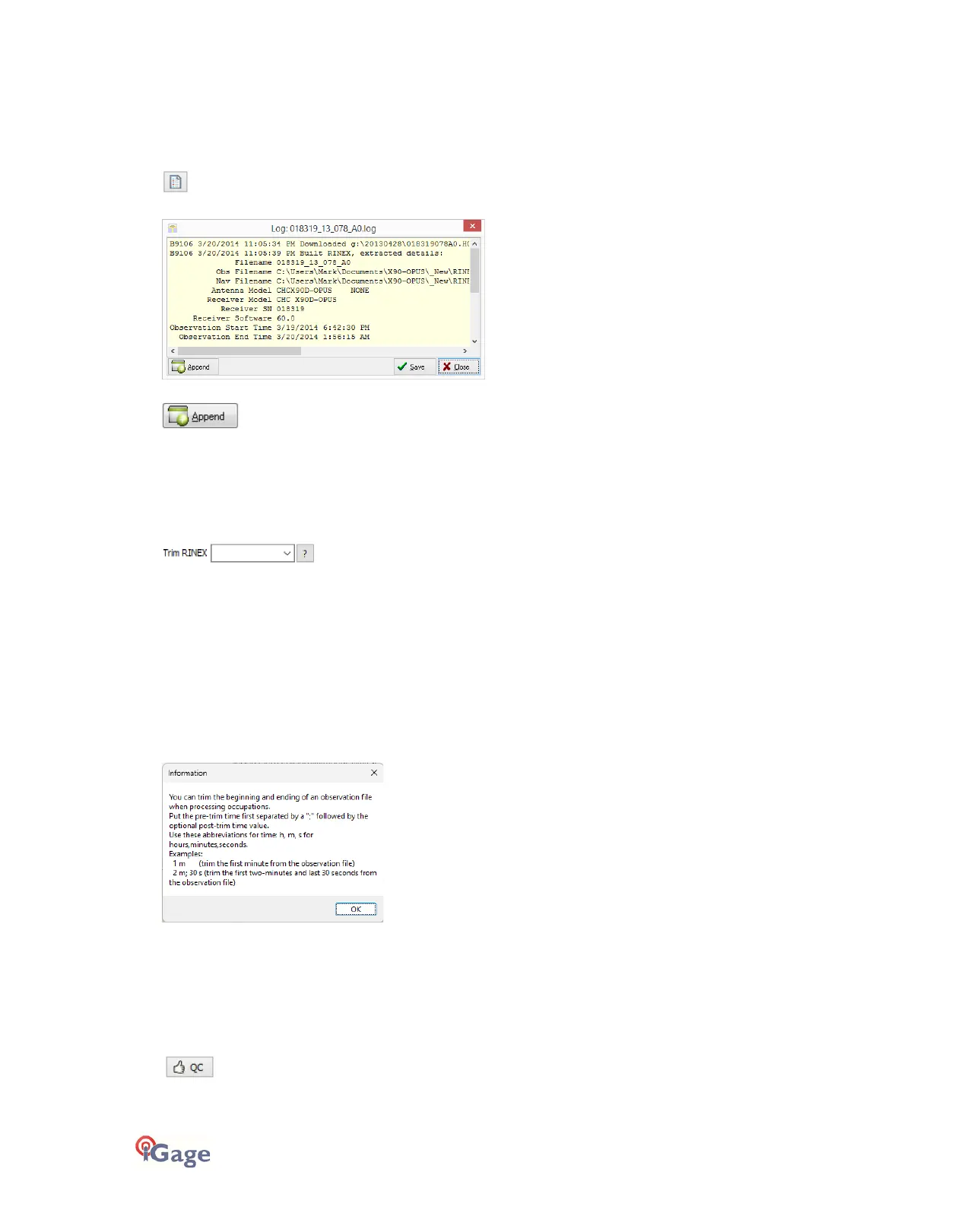
Pressing the ‘Log’
button shows the log file for the currently selected observation:
Pressing the ‘Append’
button adds a date/time stamp and opens the log for user editing.
Press ‘Save’ to store your changes or ‘Close’ to close without saving.
Trimming Occupation Files
(Hidden when Simple)
Sometimes you may want to trim the start or end of an occupation file before you send it to OPUS.
Common reasons for wanting to do this include:
• The receiver is turned on while sitting on your tailgate and then moved 20 feet and spun onto the tripod. The
first 5-minutes of the observation are bogus.
• The operator forgets to turn off the receiver and observation data is collected while the receiver is transported
back to the truck. The last 2 minutes of the observation file are bogus.
• The observation extends 5-minutes past midnight UTC, you don’t want to wait an extra day to process. Trim 6
minutes from the end of the file.
Clicking the ‘?’ button to the right of the trim dialog displays helpful instructions:
Note: the trimmed length is not reflected in later screens or on the occupation grid. Only the submitted file is trimmed,
all the original data remains in the occupation.
Performing Quality Control
(Hidden when Simple)
Pressing the
button will launch the UNAVCO TEQC tool and run a standard RINEX QC run on the currently selected observation file.
When the run is complete, the results will be shown in a window:



 To Next Page