CHC i83 User Manual 8
When the receiver is tracking and has a position the left LED
blinks Blue once for each tracked satellite, then waits 5-seconds.
Correction LED
Indicates that the receiver is transmitting or receiving data.
Base Operation: blinks amber as correction data is transmitted
note: if not blinking, base configuration was unsuccessful!
Rover Operation: blinks amber when Single, FLOAT or DGPS,
green when fixed.
Fn
/ Next Button
Move to the next line of the current menu.
Move to the next character of a setting.
Changes a setting or character after being selected by Enter.
Power /
Enter
Button
Press and
hold
for 3-seconds to turn the receiver ON or OFF
Tap to accept a modified value:
Enter
Mode description
Text description of Base or Rover mode.
Solution Type
Solution type: FIX, Float, RTD (Real-Time-Differential),
Autonomous.
Battery Charge
0 to 100%, animated battery charge icon when USB-C is charging.
SV Used / Tracking
Number of satellites Used / Number of satellites Tracked.
Current Observation
HH:MM:SS recording time of current observation.
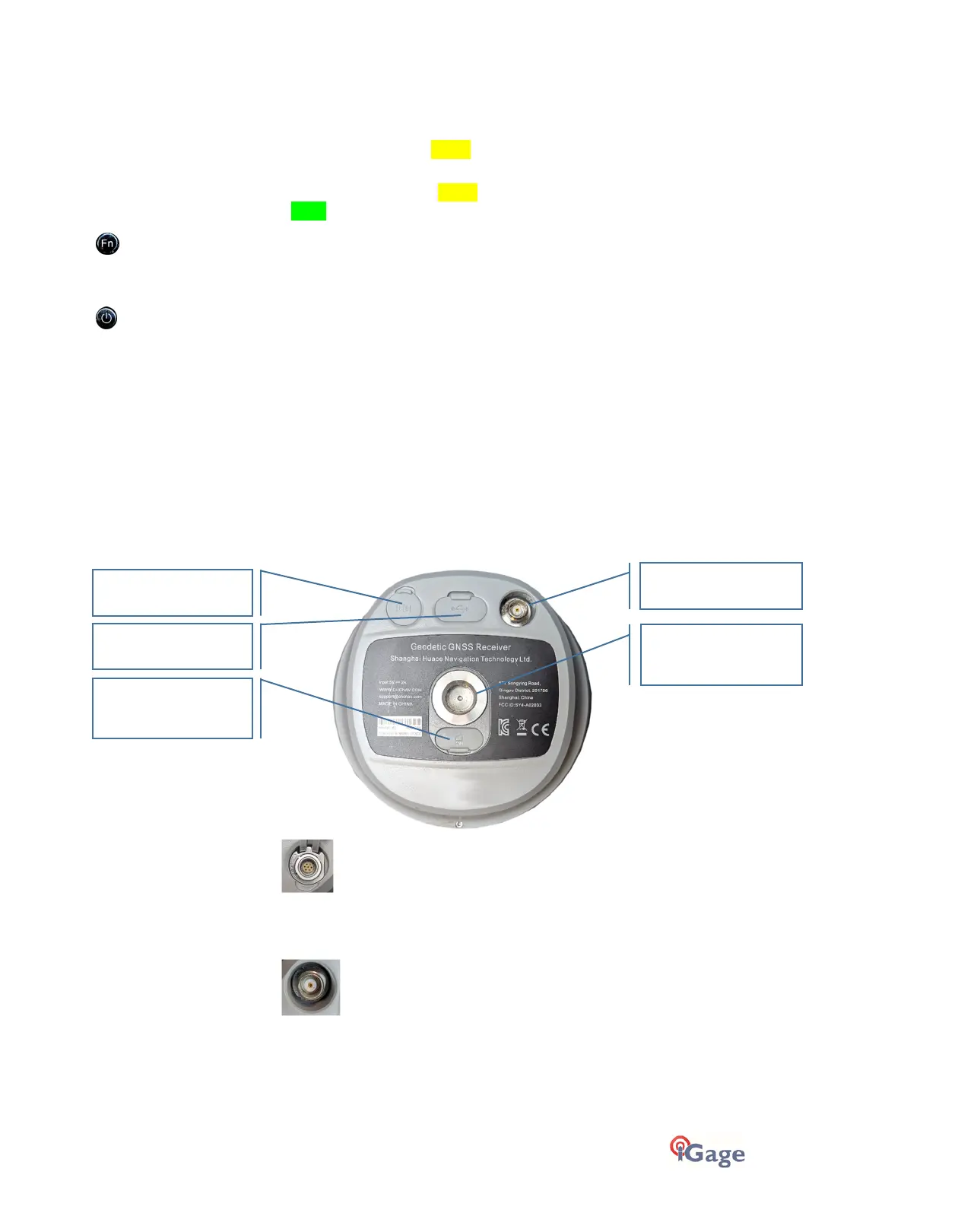
Receiver Back and Bottom
External Power
7-pin LEMO connector supports RS-232 communication and
external power (9 to 24 VDC) input. (See “Serial and USB IO Port
Definitions“ on page 63 for pinout and cable information.)
UHF Antenna Connector
Connect a UHF Radio Antenna when using the Internal UHF Base or
Internal UHF Rover mode.
An antenna is not required when using: NTRIP, APIS or Static Only
operation. An antenna is required if the i83 is a UHF Base or UHF
Rover.
TNC UHF Antenna
4G nano SIM Card
5/8” 11 TPI
Threaded Insert
External Power
Type-C USB



 To Next Page