CHC i83 User Manual 40
SLANT HEIGHT in FEET
: If you measure a slant height in feet, enter ‘SF’ or ‘FS’ after the measurement and the program
will compute the vertical height in Meters for you.
Note: if you use the ‘PPP Service’ = ‘RTX (CenterPoint)’ the submitted RINEX file spoofs a ‘UNKNOWN EXT NONE’ and
adjusts your actual HI to reflect the generic antenna L1 offset.
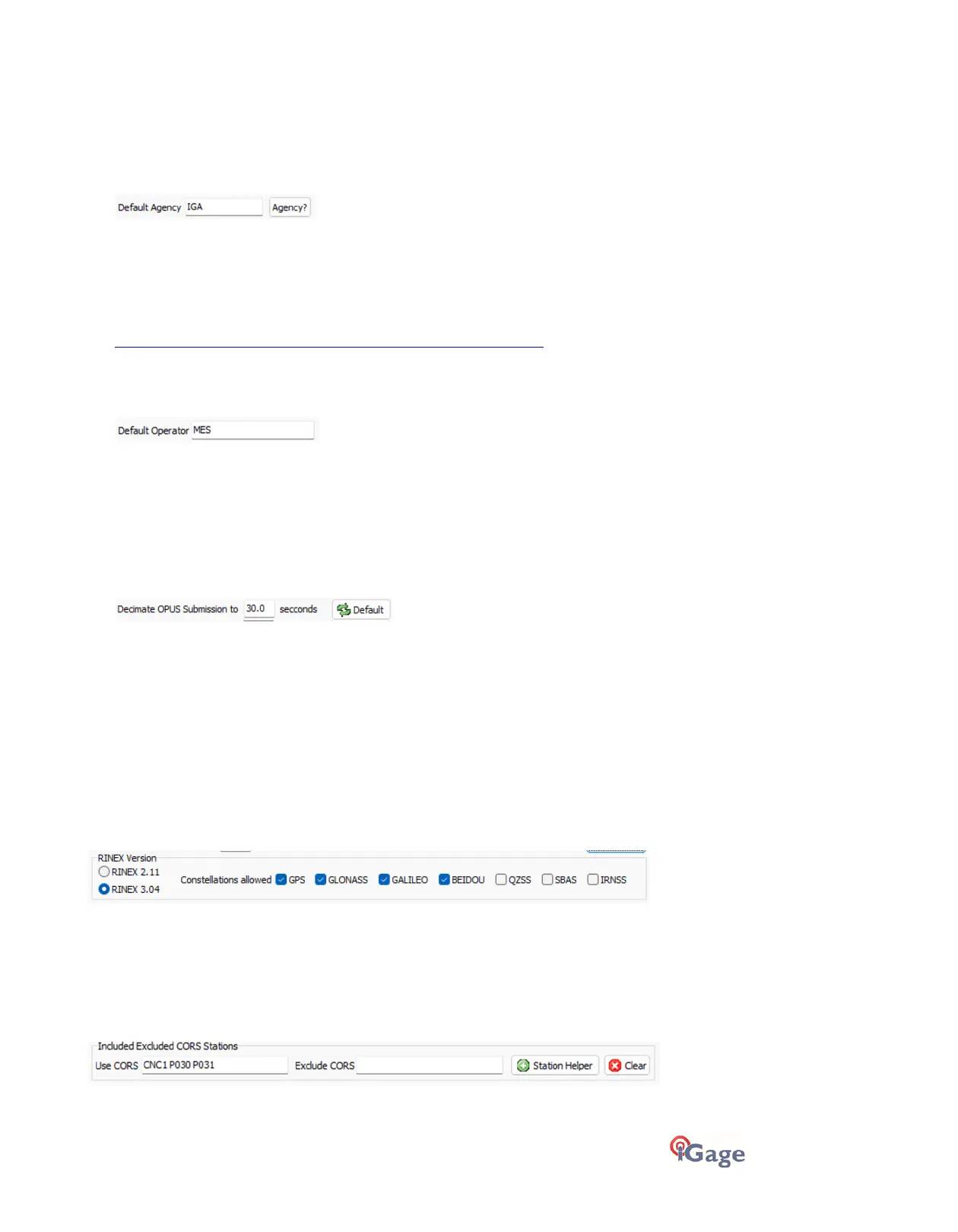
'Default Agency'
Enter your company code here. This value is placed into every RINEX file that is exported. You can override this value on
a file-by-file basis.
Typically, the Agency is 2 to 6 characters in length however the RINEX definition allows values up to 40 characters in
length.
Clicking the ‘Agency?’ button will launch your web browser to the NGS site:
https://geodesy.noaa.gov/FGCS/BlueBook/annexc/annexc.index.shtml
Where you can read about how to apply for a unique code recognized by the NGS.
'Default Operator'
Enter the default name of the operator / observer here. This value is placed into every RINEX file that is exported. You
can override this value on a file-by-file basis.
Typically, the observer is 2 to 10 characters or the operator’s initials, however the RINEX definition allows values up to
20 characters in length.
'Decimate OPUS Submission to ...'
(Hidden when Simple)
When you submit a file to OPUS, it is always decimated at the NGS server to 30-second epochs (recording interval = 1-
observation every 30-seconds.)
Clicking the ‘Default’ button sets the decimate value to 30-seconds and selects RINEX 3 format.
The default recording interval your receiver is probably 5 or 1-second.
By pre-decimating the RINEX file before uploading, the file size is greatly reduced speeding transfer to the NGS. This
makes the upload process much faster while having no impact on the resulting solution.
Observations exported with the
Export
button, and those sent to RTX are not decimated.
RINEX Version
(Hidden when in Simple mode)
You can select RINEX2 or RINEX3 files for use with OPUS and RTX. As of 2022, RINEX3 is suitable for all online services
and is preferred.
If you select RINEX2 then you can individually remove observations from GNSS constellations.
‘Included Excluded CORS Stations’
(Hidden when Simple)
iGx Download will automatically fill in the Included and Excluded CORS boxes for OPUS submissions (both using the
online form and OPUS_Upload).



 To Next Page