CHC i83 User Manual 36
You can press the
TEQC Help
button to download the User Guide for TEQC from the UNAVCO web site.
TEQC is a great tool for evaluating both the receiver’s performance and the site suitability for collected data.
The MSS Factory Support Button
If you contact iGage for support, the technician may ask to view your computer screen remotely. Clicking the MSS
button will download a support tool and provide a passcode that you can read to the technician who will then be able to
view your screen and assist with issues.
The Send Occupation to Factory Button
An iGage support technician may ask you to send a troublesome occupation to the factory for assistance. Simply
highlight the occupation in the grid, click the ‘Send’ button and the occupation with all of the support files and settings
will be bundled into a single ZIP file and pushed to the factory.
After you send a file, the resulting filename will be shown. You need to let the factory support person know what the
filename is so they can find it on our servers.
Advanced Configuration Settings
Configuring the Download Tool
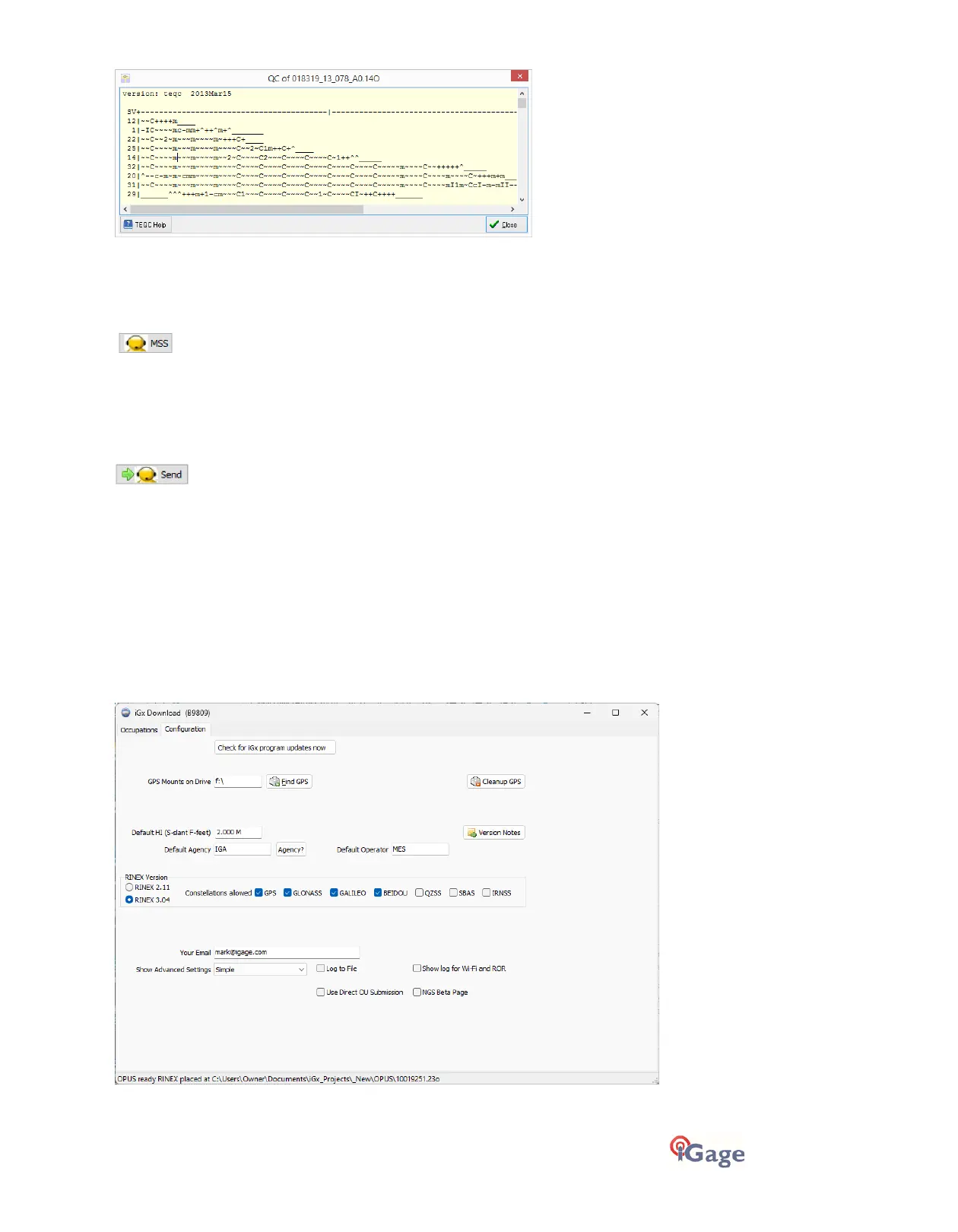
Click on the 'Configuration' tab:
At a minimum enter these values:



 To Next Page