CHC i83 User Manual 44
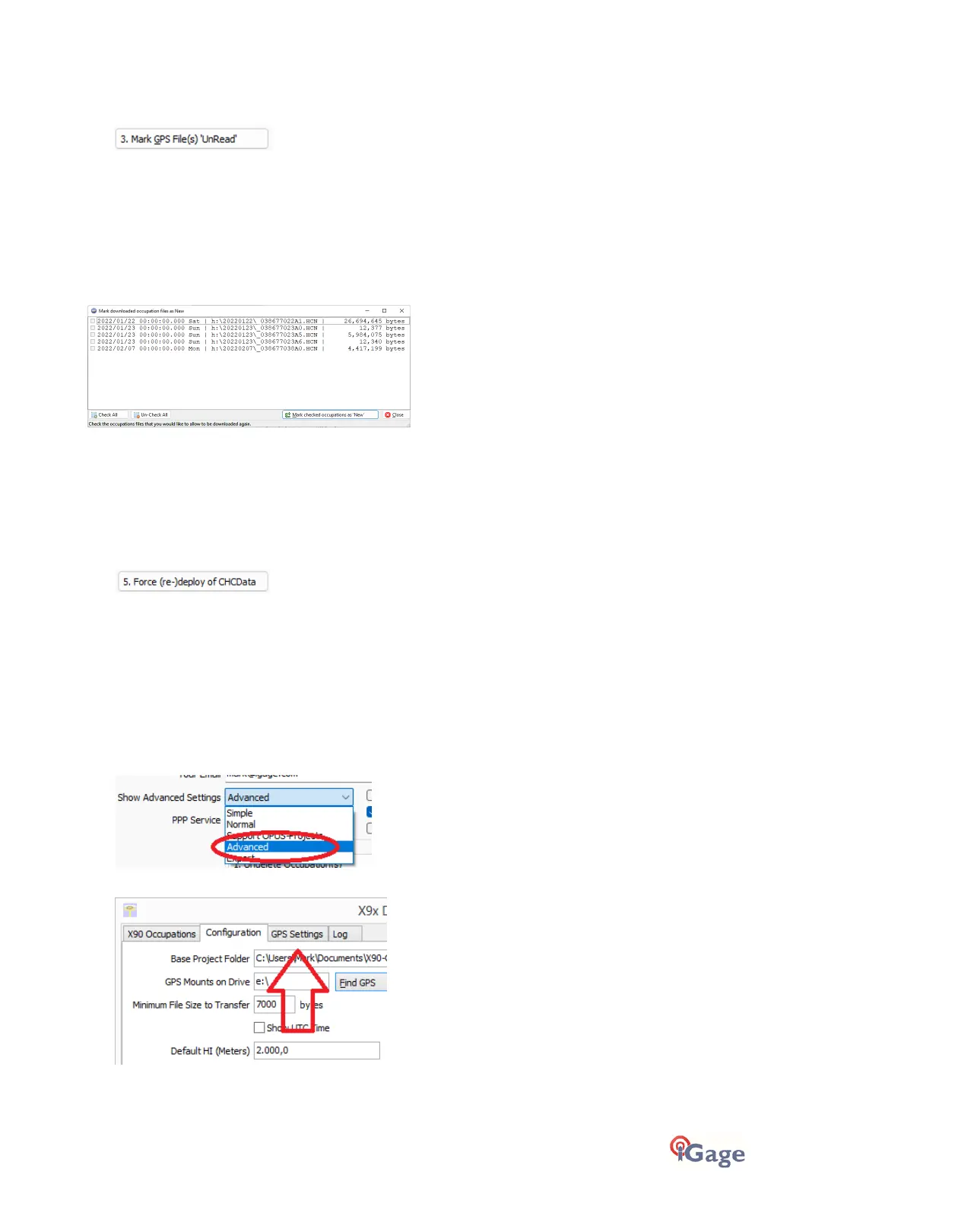
“3. Mark GPS File(s) UnRead”
Note: this function will not work with the i73, i83, i89 and i93 receivers.
When files are downloaded from the receiver, they are not removed from the receiver, but the filename on the receiver
is modified to begin with an underscore ‘_’.
This function allows you to specify a single or multiple files to mark as ‘unread’ or ‘New’. Once a file is unread the next
download action will re-download and convert the file.
When you click the
Mark GPS File(s) UnRead
button, the tool will search the currently attached receiver for occupations
which have already been downloaded. The occupations will be listed by observation date (the latest occupations will be
at the bottom of the list):
Check the occupations that you would like to redownload.
Click the ‘Mark checked occupations as ‘New’’ button.
Return to the ‘Occupations’ tab in the download tool and click the ‘Download’ button.
“5. Force (re-)deploy of CHCData converters”
(Visible when in Expert mode)
If you use CHCData in manual mode (either RINEX2 or RINEX3) it is possible to damage the CHCData conversion defaults.
This button will delete the existing deployment and redeploy both the RINEX2 and RINEX3 tools with the recommended
settings.
GPS Settings
(Hidden when Simple)
To modify the ‘GPS Settings’ or view the log, select the 'Configuration' tab, then choose 'Show Advanced Settings =
Advanced.’
When ‘Advanced’ is selected, two more tabs will be displayed:



 To Next Page