CHC i83 User Manual 38
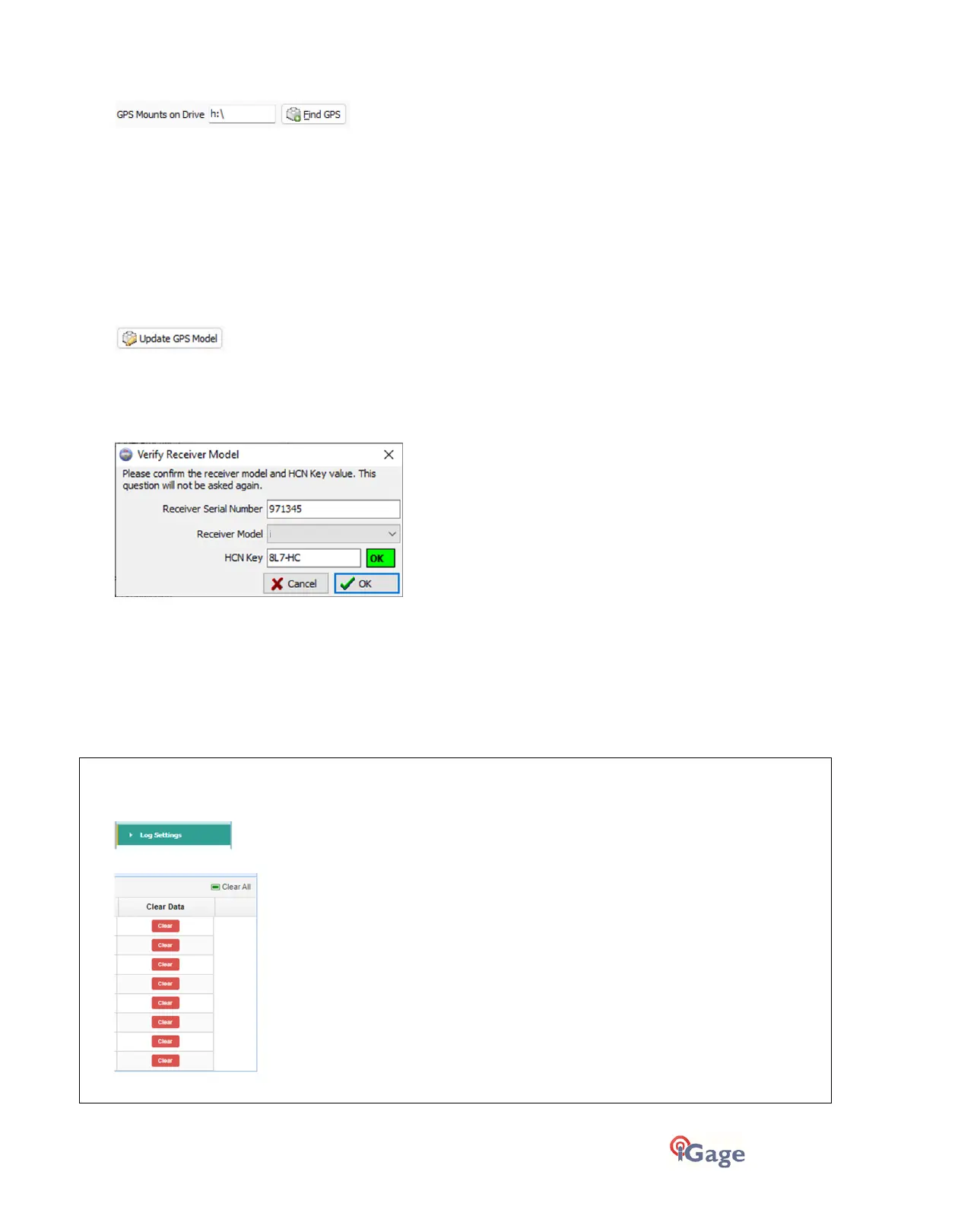
'GPS Mounts on Drive'
This is the drive letter that the GPS receiver was last found on. Don't worry if the drive letter changes when you plug in
your receiver, the program will automatically find the receiver when you try to download data.
If you want to verify that the GPS receiver is connected and the receiver has successfully mounted as a drive, press 'Find
GPS'.
Note: If you manually remove every single file and folder on the GPS receiver, the program won't be able to
automatically find the receiver until after the GPS has recorded at least one file.
‘Update GPS Model’
(Shown only when Advanced selected.)
The GPS Model is written into the receiver at the factory. If you remove ALL of the files on the receiver or format the
receiver (it is a standard flash drive) it is possible that it will lose its receiver type.
With the receiver attached to your computer with the USB cable, click on the ‘Update GPS Model’ button to display this
dialog:
Use the drop down ‘Receiver Model’ to change the receiver type.
If the HCN Key is empty, look for a white sticker inside the carry case, or call iGage +1-801-412-0011 x0 and ask for one.
If the HCN Key has been correctly entered, the ‘OK’ will be shown in a green box, otherwise it will display ‘????’ in a red
box.
Click the ‘OK’ button to store the receiver type and HCN key on your computer.
‘Cleanup GPS’
Note:
Cleanup GPS
is not possible on the i73, i83, i93, iBASE. You must login to these receivers by Wi-Fi and use the
Clear
button under
Data Recording
>
Log Settings
>
Clear data
>
Clear
To delete/cleanup these read-only receivers you log into the Web interface, click on
Log Settings
:
Then use the
Clear
buttons:
to clear the recording bins or ‘Clear All’ files on the receiver.



 To Next Page