9 CHC i83 User Manual
Do not overtighten the antenna. This forces the TNC connector to
loosen within the receiver shell.
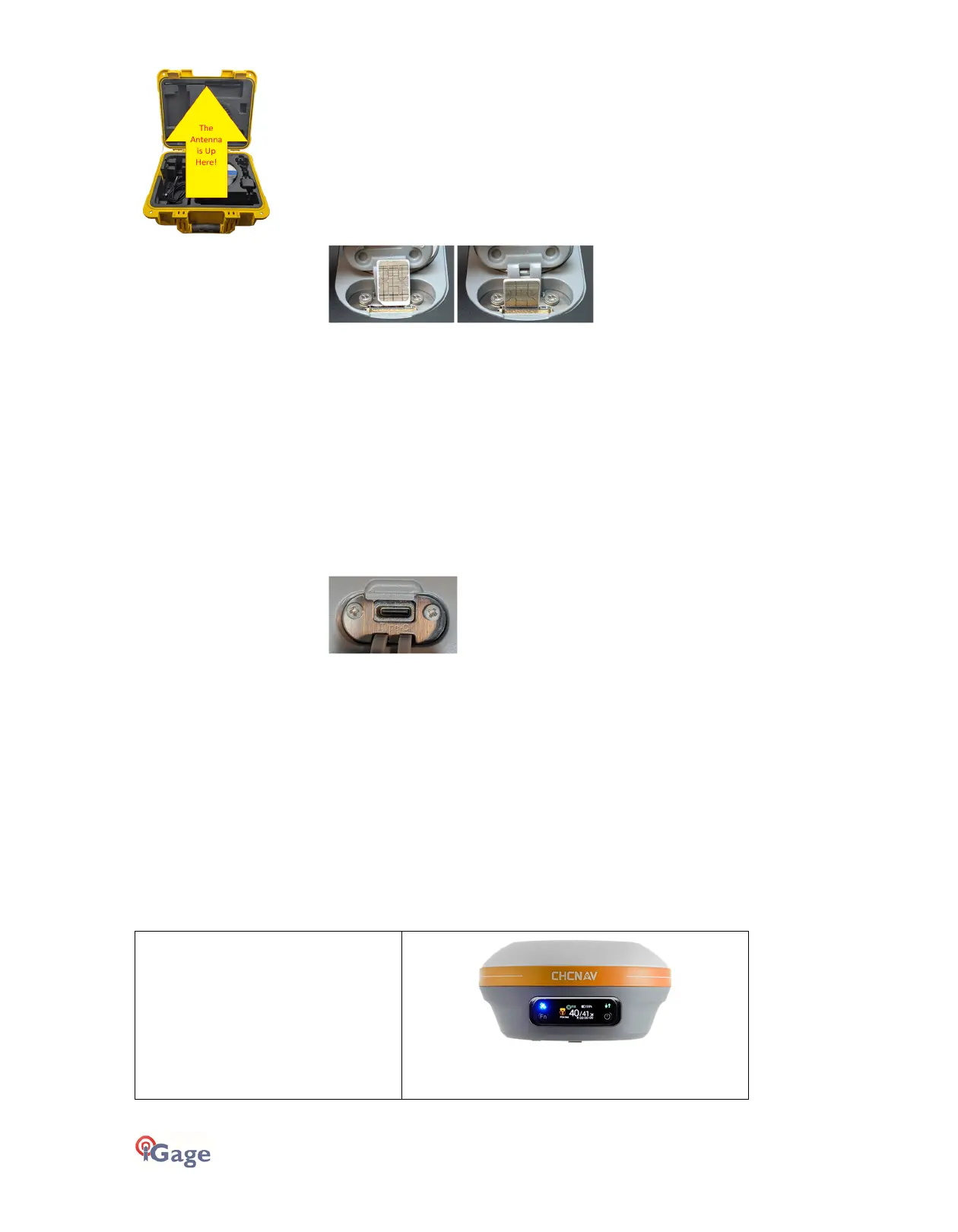
Can’t find the UHF antenna? It may be in the recessed pocket at
the top of the carry case.
4G nano SIM Card
Receivers use a NANO sized SIM card. (NANO is the smallest sized
SIM card.) Insert cards with the gold contacts facing away from the
5/8” threaded insert at the center of the receiver. The notch end
goes in first. The SIM card gold contacts should point towards the
gold bar at the bottom of the slot. The icon shown on the rubber
slot cover is misleading.
To eject a SIM card, push it in to trigger the spring-loaded ejection
mechanism.
The data modem is an EG25 4G LTE modem and should work with
all providers including Verizon.
Additional information is available in the ‘Configuring the Internal
Cellular Modem’ on page 20.
Type C-USB
Standard USB Type-C connection to computer or wall charger.
When connected to a wall transformer the internal battery is
charged. The battery will charge 20% per hour until the last 10%
which is slower.
When connected to a computer using a standard USB cable, the
receiver will mount as a Read-Only external disk drive: no device
drivers are required.
Not all cables and USB wall transformers will charge the i83.
What’s in the Box
Depending on your purchased configuration you may receive different accessories with your receiver. Typically, all kits
include:
GNSS Receiver
The i83 receiver includes a state-of-the-
art GNSS engine, high-speed IMU for tilt
compensation, a 2-watt Tx/Rx UHF
radio, a 4G cellular GSM modem,
Bluetooth radio, and Display.
Note: the i83 may be delivered with an
orange or blue decorative band. There is



 To Next Page