MDT500 HE - Operator's Manual
3.5 CONNECTION TO A COMPUTER
The MDT500 HE can be supplied with a 2 m long cable (optional) for the serial connection. If this length
is not enough, it is necessary to use an extension cable not longer than 15 meters, respecting the
corresponding connections.
3.6 WARNINGS AND INSTALLATION PRECAUTIONS
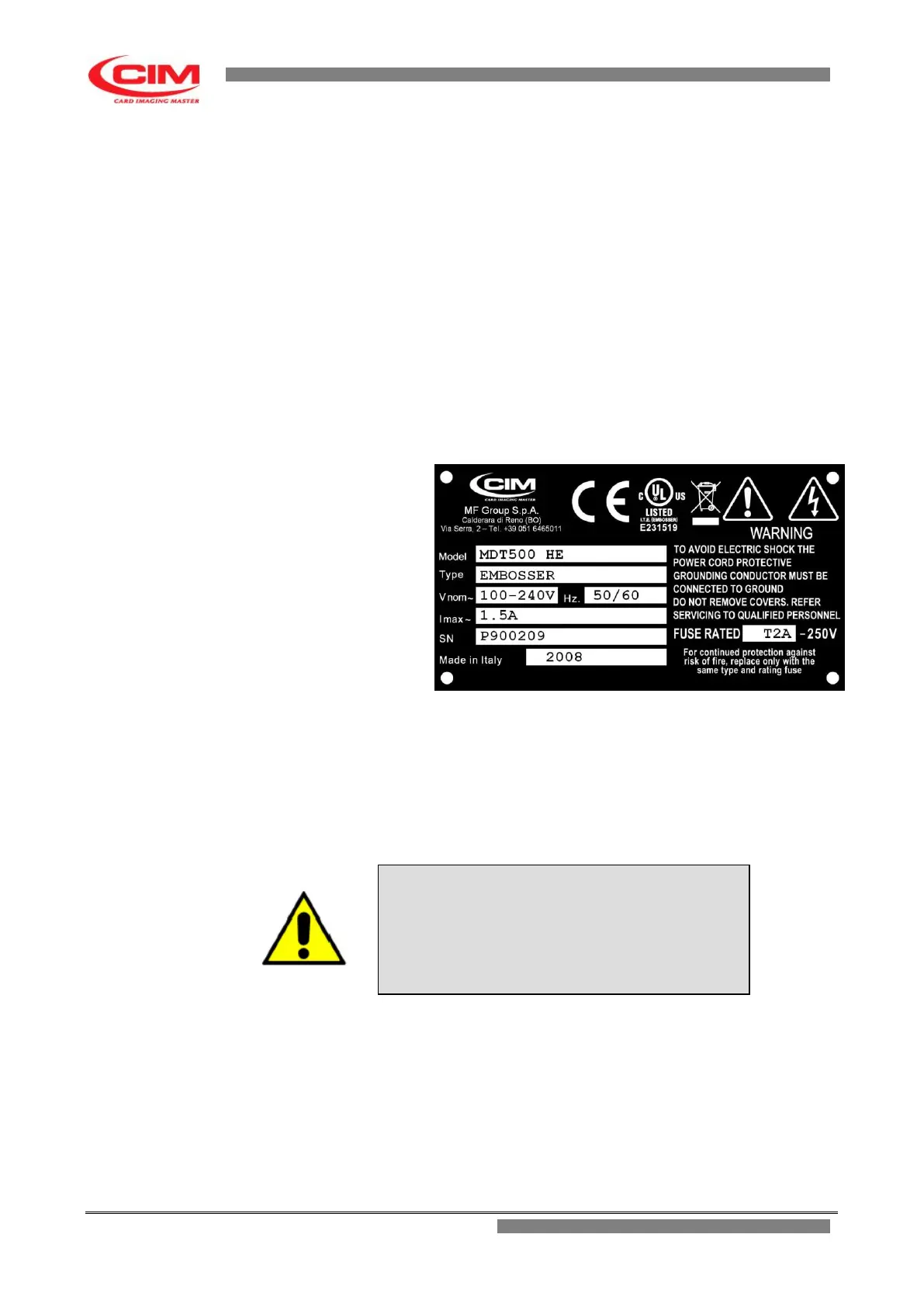
The identification plate located in the rear panel indicates the serial number, the type of machine, the
power voltage and the absorbed current. Thus, check that the power source is compatible.
Before turning the machine on, make sure that the clamp retainer pin has been removed and that all
cables have been properly connected.
The layout of the identification plate is as follows:
After the Corporate name on the plate there are 7 embossed fields described below:
• Model : Embosser model
• Type : Machine Type
• Vnom: Power Voltage
• Hz : Supply Frequency
• Imax : Absorbed Current
• SN : Serial Number
• Made in Italy Year of construction
• Fuse Rate: Rating of the fuse
If the supply voltage is more than 20% higher than base voltage, the safety quick-acting fuse might
cut off the current.
To replace it remove the power plug and insert the tip of a flat-topped screwdriver in the space at the
bottom of the plug entrance.
Lift the fuse holder extremely carefully until you can manually remove it.
Should it be necessary, please contact the Technical Service of MF Group – CIM division.
TO REPLACE THE FUSE USE ONLY FUSES OF
THE SAME TYPE AND WITH THE SAME
NOMINAL POWER.
Fuses Requisites:
Europe - IEC 60127 Approval
America - UL248-1 and UL248-14 Approval



 To Next Page