MDT500 HE - Operator's Manual
4.6.11. ERRORS CODE
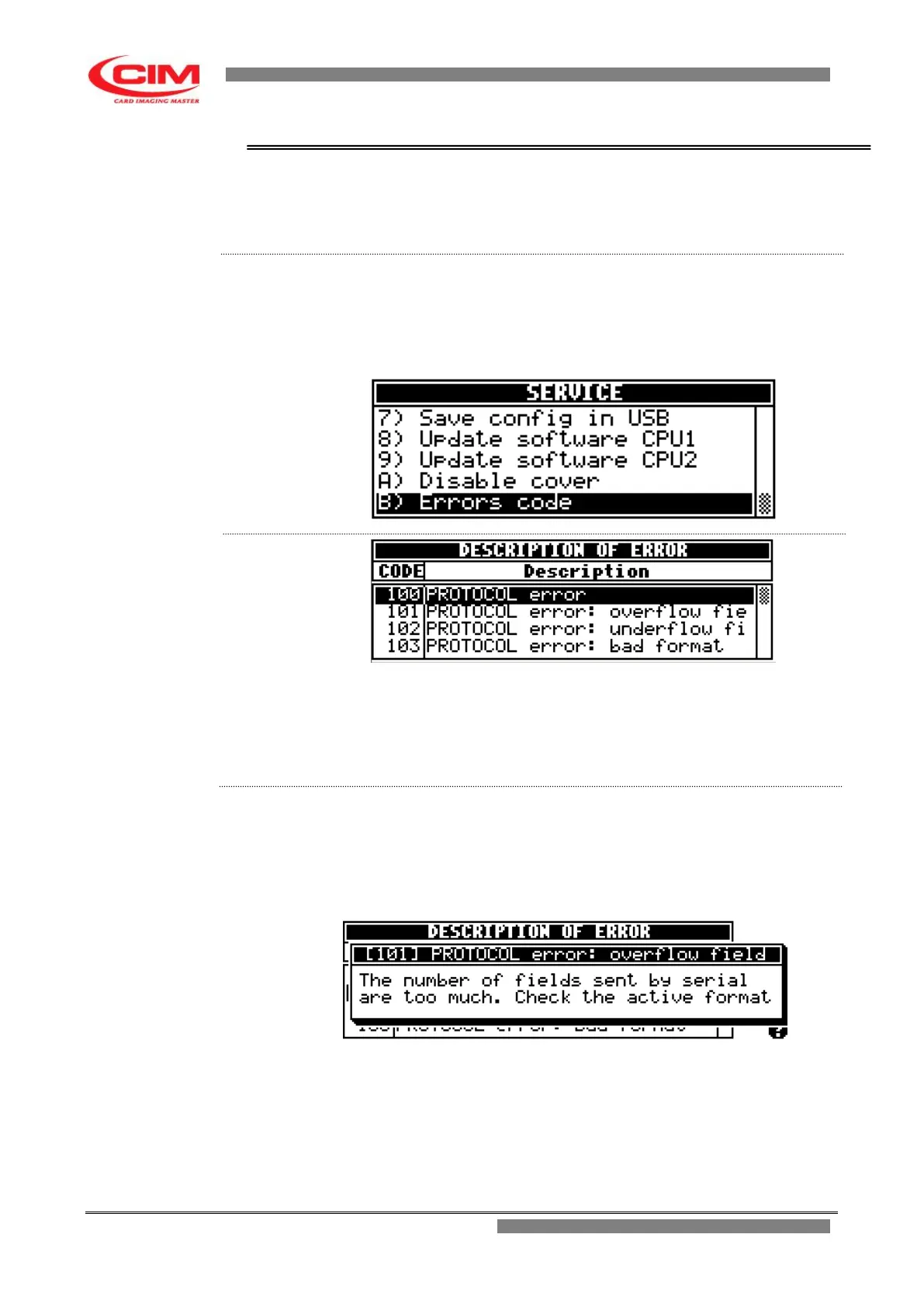
This option allows to display the list of the codes of the errors that can occur
in the embosser and it makes the operator understand the possible cause
that generated the error.
From the “SERVICE” menu you can access the Errors code function by
pressing key
B
or by pressing keys
k
or
i
until you reach the function and
then press
b
.
To return to “SERVICE” press key
s
.
CODE it indicates the numeric code of the error generated
by the embosser as a consequence of a failure.
Description it describes the type of error associated to the code.
1- Refer to the previous point 2 to enter into the menu.
2- To know more details about the error generated by the machine and
subsequently take the right countermeasures, simply move to the
number of the error code with the keys
k
or
i
and press
b
.
3- To leave press
s
.


 To Next Page