MDT500 HE - Operator's Manual
How to create a format .4.1
To create a format it is necessary to follow the instructions below:
NOTE:
In this case, to make it easier and cancel any doubts of the operator of the
MDT500 HE, the procedure starts from the beginning, repeating the phases
previously described and explaining everything step by step.
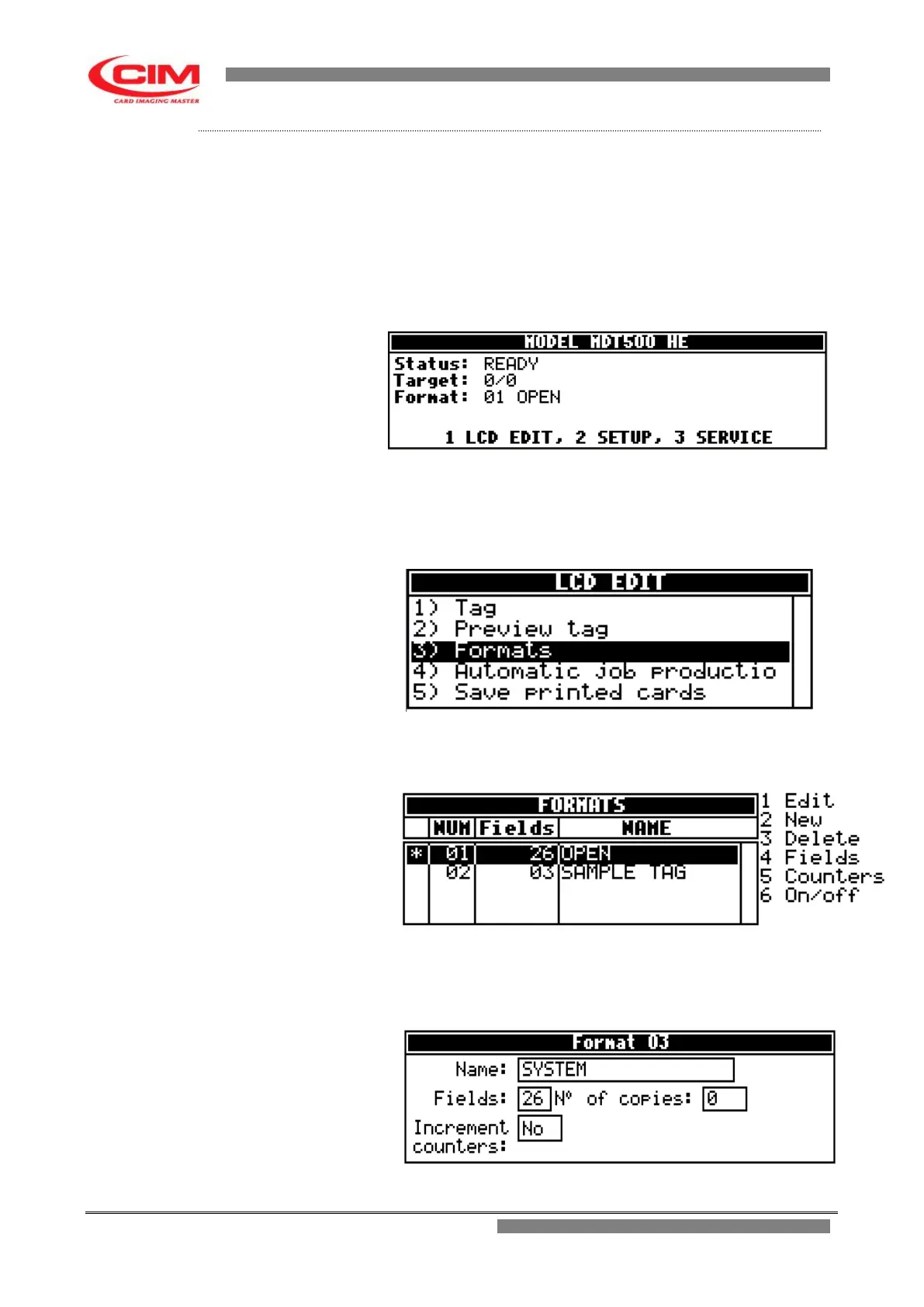
1- With the machine in the “READY” status, press key
1
on the
keyboard and access the “LCD EDIT” option.
2- In “LCD EDIT” press key
3
on the keyboard
to enter into the
function or press the keys
k
or
i
to move to “Formats” then
press
b
.
3- In the Formats menu, press key
2
.
4- Enter into the “New” screen and in the “Name” box give the new
name to the format, then press
b
to move to the next one.



 To Next Page