MDT500 HE - Operator's Manual
To produce tags automatically from a USB FLASH PEN DRIVE there are
two methods. Read the procedure carefully to decide whether to start from
point 1 or from point 2.
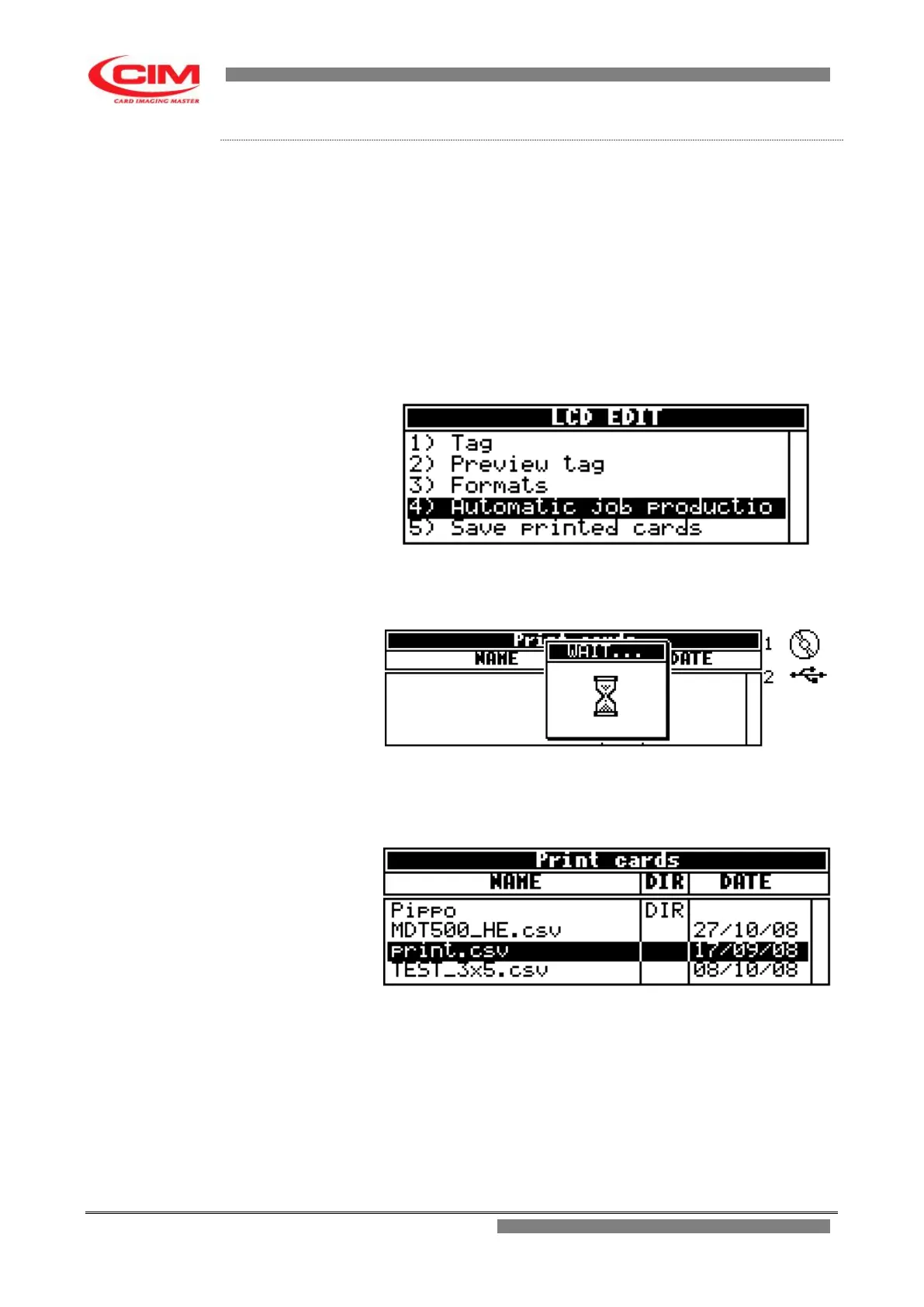
1- In the main screen, when the USB pen drive is plugged in, the
machine automatically displays the csv files it contains.
Now refer to point 5 to continue.
2- Follow the previous instructions to access manually to the LCD
EDIT menu.
3- In the “LCD EDIT” option press
4
or the keys
k
or
i
until
you
reach
“AUTOMATIC JOB PRODUCTION” and finally press
b
.
4 - In the “Automatic Job Production” menu, press
2
to
access the USB pen drive.
5- When the contents of the USB pen drive are displayed,
select the required csv file with the keys
k
or
i
or reach the
directory that contains the file.
6- Press
b
to emboss all the tags with the data contained in the
database file. If the used format has a number of copies other
than zero, each tag of the database will be produced various
times.
- If you wish to suspend or interrupt the production press
s
on the keyboard and confirm your choice.
Procedure .4
- How to open a
csv file from a USB pen
drive



 To Next Page