MDT500 HE - Operator's Manual
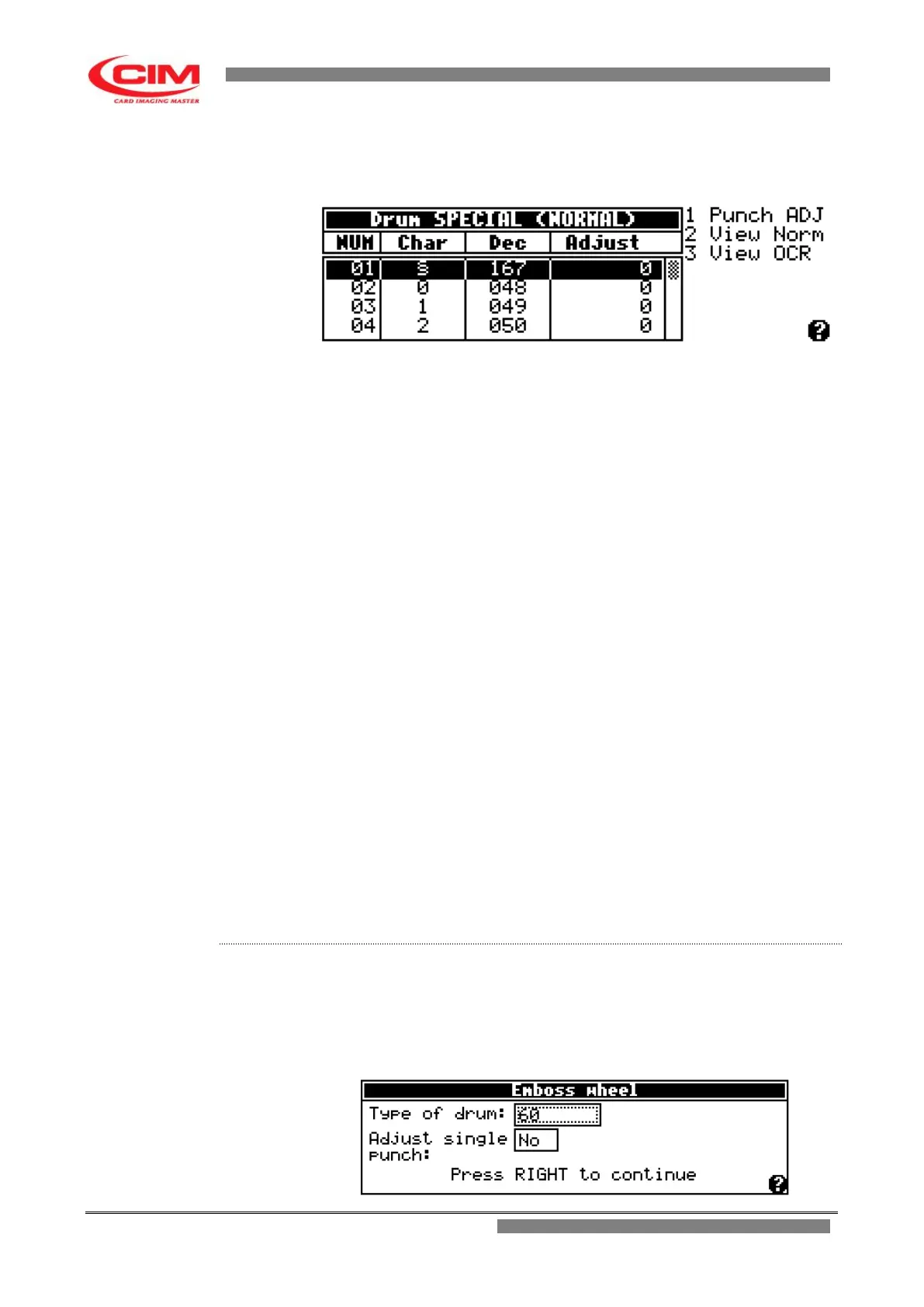
When the settings have been confirmed, MDT500 HE enters into the drum
menu, which displays the present characters, their font, their code and their
possible pressure adjustment.
1 Punch ADJ if the "Single punch correction" has been pre-selected it
allows to have access to the adjustment of the embossing
pressure for each single character.
2 View Norm it displays in the chart only the configuration of standard
punches.
3 View OCR it displays in the chart only the configuration of the OCR
punches, if present.
NUM it indicates the number of the slot where that specific
character is entered.
Char it specifies which character is in that specific slot.
Dec it specifies the decimal value corresponding to the character.
Adjust it indicates what is the pressure or strength exerted on that
specific character.
If the “single punch correction” function is enabled it is
possible to change it selecting a more suitable one.
The value can be positive and in this case the pressure
increases or it can be negative and thus the pressure
decreases.
The correction adjusts the general pressure defined in the
“Mechanical parameters” menu.
The value indicates the number of steps that the embossing
motor must perform.
This must be done only by qualified technical staff. A
wrong calibration can seriously damage the machine.
1- Refer to the previous point 2 to enter into the menu.
2- To enter and move around the various boxes present in the menu, simply
press
b
, while to set or modify the respective parameters press
k
or
i
.



 To Next Page