MDT500 HE - Operator's Manual
4.5.6. TOP TRANSLATION TABLE (TTT)
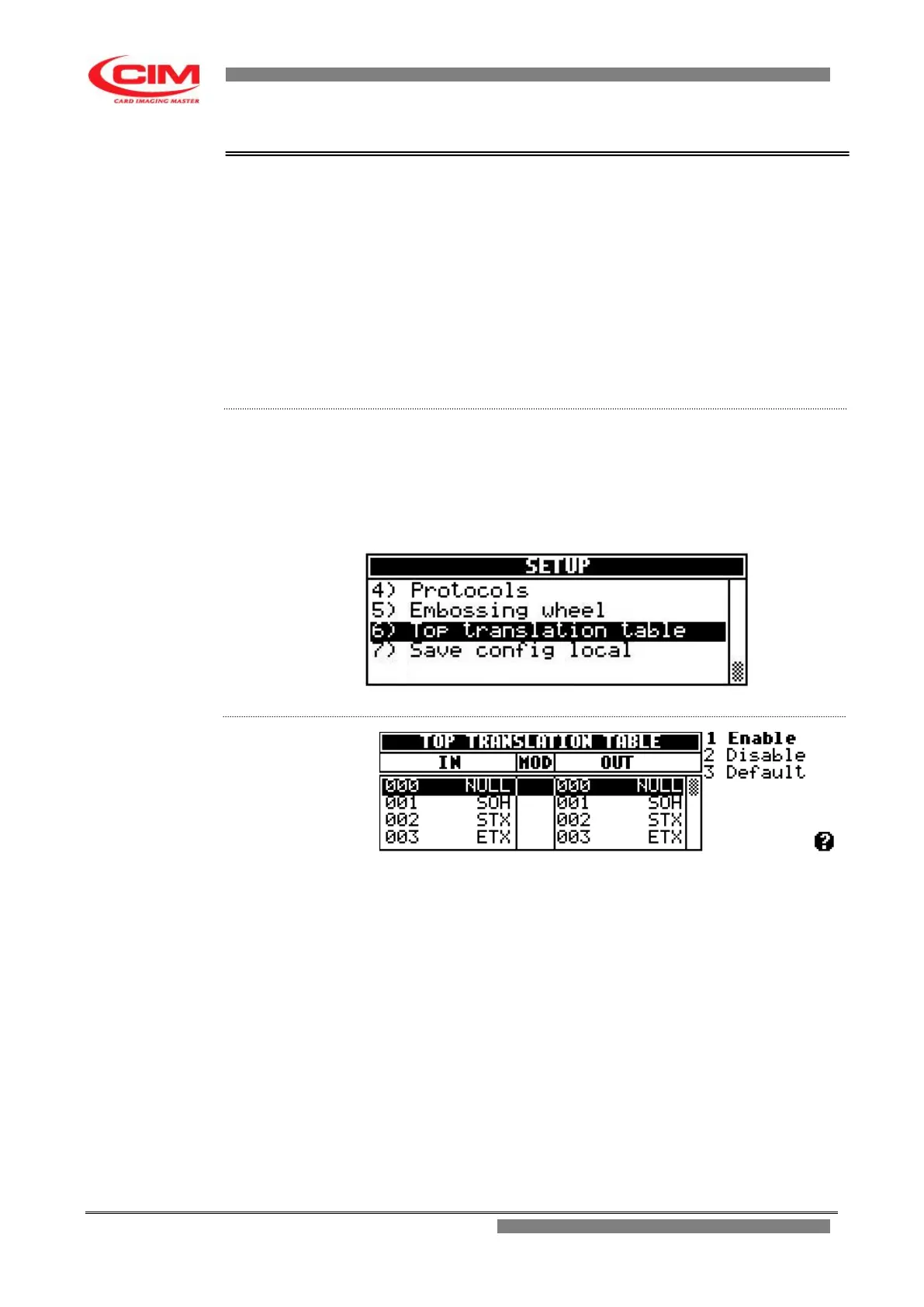
The table shows the association of the input characters with the output
characters, thus allowing to change a character into another whenever it is
necessary.
For example, this option can be used to turn lowercase characters into
capital characters or convert the specific code of a character in the
corresponding one in ASCII.
The table contains all the receivable 256 characters divided by value and
symbol.
From the “SETUP” menu you can access the “Top translation table”
function by pressing key
7
or by moving with the keys
k
or
i
until you reach
the function and then press
b
.
To return to “SETUP” press key
s
.
1 Enable it enables the TTT function to convert the input data
characters with the set output ones.
2 Disable it stops the TTT function from converting the input data
characters with the set output ones.
3 Default it restores the original values, canceling all
modifications.
IN it displays, line by line, the code in decimal value and
the symbol of the 256 receivable characters.
MOD it highlights with a star (*) the characters that can be
converted.
OUT it displays, line by line, the code in decimal value and
the symbol of the 256 output characters.



 To Next Page