MDT500 HE - Operator's Manual
4.6 SERVICE
The SERVICE option contains a series of functions for the analysis and updating of the
embosser firmware and it is meant only for the specialized or authorized technical staff. For
this reason some functions are protected by a password.
You can access the SERVICE option simply by pressing the key
3
from the “Main Menu”
while to leave and return to the previous situation press key
s
.
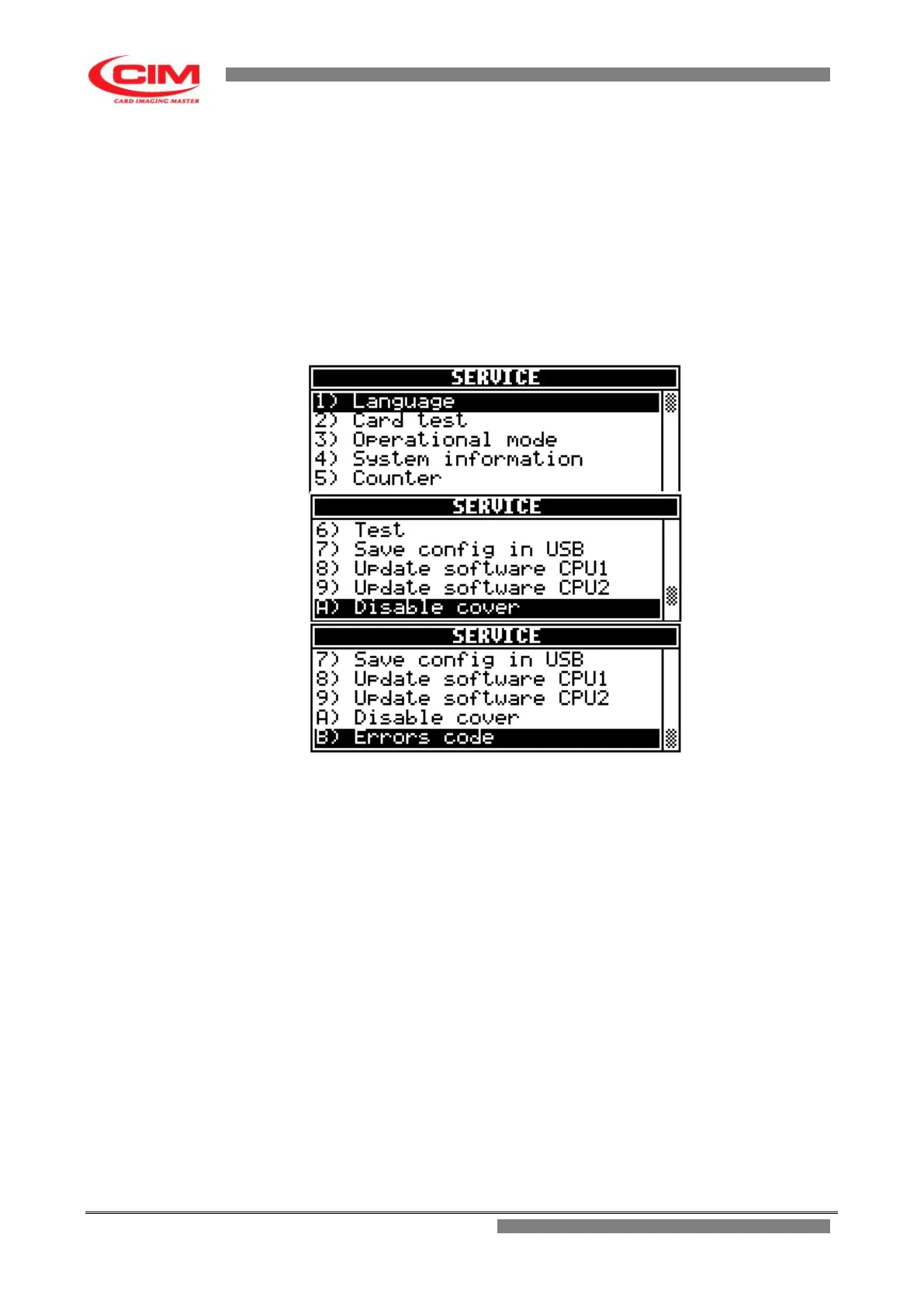
Due to the size of the display, the option shows the first five functions of the menu.
To view the next functions simply press key
k .
Functions contained in SERVICE
The SERVICE menu consists of eleven main functions:
1) LANGUAGE
2) CARD TEST
3) OPERATIONAL MODE
4) SYSTEM INFORMATION
5) COUNTER
6) TEST
7) SAVE CONFIG IN USB
8) UPDATE SOFTWARE CPU1
9) UPDATE SOFTWARE CPU2
A) DISABLE-ENABLE COVER
B) ERRORS CODE
To access one of these you must move with the keys
k
or
i
until you reach the
specific
function and then press
b
.
It is possible to access directly by pressing the number key corresponding to the specific
selected function.



 To Next Page