MDT500 HE - Operator's Manual
4.4.4. AUTOMATIC JOB PRODUCTION
It is the function that allows to launch from a USB FLASH PEN DRIVE the
production of tags by retrieving the data from a data base file with the
extension .csv.
It is possible to use a fixed job in the machine memory (OPTIONAL)
Switching off the machine implies deleting the print queue and making the
log file saving impossible (function “save printed cards”).
The cvs (Comma Separator Value) data files can be generated through
commercial application softwares (Excel, Access, Notepad…) or through the
application software Blade Light.
The .cvs file consists of records (lines) separated from each other by a CR
(Carriage Return). Each record contains data that might be divided in fields
by a separator such as “semicolon” (;) or tabulator.
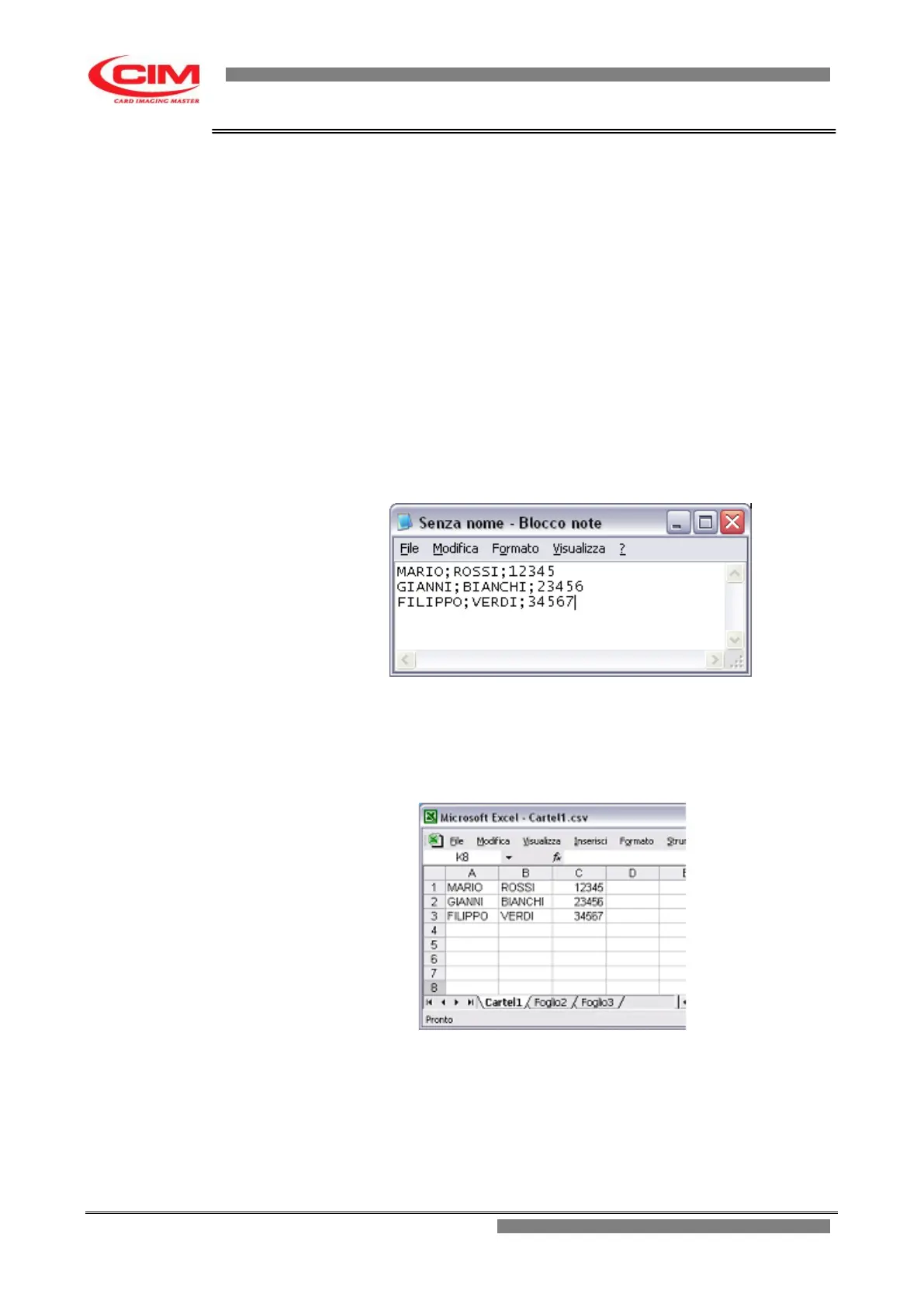
To create a .csv file with Notepad enter/edit the data as shown in the
example. On each line enter the data in sequence separated by tab or by
semicolon” (;), except at the end of the line. A tag corresponds to each line
and each text adjacent to a tab or semicolon corresponds to a field.
Saving this file with csv extension on a pen drive will make it possible to print
three tags with names, surnames and serial numbers set as in the example.
To create a csv file with Excel enter/edit the data as shown in the example.
Each line corresponds to a tag and each cell corresponds to a field.
Saving this file with csv extension on a pen drive will make it possible to print
three tags with names, surnames and serial numbers set as in the example.



 To Next Page