MDT500 HE - Operator's Manual
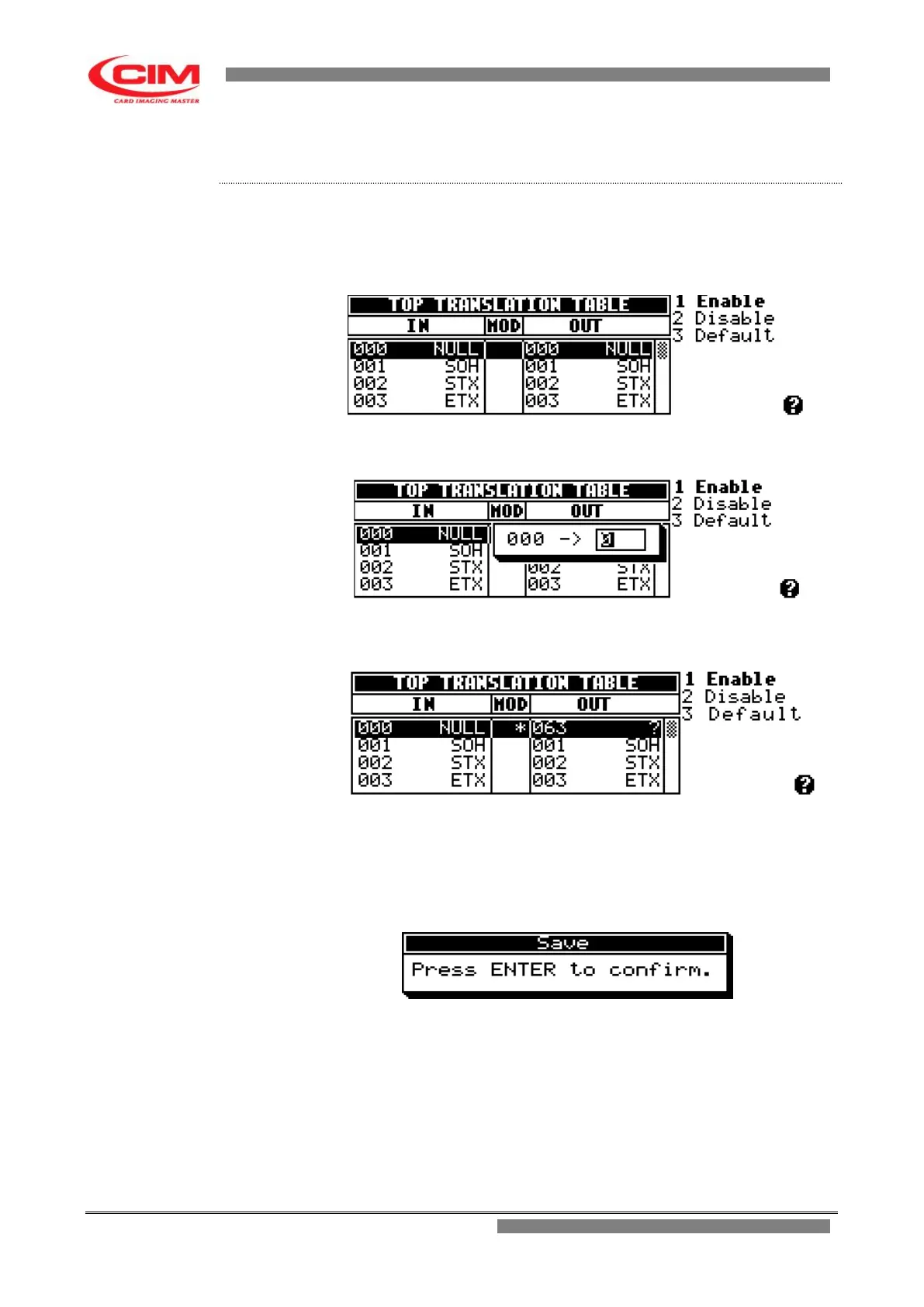
1- Refer to the previous point 2 to enter into the menu.
2- To reach the character to be converted, press
k
or
i
until
you are positioned on it and finally press
b
3- Assign the new code as decimal value and press
b
to exit.
4- Make sure that the new code is accepted, checking the presence of the
star in the MOD box, near the modified character.
5- Press
s
to leave the menu.
6- Press
b
to save the new changes or
s
to undo them.



 To Next Page