MDT500 HE - Operator's Manual
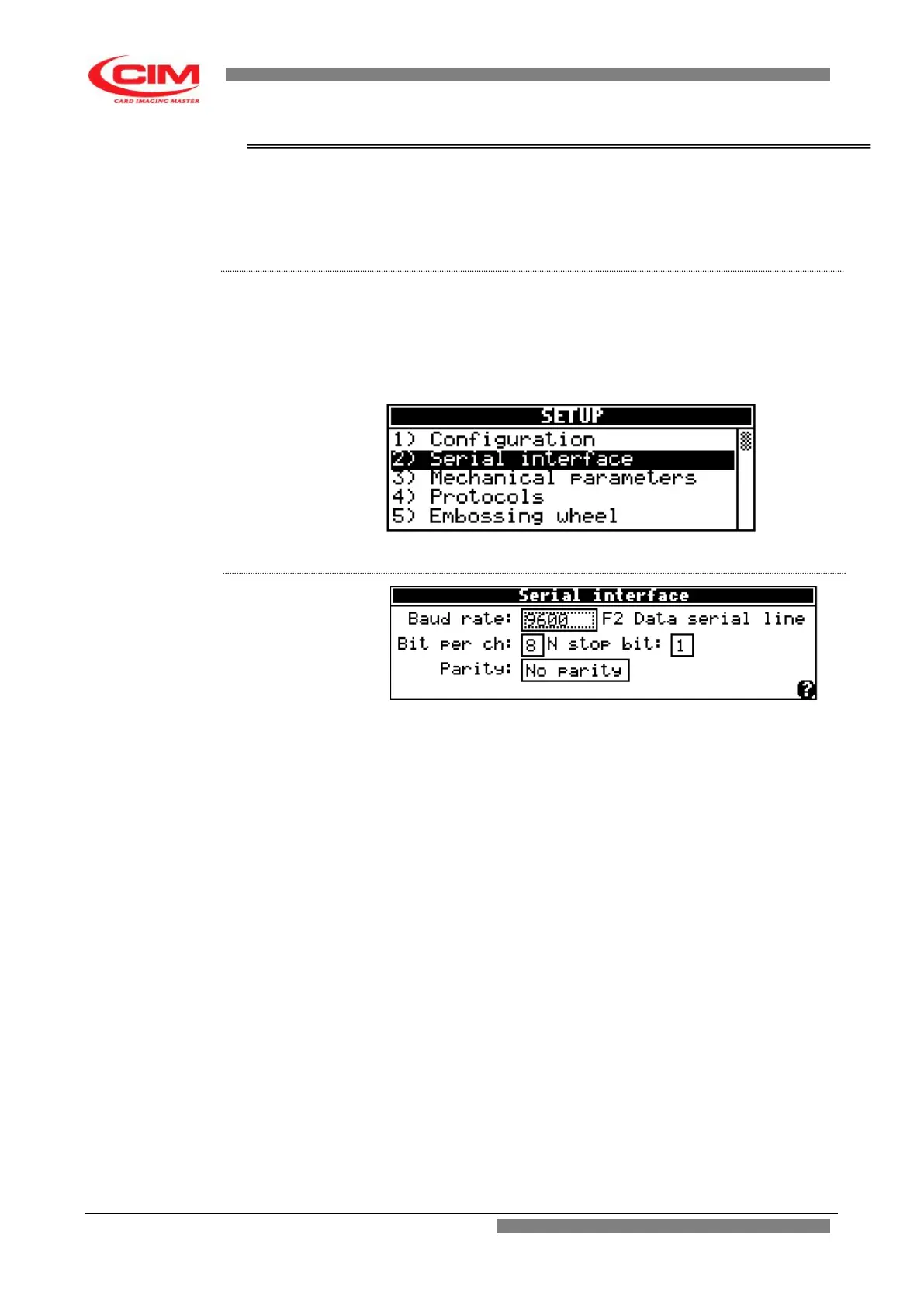
4.5.2. SERIAL INTERFACE
The option allows to set the standard communication parameters of the
serial port RS 232 of the embosser to connect it to a computer and respect
the specifications of the application software.
From the “SETUP” menu you can access the Serial Interface by pressing
key
2
or by moving with the keys
k
or
i
until you reach the function and
then press
b
.
To return to “SETUP” press key
s
.
Baud Rate: data transmission rate between embosser and
computer.
The value of the transmission rate is as provided for by
RS 232, and it ranges from 110 Baud Rate up to
115200 Baud Rate.
The rate normally used is 9600 Baud Rate.
F2 it allows to enable the “Data Scope” function.
This function allows to see on the display the data
transition between the embosser and the computer and
vice versa.
Bit per ch: is the length of the character expressed in number of
bits.
Its value can be 7 or 8.
N stop bit: it defines the number of stop bits.
Its value can be 1 or 2.
Parity: it indicates the type of checksum to be done on the
character. Parity can be even, odd or none.


 To Next Page