MDT500 HE - Operator's Manual
It displays the print preview of the tag, directly using the
function “Tag preview”. Pressing s you go back to the Tag
menu.
It displays a HELP menu concerning the active screen.
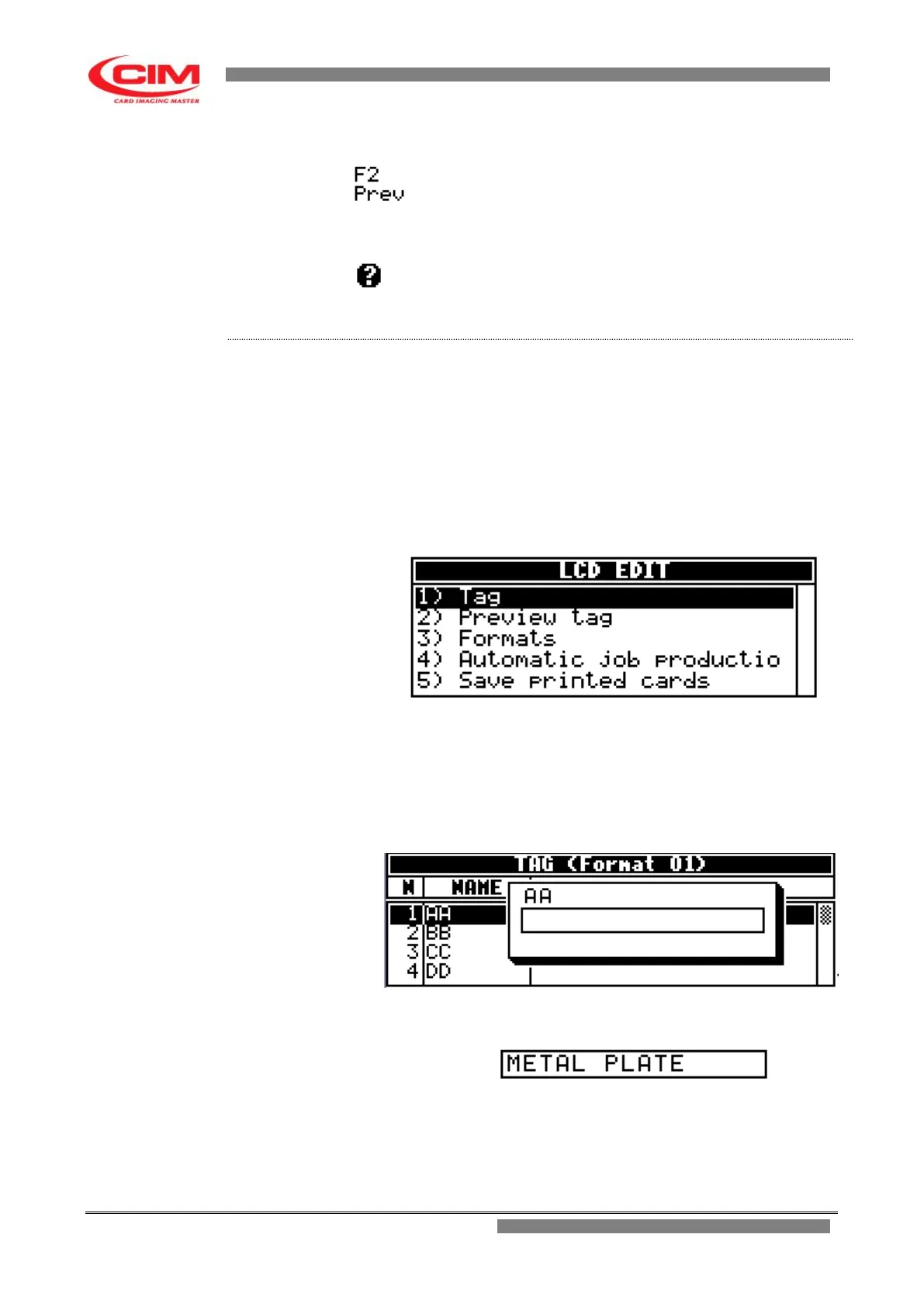
To enter the data to be embossed it is necessary to follow the instructions
below:
1- Refer to the instructions at point 4.4.0 to enter into “LCD
EDIT”.
2- In the option “LCD EDIT” press
1
or
k
or
i
until you
reach “Tag” and finally press
b
.
3- In the Tag menu move with the keys
k
or
i
until you reach the
field you want to enter data into, then press
b
.
After having pressed
b
the program will open a box with the
name
of the field it refers to. It is possible to access this screen
even by just starting typing the data in.
4- Using the keyboard you can write the required text.
Example METAL PLATE
NOTE:
The maximum number of characters that can be entered depends
on the definition of the field in the “Formats” option
Procedure
- How to enter data .4



 To Next Page