MDT500 HE - Operator's Manual
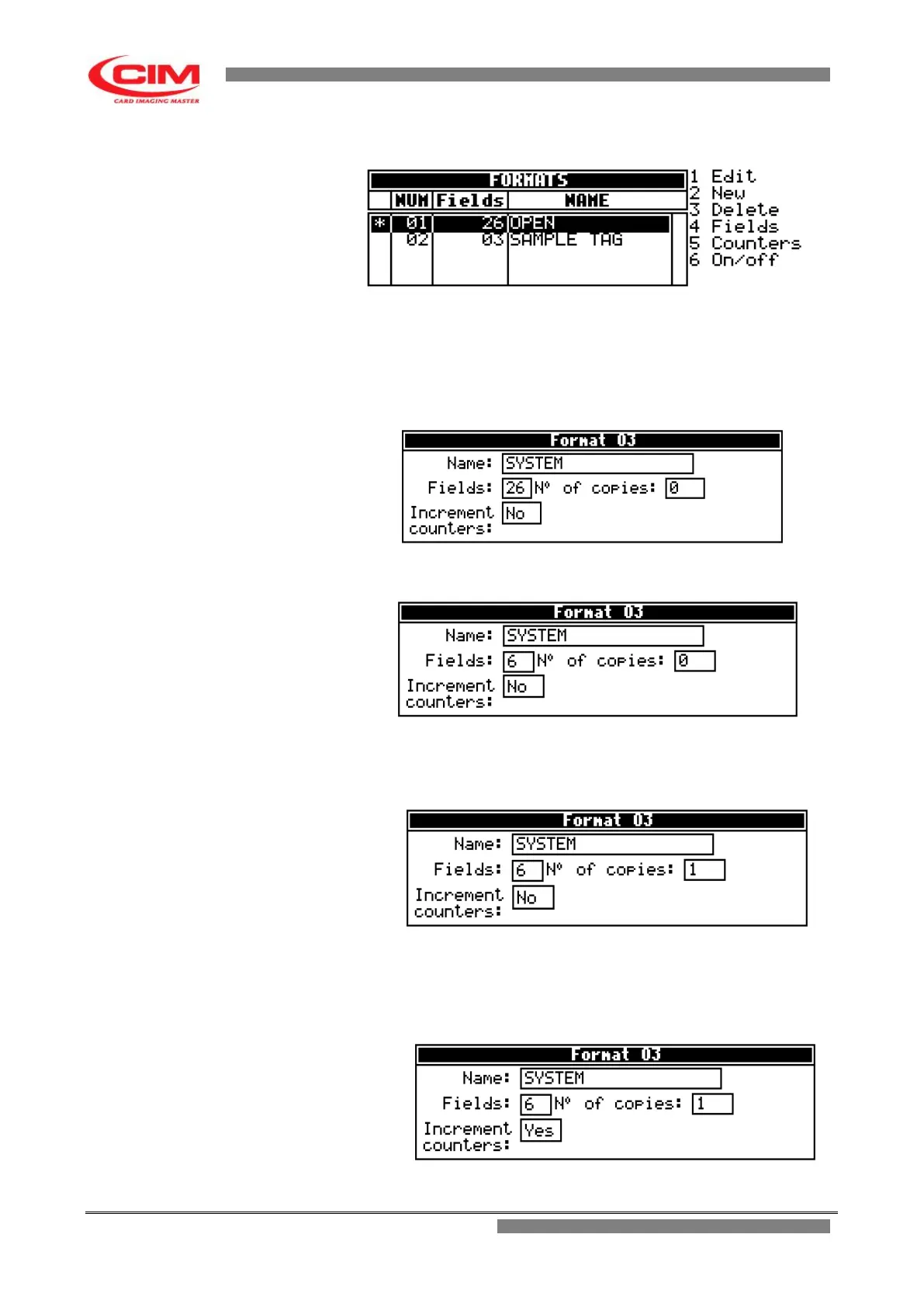
3- In the Formats menu, press
2
to create a new format in addition to those already
present.
4- By pressing
b
you enter into the selected format and in the “Name” box give a
new name to the format.
5- Press
b
to move to the next boxes.
6- In “Fields”, determine the number of fields that make up the format.
7- If you wish to duplicate a tag more than once, every time you use this format enter
the number of required copies in the box “N° of copies”.
8- If in the format there are fields defined as counter and you wish to increase them
while duplicating, in the box “Increment counters”, press
k
or
i
to enable the option,
moving it to YES. If you choose NO, identical copies will be produced.



 To Next Page