1-7
OPERATOR’S MANUAL PRO SERIES
1 GENERAL DESCRIPTION
1.8 TIPPER
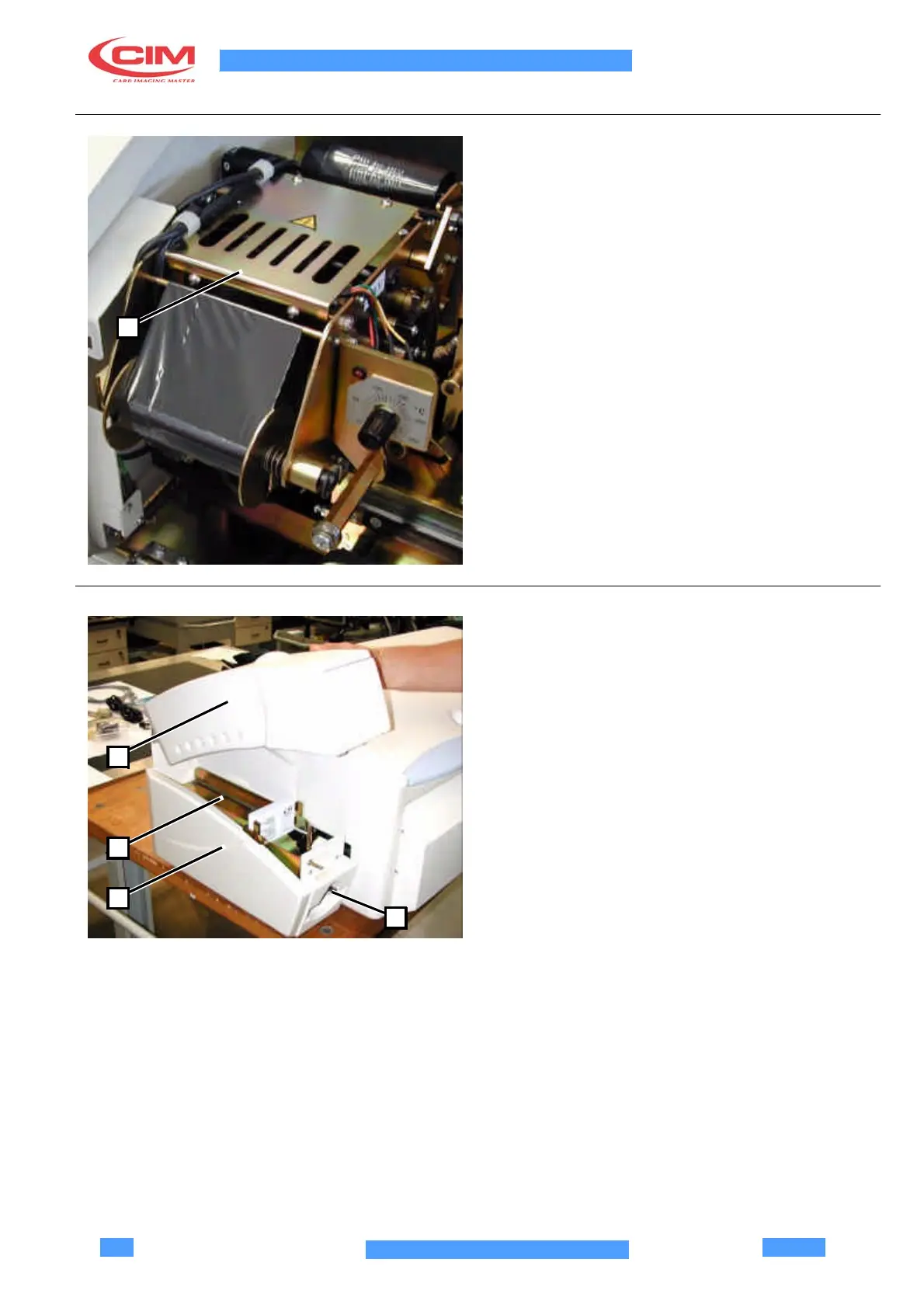
The Tipper is a device which inks the embossed
characters.
The Tipper Unit has a Hot Silicon Blanket (160°-170° C)
which, when pressed on the inked ribbon placed
between the card and the Silicon Blanket, transfers the
ink onto the embossed characters.
The working temperature can be set by turning the
graded knob which is located on the left of the ribbon.
1
On switching on the machine it is necessary to wait at
least 5 minutes so that the Tipper can heat up and reach
the working temperature. Any calls for the Tipper before
it is ready will generate an error message: “E-19
TIPPER NOT READY-PLEASE WAIT” to signal that the
system is not ready to ink.
When the Tipper has reached the working temperature
it will produce the card without needing any input from
the operator.
The maintenance instructions should be carefully noted
in order to obtain the correct functioning of the Tipper .
1.9 UNLOADING UNIT
The unloading unit (3), with removable cover (1), allows
to extract the cards.
The cards successfully produced are stored in the upper
part (2) of the unit, while the defective ones are placed
in the lower part (4).
The moving guide allows to store the cards without
1
jamming. To function correctly, it must always be put in
position “fully forward”. On the contrary, the alarm
“unloading not ready” would be generated.
The unloading unit is equipped with sensors which
2
detect if it is full or empty (negative and positive
unloader), generating the respective alarms.
3
4



 To Next Page