4 PRODUCING
CARD
4-5
OPERATOR’SMANUAL PRO SERIES
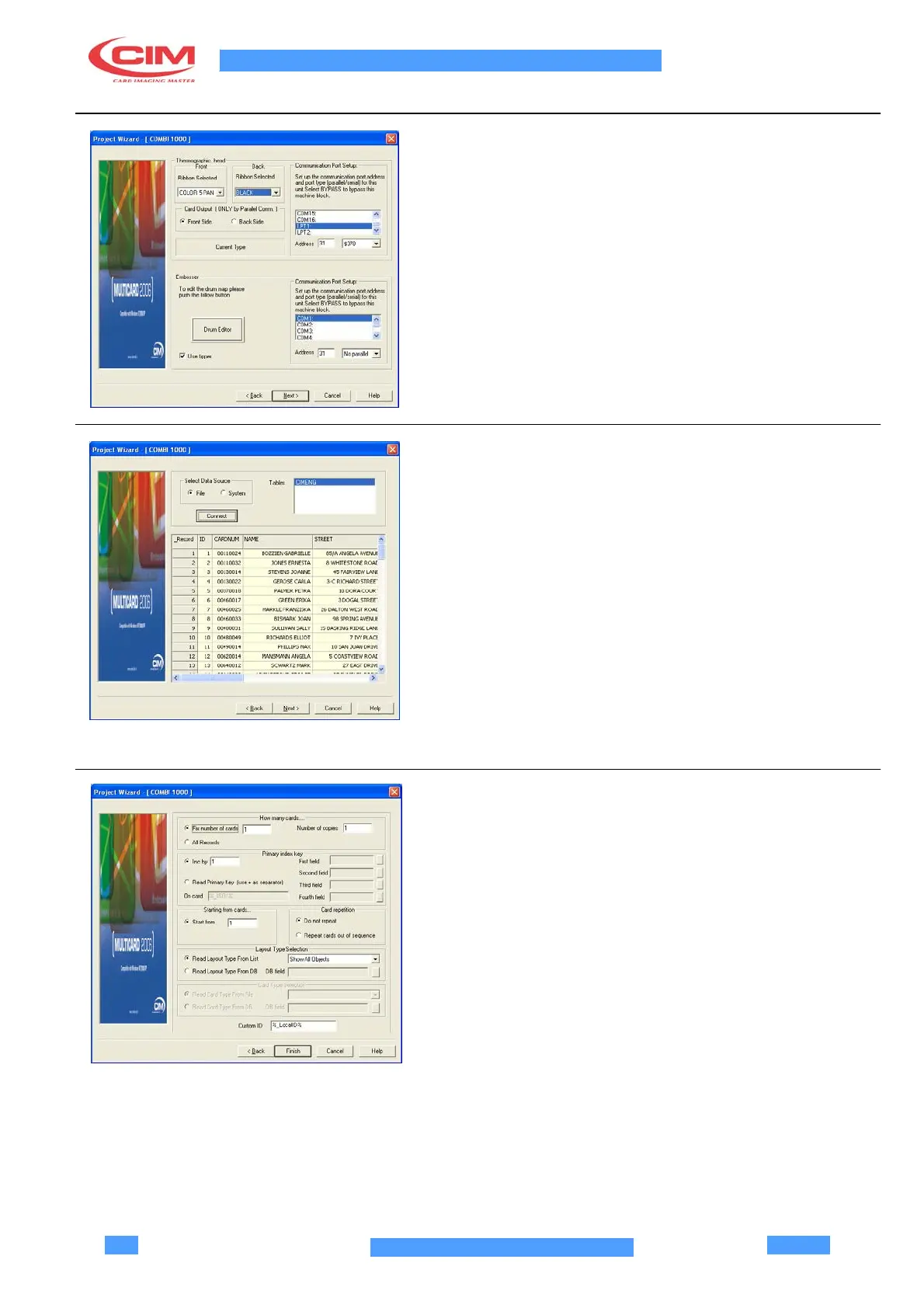
4.7 EMBOSSING UNIT CONFIGURATION
•
Select the serial communication port to which the
machine is connected to be monitored.
•
Select the machine address.
•
Click on Drum Editor to configure the embossing
unit.
•
Click on Next if the parameters are correct.
4.8 CONFIGURATION OF THE
DATA SOURCE
If the option Provide Database Support was selected
on the first page of the Wizard, the connection to an
external data source is now required. There are two
alternative solutions: File, System.
File
•
It allows to connect to a MDB or DBF file.
System
•
It allows to connect to an external data base
managing device, even remote, via a specific
OLEDB Provider.
•
Click on Next if the parameters are correct.
4.9 JOB PARAMETERS CONFIGURATION
•
Select the number of cards to be processed on the
Fix number of cards box, or select the All records
option to print all the records on a database. Select
the number of copies of the cards if you have the
privileges to modify this parameter as multicard
user.
•
Select the type of access to the data source: IncBy
(sequential) or ReadPrimaryKey (conditional: to
join the information acquired by the card to the
database fields selected in First field)
•
Select the position of the data source in the Start
From box.
•
Select the Card Repetition option, not in
sequence, for defective cards which are wasted.
•
Click Next if the parameters are correct.



 To Next Page