5 RIBBON REPLACEMENT AND ADJUSTMENTS
5-
OPERATOR’S MANUAL PRO SERIES
5.1 INTRODUCTION
The following sections describe the ribbon replacement
procedures and the instructions for some easy
adjustments to be carried out by the operator, such as:
•
cleaning ribbon replacement
•
printing ribbon replacement
•
loading unit adjustment.
5.2 LOADING UNIT ADJUSTMENT
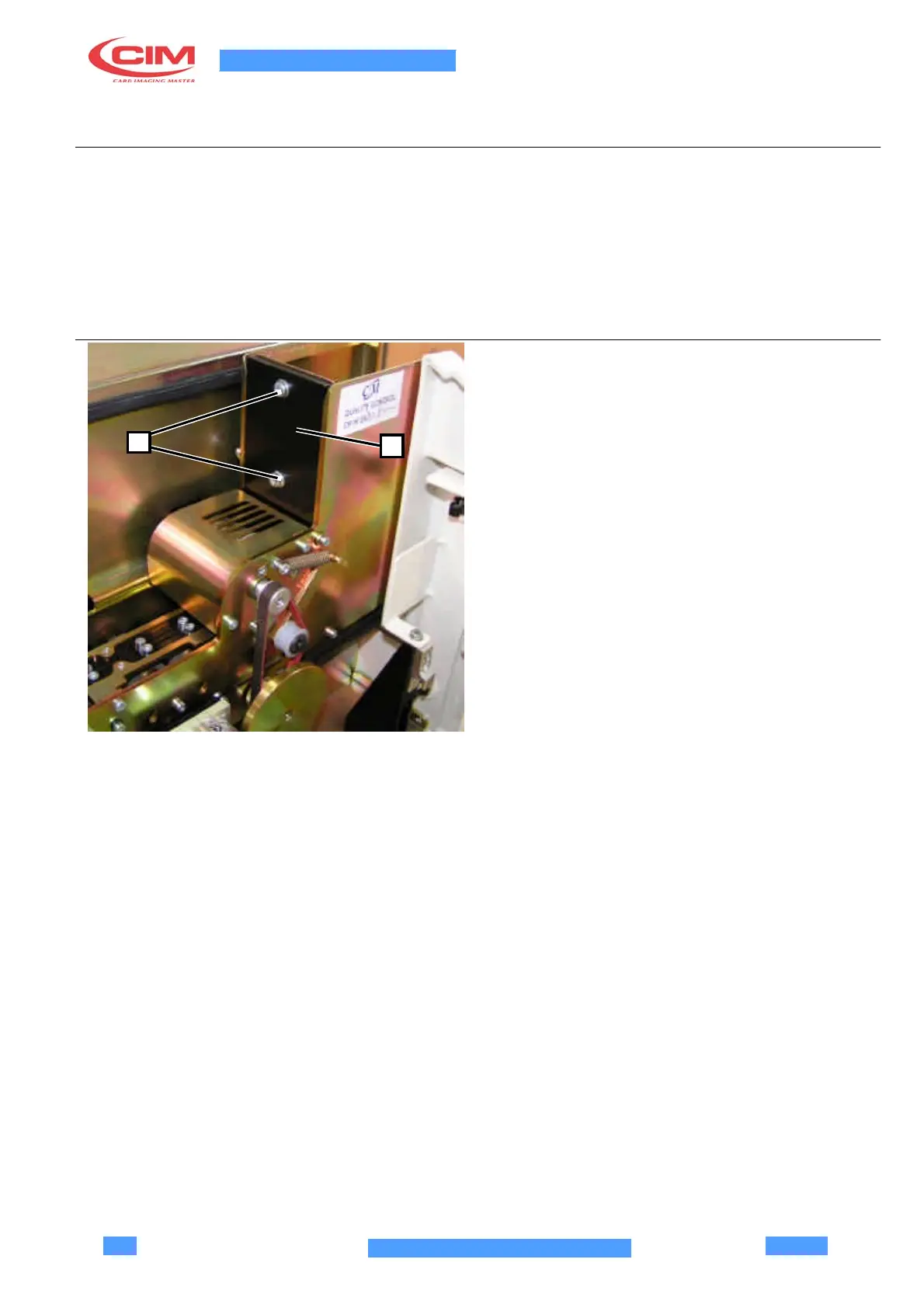
To adapt the loading unit to the thickness of the plastic
cards, loosen the screws (1) of the guillotine (2) and
adjust the height so that only one card at a time is
1
2
ejected.
Make sure that also the loading tooth moves freely
under the guillotine.
Tighten the screws (1).



 To Next Page