5-9
OPERATOR’S MANUAL PRO SERIES
5 RIBBON REPLACEMENT AND ADJUSTMENTS
5.7 TIPPER RIBBON COSUMPTION
ADJUSTMENT
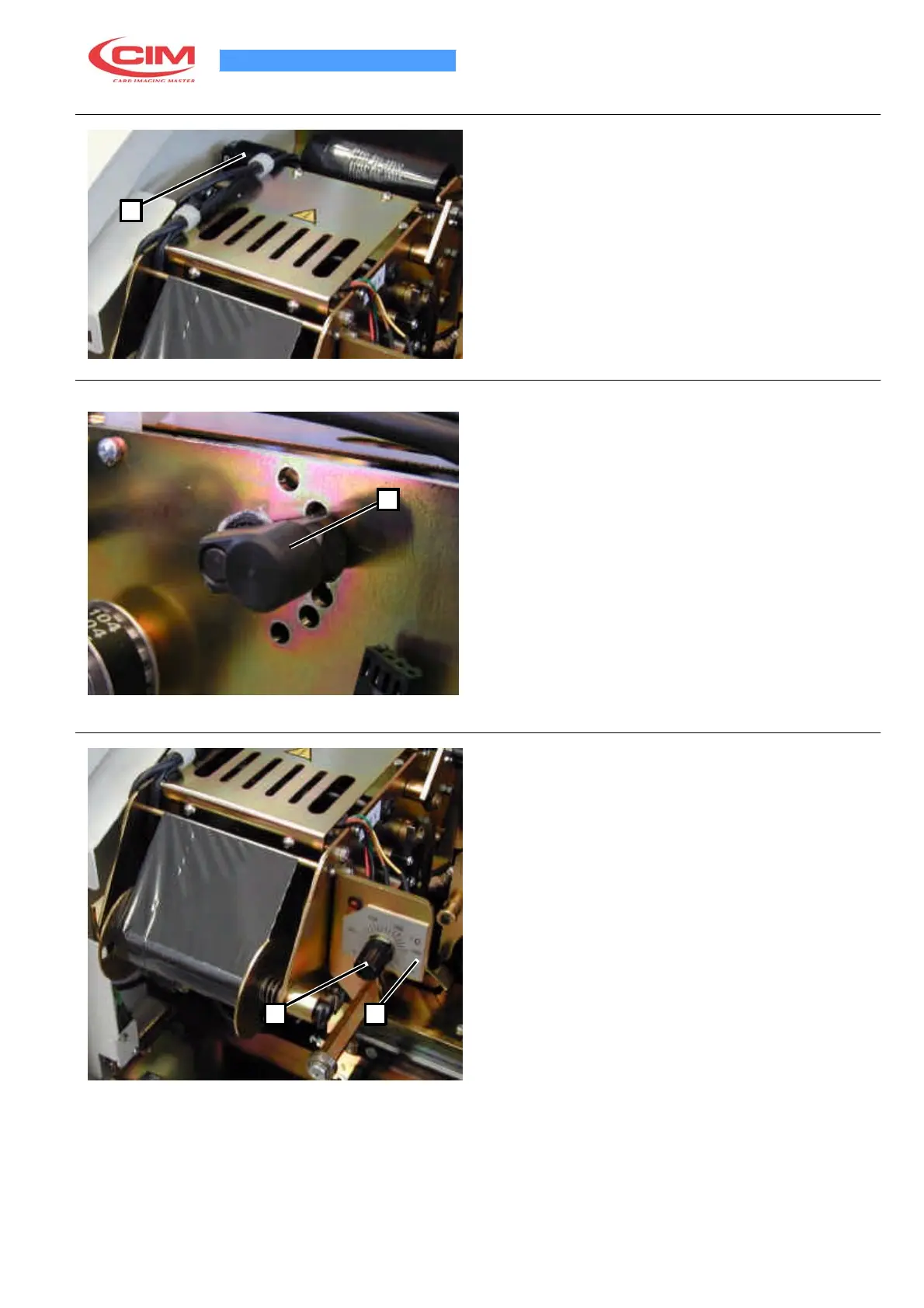
It is possible to adjust the ribbon consumption by turning
the knob (1). The number facing upwards indicates the
1
number of rows to ink.
5.8 TIPPER PRESSURE REGULATION
To obtain the desired character inking quality increase
or decrease the Silicon Blanket pressure using the knob
(1). To increase the pressure pull the knob (1) towards
the left so as to unblock it, push the lever downwards
1
and release the knob (1) so that the lever is now
blocked. The character-inking can be diminished by
lifting the lever up one hole.
5.9 TIPPER TEMPERATURE REGULATION
The Tipper must have a temperature of 160° by the red
point shown on the graded scale (2).
If special ribbons are used (gold, silver,...) or particular
plastic cards and it is necessary to modify the setting
then it will be necessary to change the position of the
knob (1) on the graded scale.
1 2



 To Next Page