4 - 8
OPERATOR’S MANUAL PRO SERIES
4 PRODUCING A CARD
4.14 CARD PRODUCTION
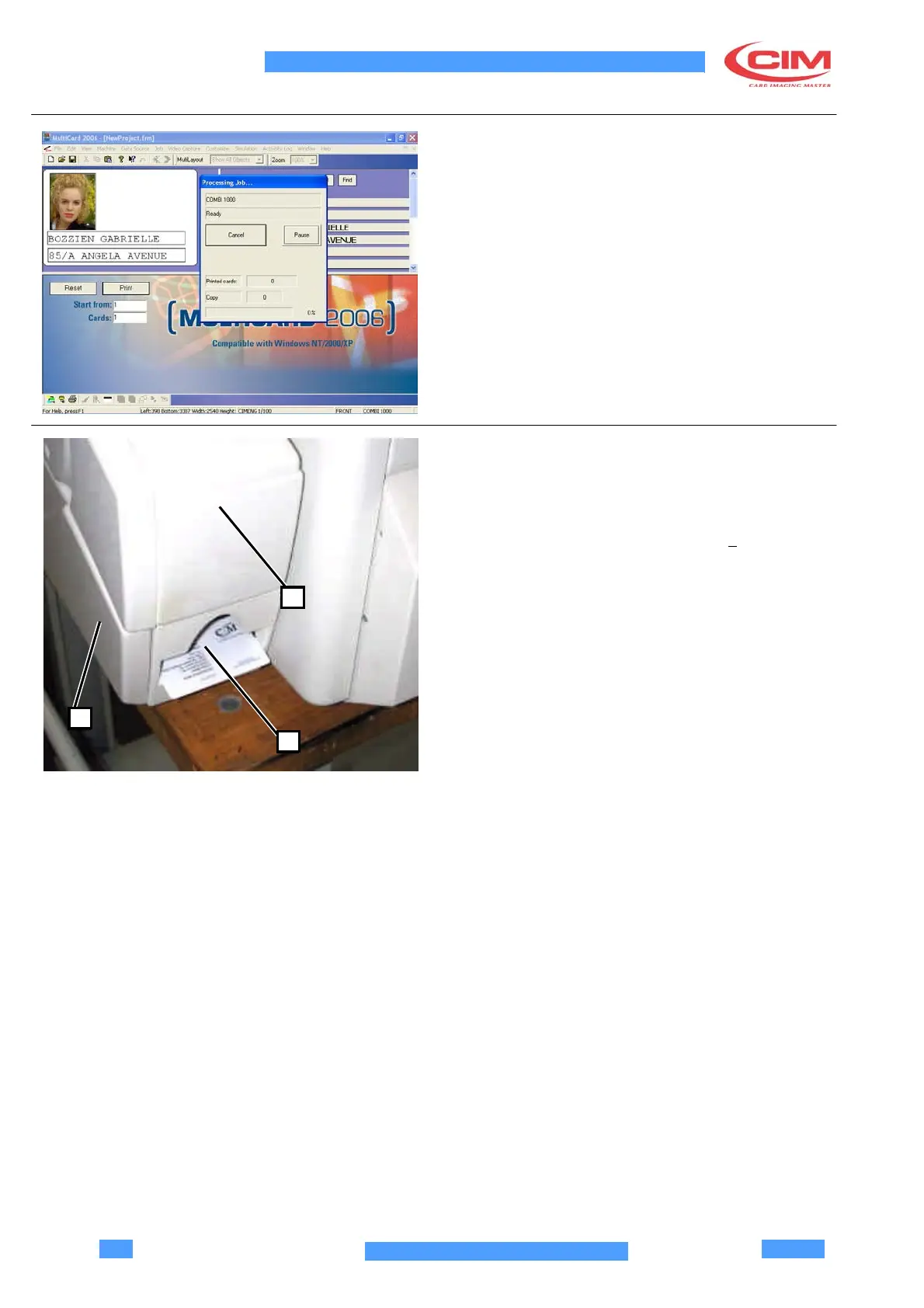
Click on RESET. If an error message pops up, check
the connections and the communication parameters of
the driver.
Click on PRINT.
If no errors occur, production is completed and the
machine goes back to the READY mode.
4.15 MACHINE START UP
AND PRODUCTION
If any errors take place, the error code is shown on the
display and the defective card is ejected (1).
The error codes are described in chapter 6
.
To remove the processed cards, open the upper
cover (2) of the unloading tray (3).
2
Once cards are removed, put the guide back in position
“fully forward”.
3
1



 To Next Page