7 - 6
OPERATOR’SMANUAL PRO SERIES
7 MAINTENANCE
7.6 CLEANING OF THERMOGRAPHIC UNIT
At regular intervals (at least once a week), stop
production to clean the module manually.
WHEN:
1
It is necessary to clean the module when the card does
5
not move smoothly:
•
during colour printing, there are plane alignment
problems and so the images are doubled.
•
during monochromatic printing, the lengthways
offset starts to fluctuate by more than 0.1 mm.
(higher than the resolution of the photocell and the
4
stepper motor used).
HOW:
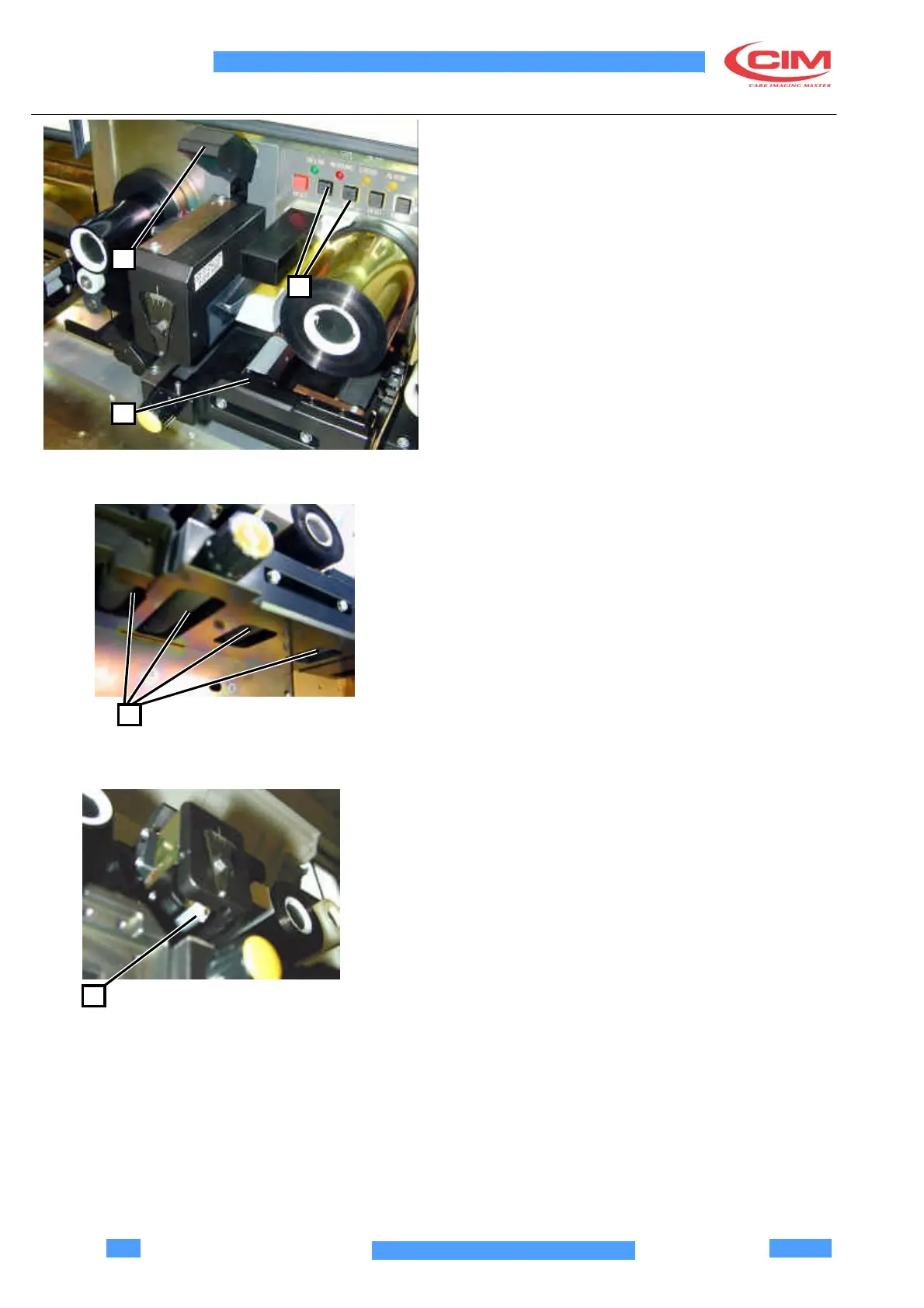
The pull rollers, the card guide (4) and the tip of the print
head must be cleaned.
Follow the procedure described below. Do NOT touch
the print head with your bare hands (this will damage
the head).
Module cleaning procedure:
•
Lift the head using the special lever (1) located
above it.
•
Soak a clean cloth with alcohol (the cloth must not
be dusty or greasy).
2
• Wipe the cloth on each of the rollers (2) one by one,
running the rollers with the card (5) feed keys.
•
Wipe the cloth on the tip of the print head (3) (the
print head accumulates dust which remains on the
tip and prevents heat transfer).
3



 To Next Page