4 PRODUCING
CARD
4-3
OPERATOR’SMANUAL PRO SERIES
4.1 HOW TO PRODUCE A CARD
Before starting the production, it is necessary to set up
the machine, turn it on and install the MULTICARD
software.
4.2 MULTICARD SOFTWARE
INSTALLATION
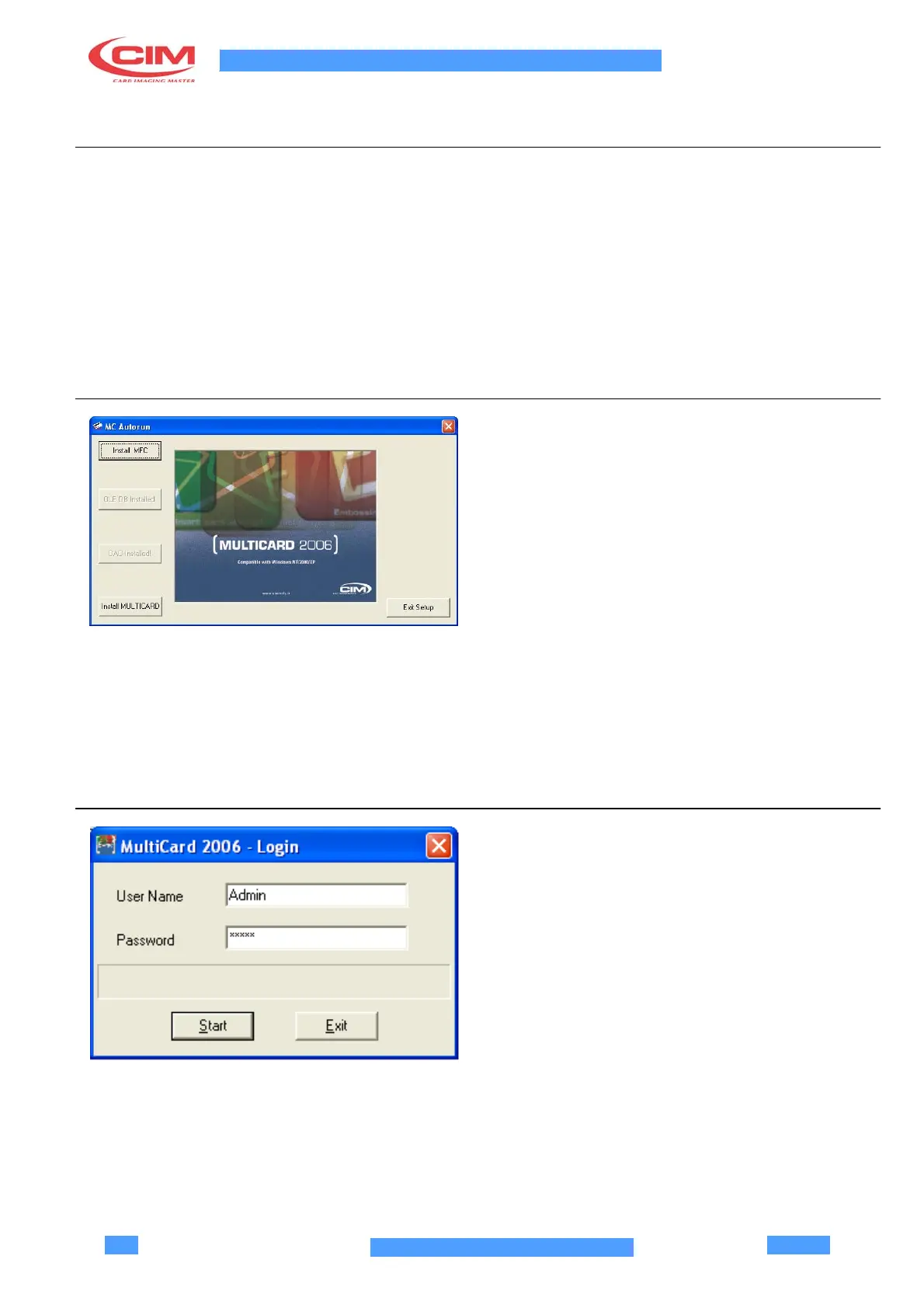
Insert the MULTICARD 2006 installation CD in the CD
driver.
The files ReadMeFirst.htm and MCAutorun.exe
should be launched automatically. On the contrary,
select the START menu in Windows, select Execute…
and digit X:\MCAutorun.exe, replacing X with the letter
corresponding to your CD driver.
Read the file ReadMeFirst.htm carefully, with special
attention to the system requirements, and follow the
installation procedure.
Some components could be deactivated during
installation, if not supported by your operating system.
Restart the PC after installation; the Multicard icon
appears on screen and the software is added to the
Start up - Programs menu.
4.3 FIRST START UP
Once the software installation is completed, install the
hardware key supplied with the machine on the Parallel
Port LPT1 at the rear of your PC.
Start up the Multicard software by double clicking on the
Multucard2006 icon on the desktop.
When LogIn is required, insert User Name: Admin and
Password: Login.
Click on Start to begin the first job session with
Multicard 2006.



 To Next Page