5 RIBBON REPLACEMENT AND ADJUSTMENTS
5-5
OPERATOR’S MANUAL PRO SERIES
1 2 3
4
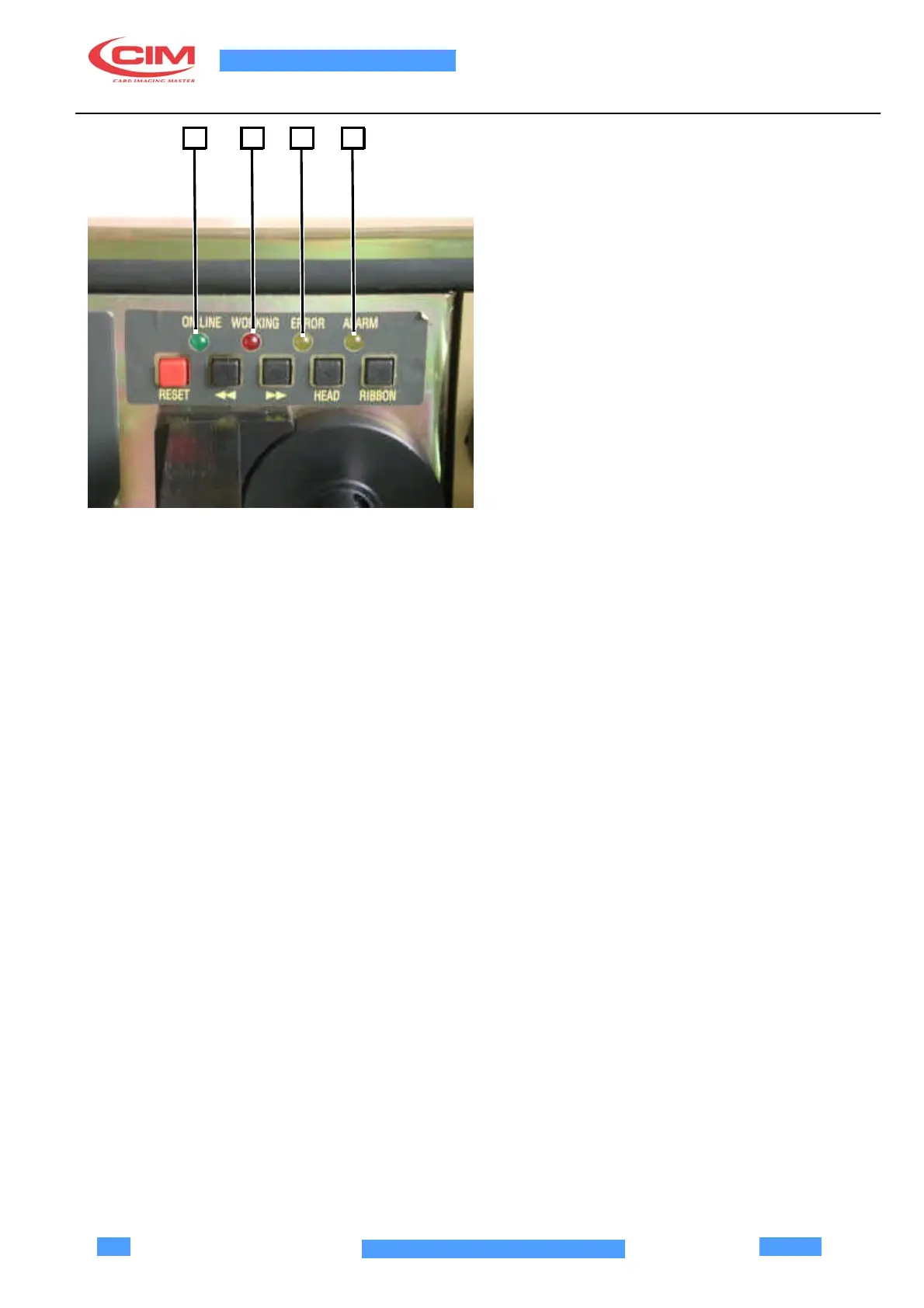
5.3.1 Leds
1)
ON_LINE LED (GREEN): indicates that the module is
ready to carry out the commands coming from the
communication ports (parallel or serial).
The possible modes are:
OFF: machine not ready
ON: machine ready
2)
WORKING LED (RED): indicates if module is running
a command sent by the communication ports
The possible modes are:
OFF: indicates that the module is not running
commands
FLASHING: indicates that the module is running an
operation set by an external command.
3)
ERROR LED (YELLOW): indicates that there is an
error in the module
The possible modes are:
OFF: no error
FLASHING: error condition
4)
ALARM LED (YELLOW): indicates that there is an
alarm in the module.
This LED indicates that the max. head temperature has
been exceeded (65 °C). In this case, stop production to
let the head temperature to return within the safety limits
so that there is no premature damage to the head)
The possible modes are:
OFF: no error
FLASHING: error condition



 To Next Page