4 - 6
OPERATOR’S MANUAL PRO SERIES
4 PRODUCING A CARD
4.10 CONFIGURATION OF THE
CARD PRODUCTION CONTROL
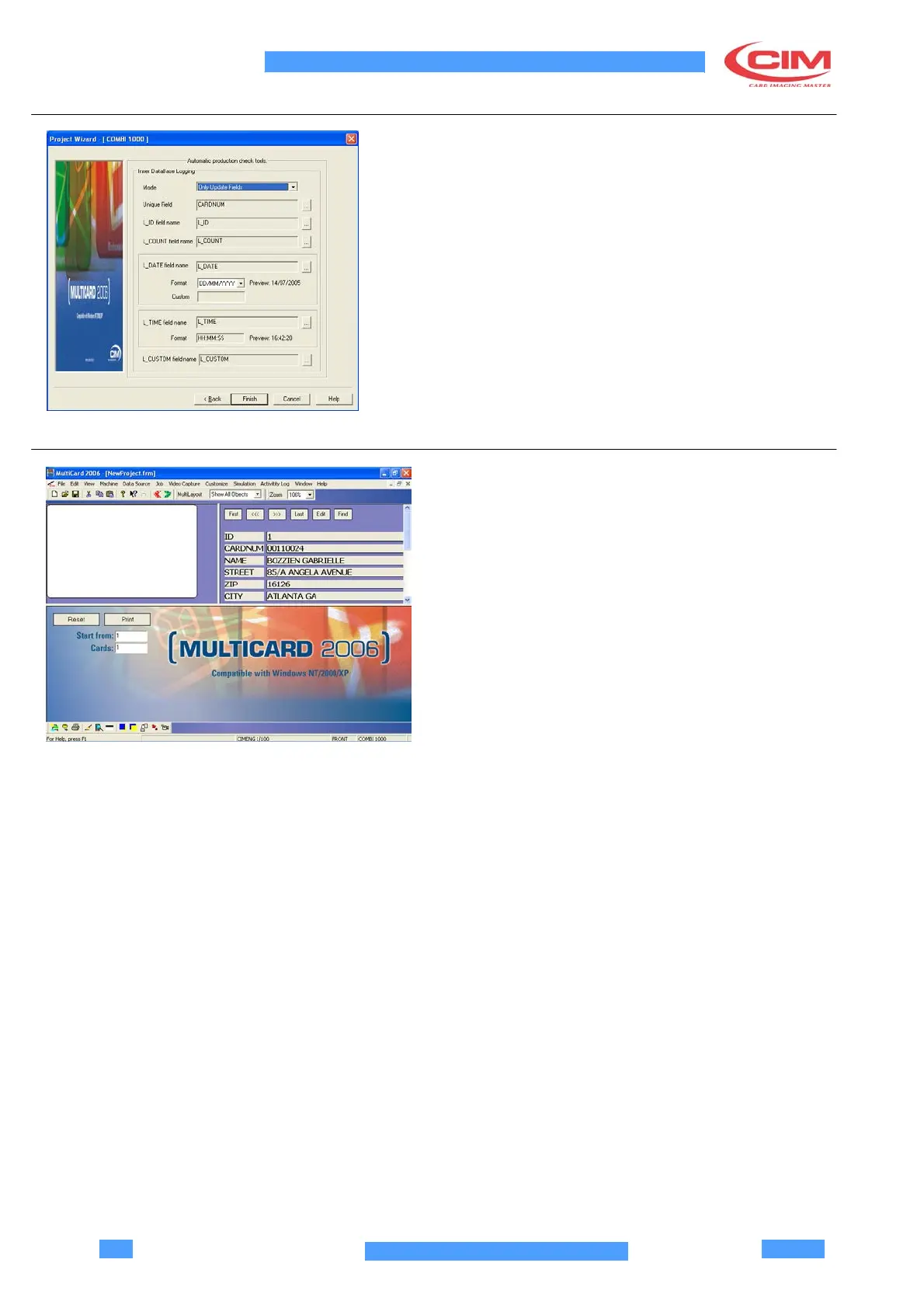
If the option Production Security was selected in the
first page of the Wizard, the configuration of the record
printing security is now required.
•
Select the printing control mode, the database
record which functions as primary key, the record
where the card identification is registered, the
record where cards processed correctly are
counted, and those where data and time are stored
at the end of the job.
•
Click on Finish to exit configuration or Back if you
want to modify previous parameters.
4.11 USER INTERFACE
The user interface is composed by four elements:
•
Main frame
•
Card view
•
Database view
•
Print commands



 To Next Page