SERVICE MANUAL –Post eVolve Smart
7 - CHARGE POINT SLAVE DEVICES
CIRCONTROL, S.A. – Innovació, 3 – 08232 – Viladecavalls (Barcelona)
Tel.: +34 937 362 940 – Fax: +34 937 362 941 22
Web: www.circontrol.com – E-mail: circontrol@circontrol.com
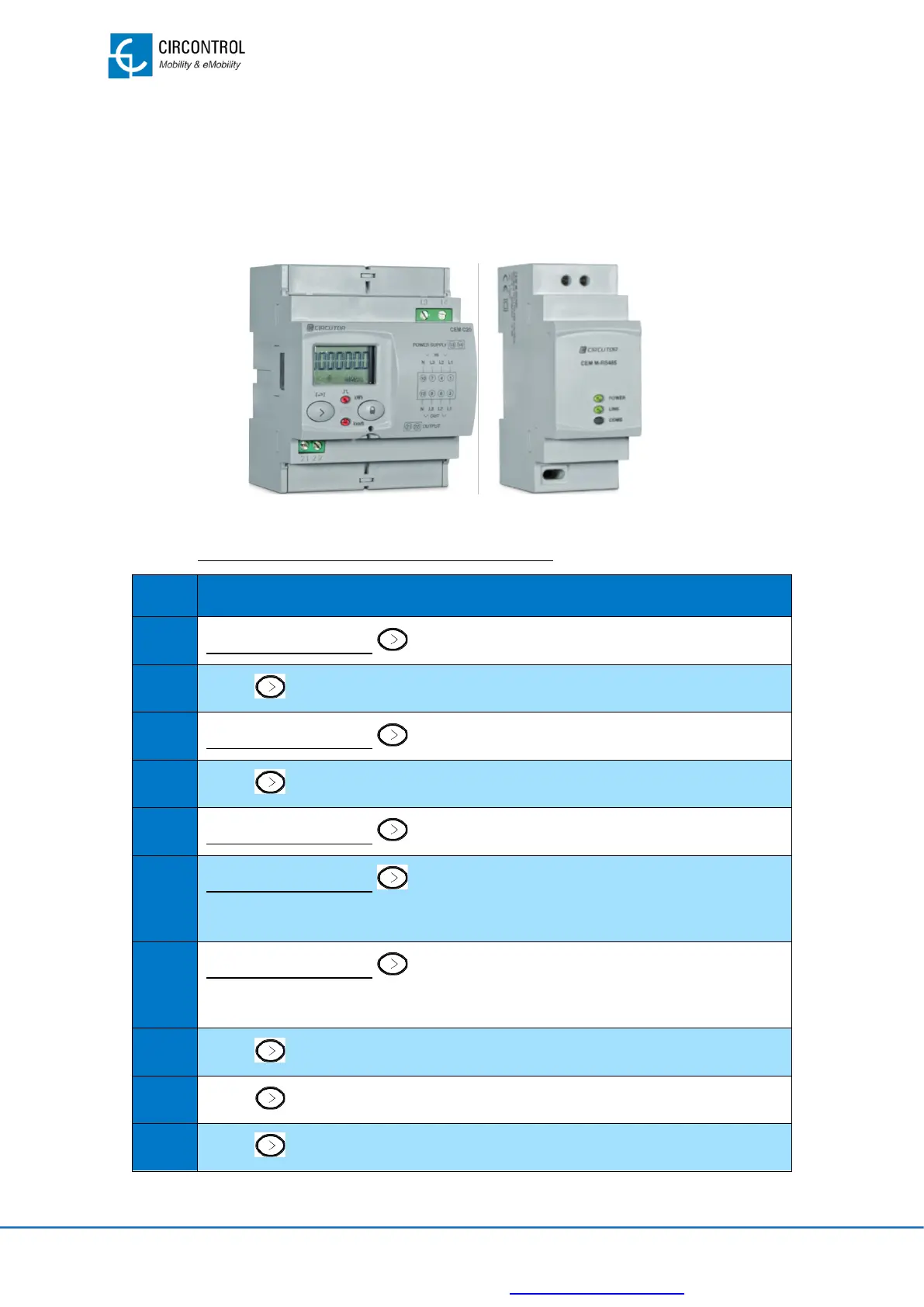
An external toroidal transformer is no needed to measure current parameters because it
is integrated into the same device.
The CEM-M-RS-485 device is a communication gateway between the CEM-C20 and the
local controller.
7.2.2.1 DEVICE CONFIGURATION PROCEDURE
Press and hold button from CEM-C20 for at least 2 seconds.
Press several times until reach “SETUP”.
Press and hold button from CEM-C20 for at least 2 sec
Press two times to arrive to “ADDRESS”.
Press and hold button from CEM-C20 for at least 2 seconds to “0”00
Press and hold button from CEM-C20 for at least 2 seconds.
The cursor moves from “0”00 to 0“0”0.
Press and hold button from CEM-C20 for at least 2 seconds.
The cursor moves from 0“0”0 to 00“0”.
Press several times until reach 00“8”.
Press two times to arrive to “DONE”, wait for “ADRESS” to appear.
Press one time to arrive to “BAUD”.


 To Next Page