SERVICE MANUAL –Post eVolve Smart
10 - CHARGE POINT ADVANCED SETTINGS
CIRCONTROL, S.A. – Innovació, 3 – 08232 – Viladecavalls (Barcelona)
Tel.: +34 937 362 940 – Fax: +34 937 362 941 71
Web: www.circontrol.com – E-mail: circontrol@circontrol.com
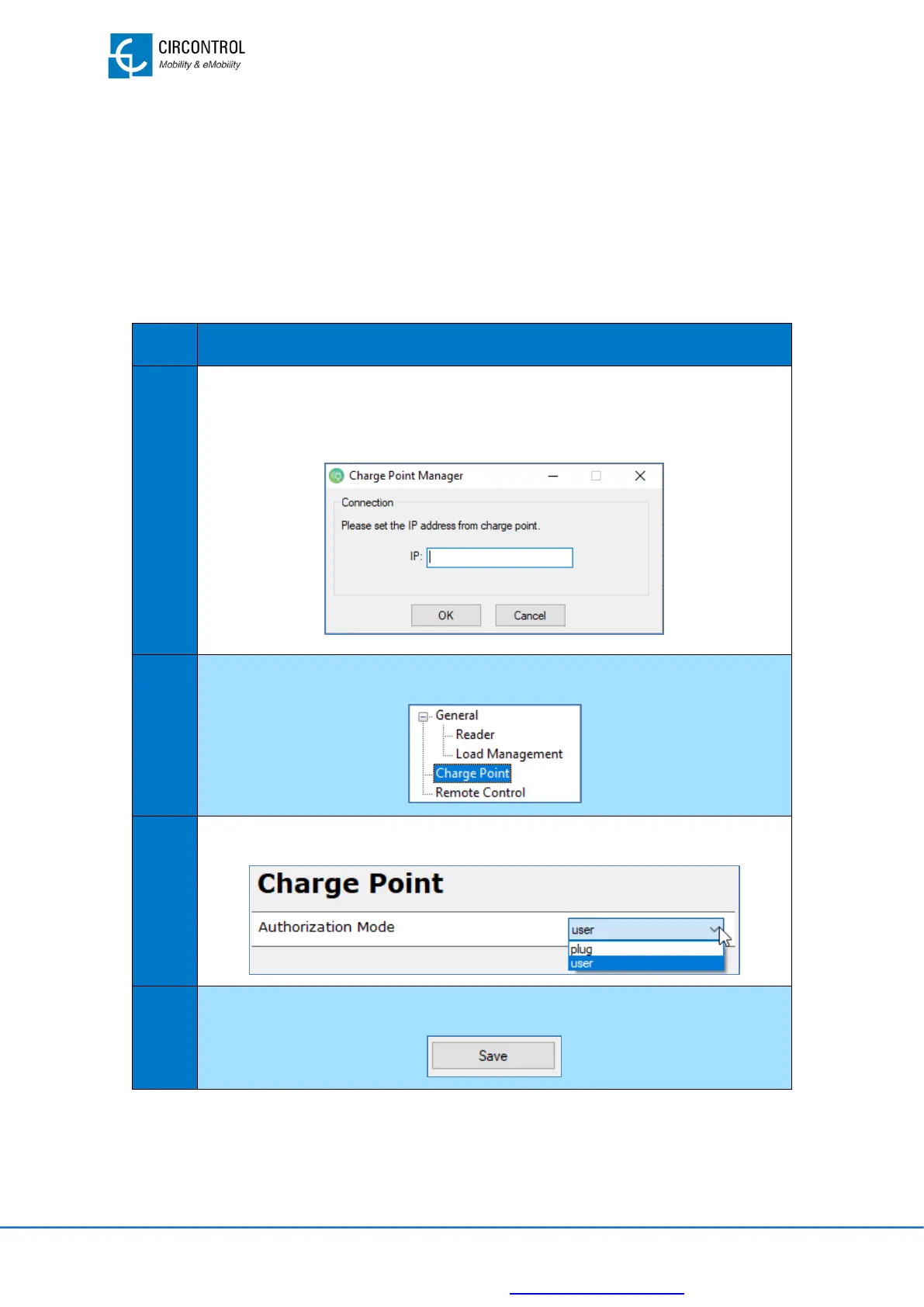
10.3 AUTHORIZATION MODE
Charge Point allows to choose between the following types of authorization:
• User: sends 1 authorization request to the central system. Select this option when
OCPP is activated in the Charge Point.
• Plug: sends an authorization request for each plug that is in “available” status.
In order to change from one to another mode, follow the steps below:


 To Next Page