SERVICE MANUAL –Post eVolve Smart
7 - CHARGE POINT SLAVE DEVICES
CIRCONTROL, S.A. – Innovació, 3 – 08232 – Viladecavalls (Barcelona)
Tel.: +34 937 362 940 – Fax: +34 937 362 941 31
Web: www.circontrol.com – E-mail: circontrol@circontrol.com
7.4 RFID READER (27)
The RFID reader is a device that can send and receive radio signals with RFID tags to
identify the end-user without physical contact between the Charge Point and the card.
There are two RF reader options
- MIFARE: The default reader with a several ISO certificated.
- LEGIC: Optional reader with a long range of ISO certifications.
7.4.1 MIFARE RFID READER
7.4.1.1 DEVICE CONFIGURATION PROCEDURE
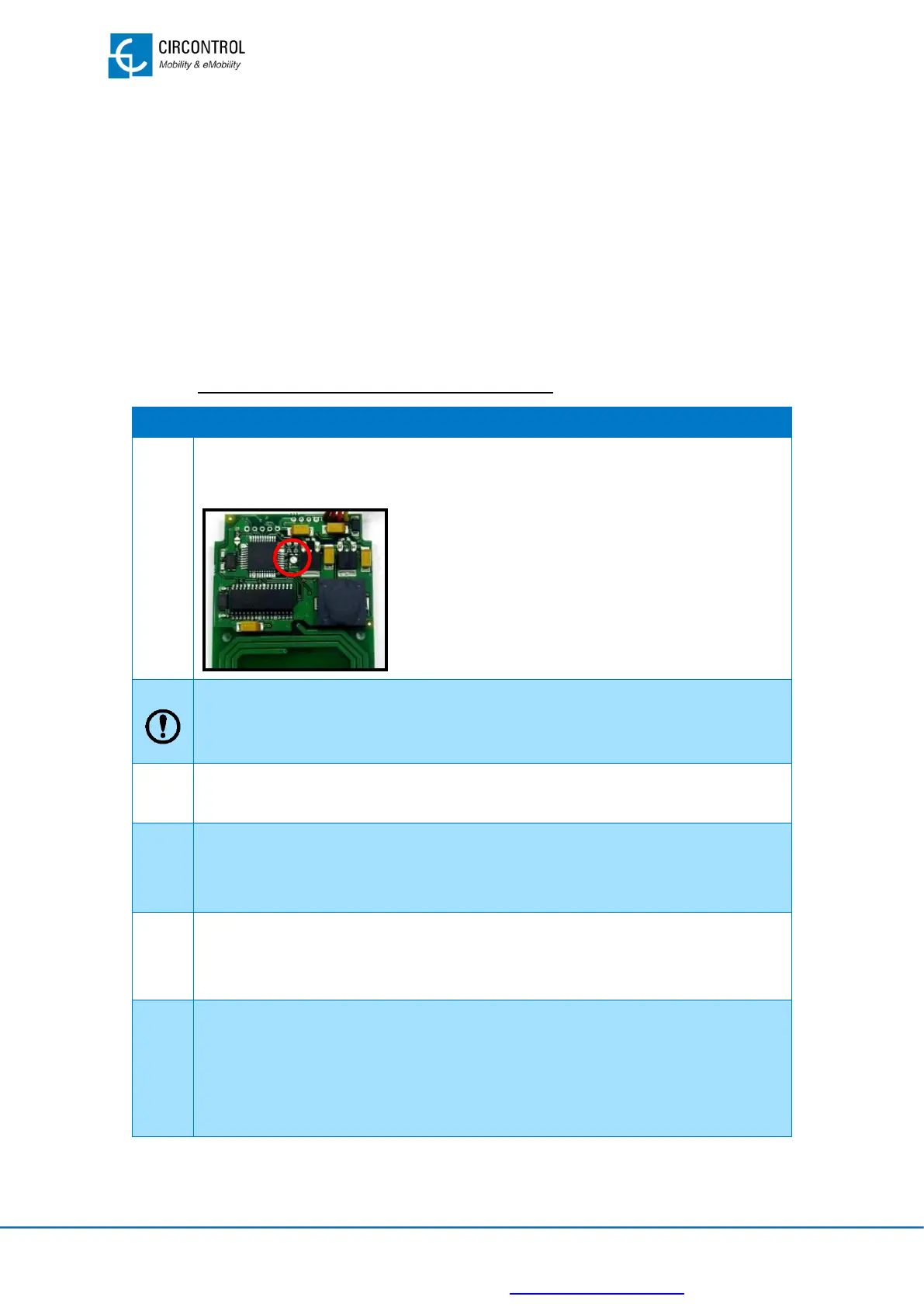
RFID reader has a LED status indicator. Look at the LED status indicator
colour:
• Green LED: RFID configured and ready for
use. In this case, there is no additional
configuration required to operate with RFID
reader.
• Orange LED: RFID not configured. Follow
next steps to configure it.
Remember that the RFID reader shall be connected to port B on CCL1-MINI
master device.
Turn off the circuit breaker (Q3, refers to “15-Wiring diagrams” section) and
wait for a while.
Turn on the circuit breaker (Q03.1, refers to “15-Wiring diagrams” section)
and show the RFID card to the RFID reader.
RFID reader LED status indicator changes from orange to red.
Wait 5 minutes until the Charge Point ends their starting and the LED
beacon from plug A and plug B turned ON.
Look at the LED status indicator colour of the RFID card reader:
• Green LED: RFID configured and ready for use. In this case, process
is completed.
• Red LED: RFID not configured. Start again from the step number 3.


 To Next Page