Control pendant
Page 66 CM6200 Operating Manual
4.2.4 Machine setup
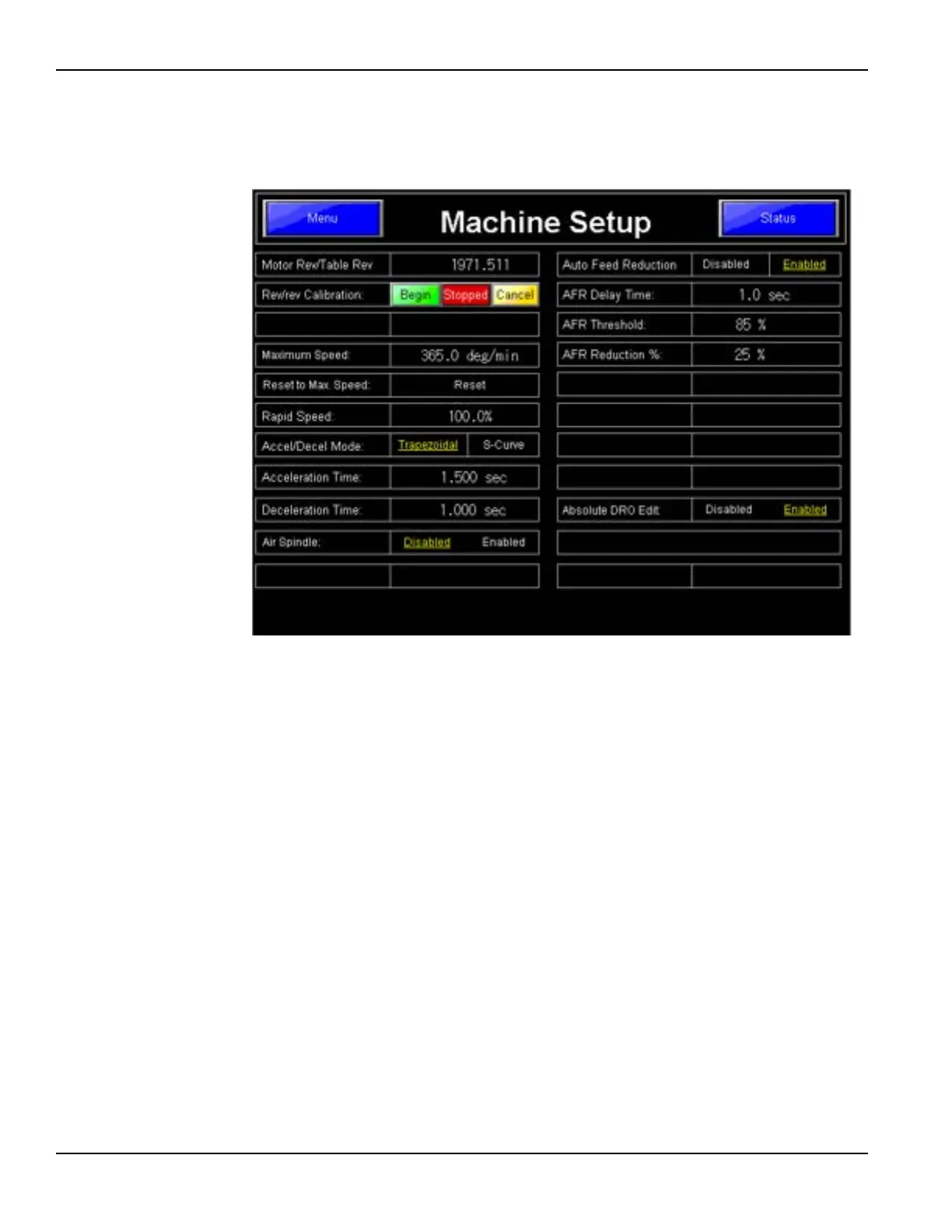
The Machine Setup Screen, shown in Figure 4-19, displays the parameters of the
machine that can be adjusted by the operator.
FIGURE 4-19. MACHINE SETUP SCREEN
The standard factory settings for this machine are shown in Figure 4-19. Do not
change the Motor Rev/Table Rev data, as this data is based on the actual total gear
ratio for this machine.
The Rapid Speed is set on this screen. This feature is available in other screens, but
is edited here.
Auto Feed Reduction (AFR) is ENABLED by default. This feature helps protects
the machine from being damaged by overload. If the machine encounters resis-
tance from high spots or other irregularities during machining that push past the
AFR THRESHOLD setting, the system will count for the AFR DELAY TIME and
automatically reduce the feed rate by the AFR REDUCTION % specified. If the
resistance is still present, the system will continue to monitor it in the AFR
DELAY TIME intervals and continue to reduce the feed by the AFR REDUC-
TION % each time. The operator can return the machine to normal speeds manu-
ally at the control pendant.



 To Next Page