Note: The following steps describe service procedures for both the DataMan 150 and the 260 readers, but the
images show only the DataMan 260.
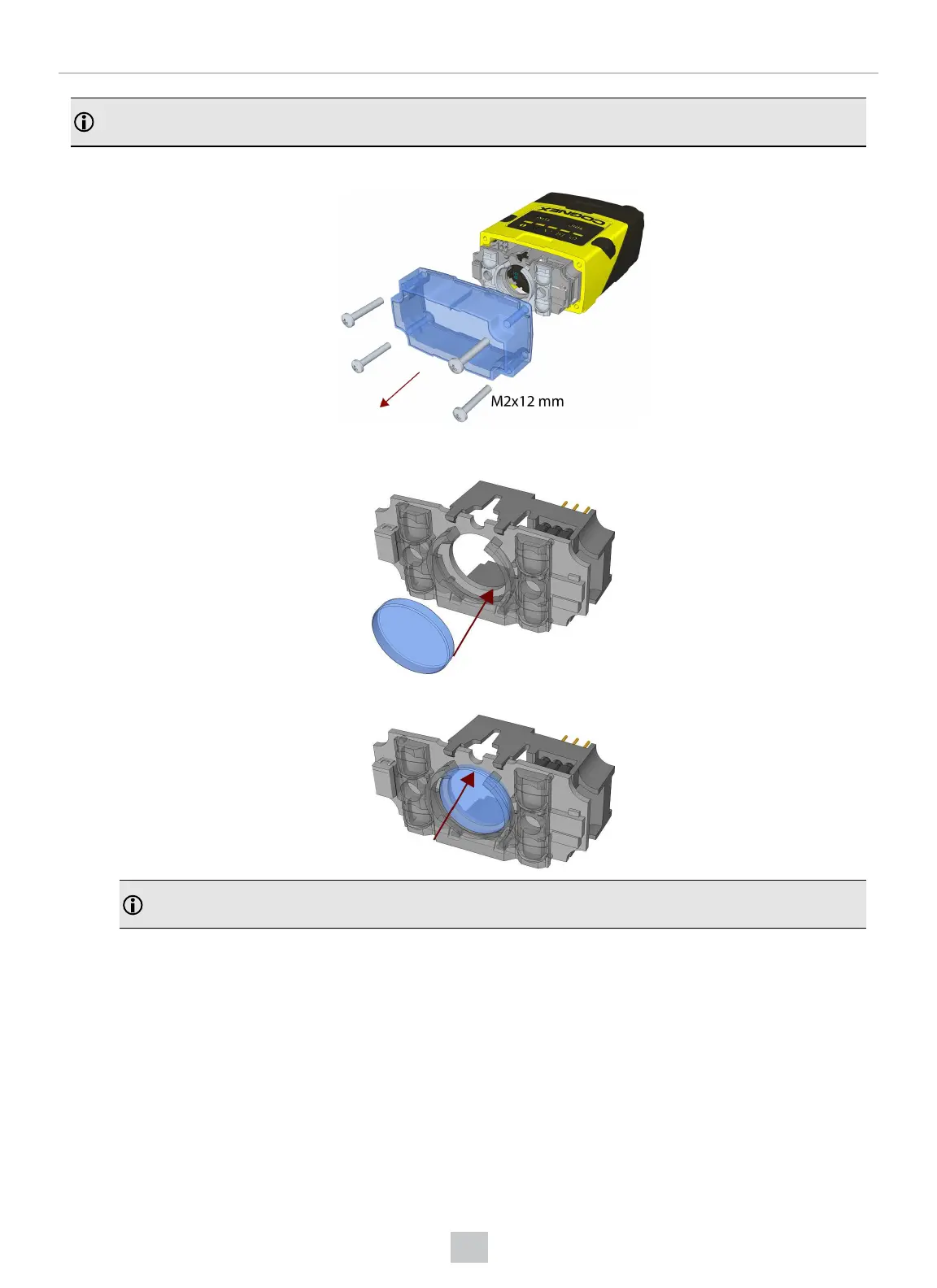
1. Remove the front cover: unscrew the four M2x12 mm Phillips Pan head screws and take off the LEDcover.
2. Insert the filter at the bottom side of the round opening in the transparent plastic part.
3. Push the top side of the filter firmly until it is sitting flat against the PCB.
Note: Use finger to push the filter in and then a q-tip to clean the filter, or use a q-tip to push the filter into
place.
33
Mechanical Information











 To Next Page