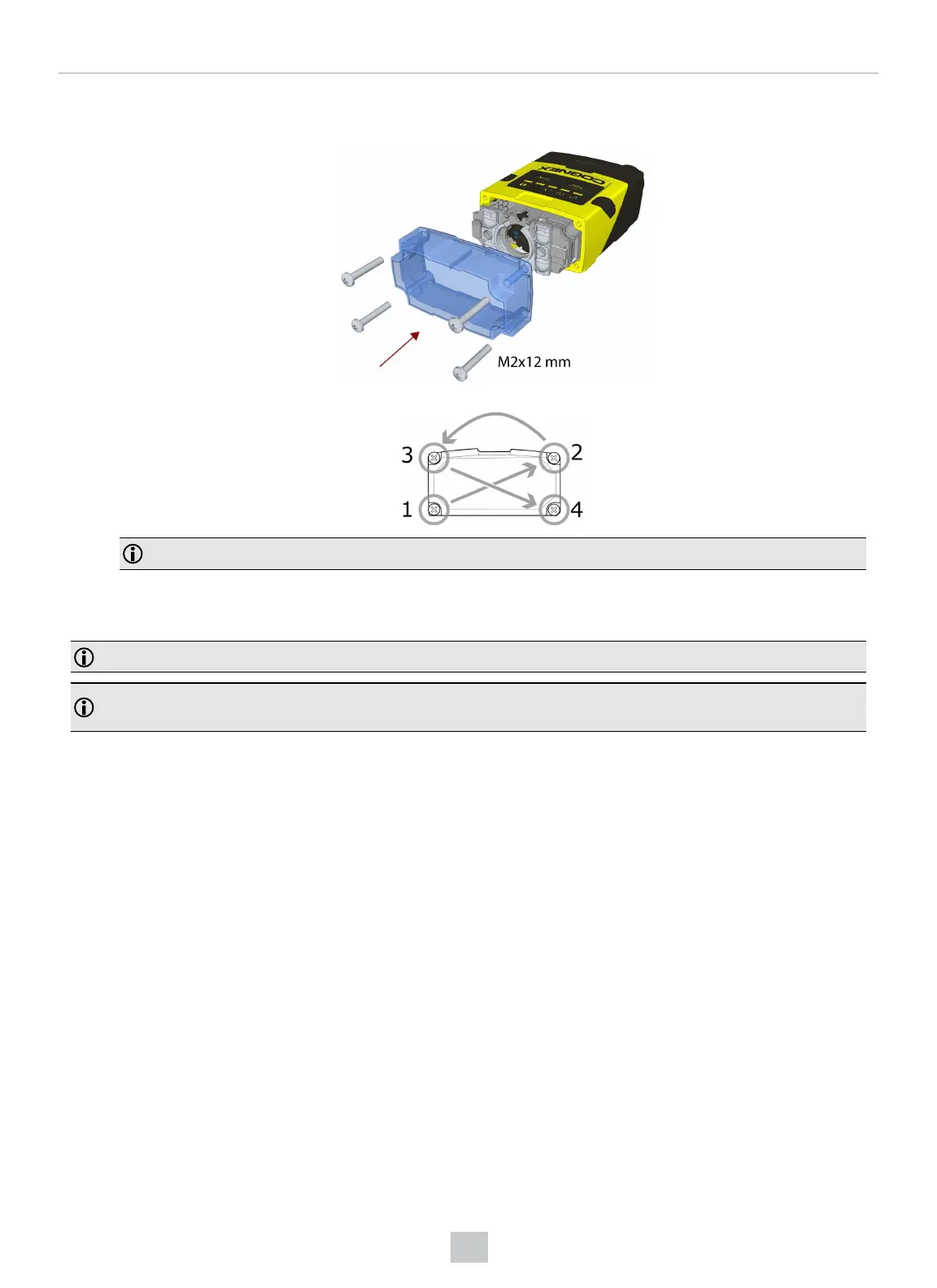
4. Attach the front cover. Observing the tightening sequence below, tighten all four M2x12 mm Phillips Pan head
screws to 9 Ncm using a torque wrench.
Note: The rib in the front cover must be oriented to the top side.
Installing a Liquid Lens
Perform the following steps to install a liquid lens on your DataMan 150 or DataMan 260 reader.
Note: Disconnect the reader from power before installing the liquid lens.
Note: The following steps describe service procedures for both the DataMan 150 and the 260 readers, but the
images show only the DataMan 260.
34
Mechanical Information











 To Next Page