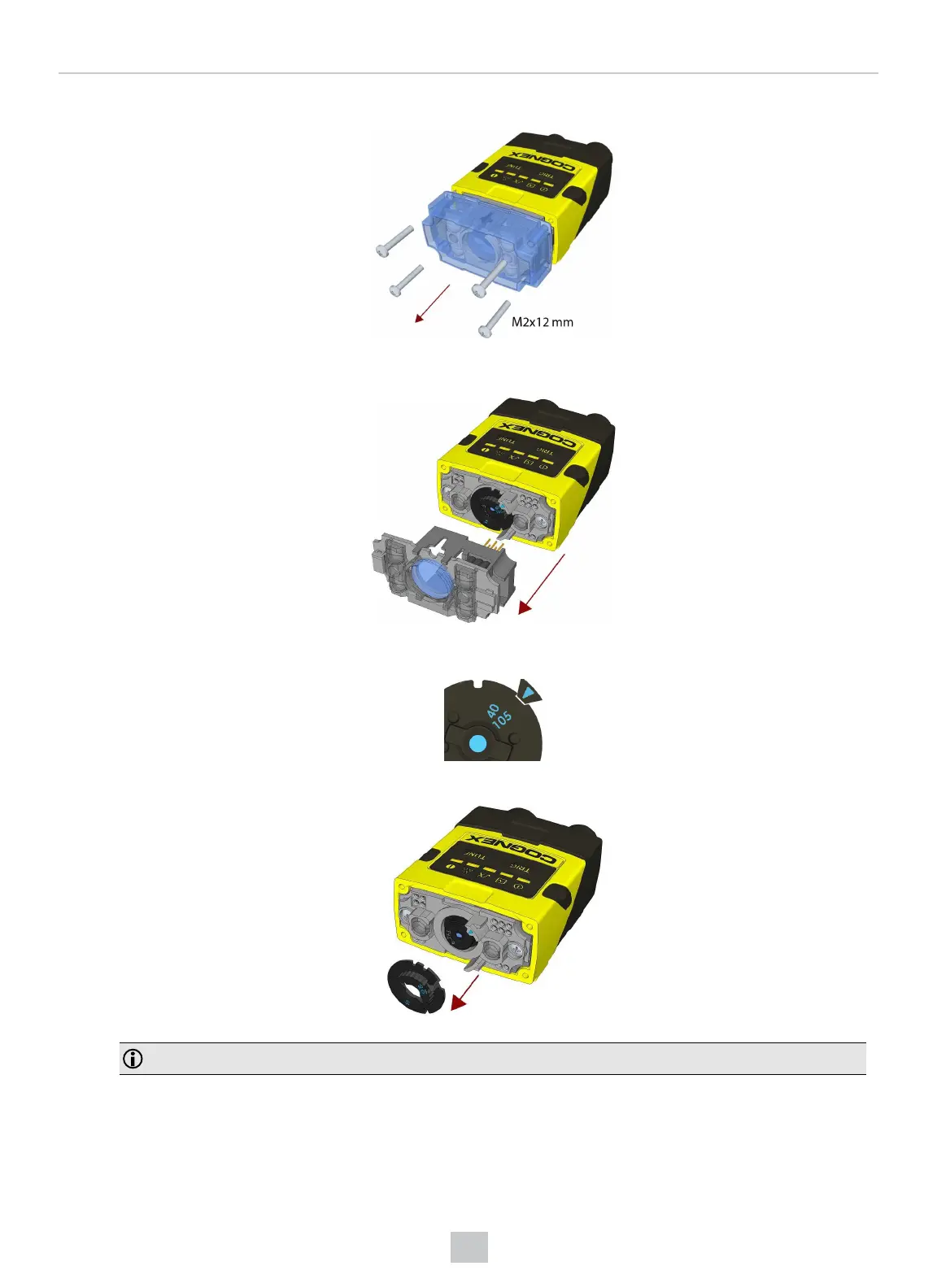
1. Remove the front cover: unscrew the four M2x12 mm Phillips Pan screws and take off the LEDcover.
2. Remove the illumination module.
3. Turn the lens cap to the 105 mm position.
4. Remove the lens cap from the imager lens by pulling it.
Note: Do not rotate the imager lens while the lens cap is removed. Otherwise, focus calibration will be lost.
35
Mechanical Information











 To Next Page