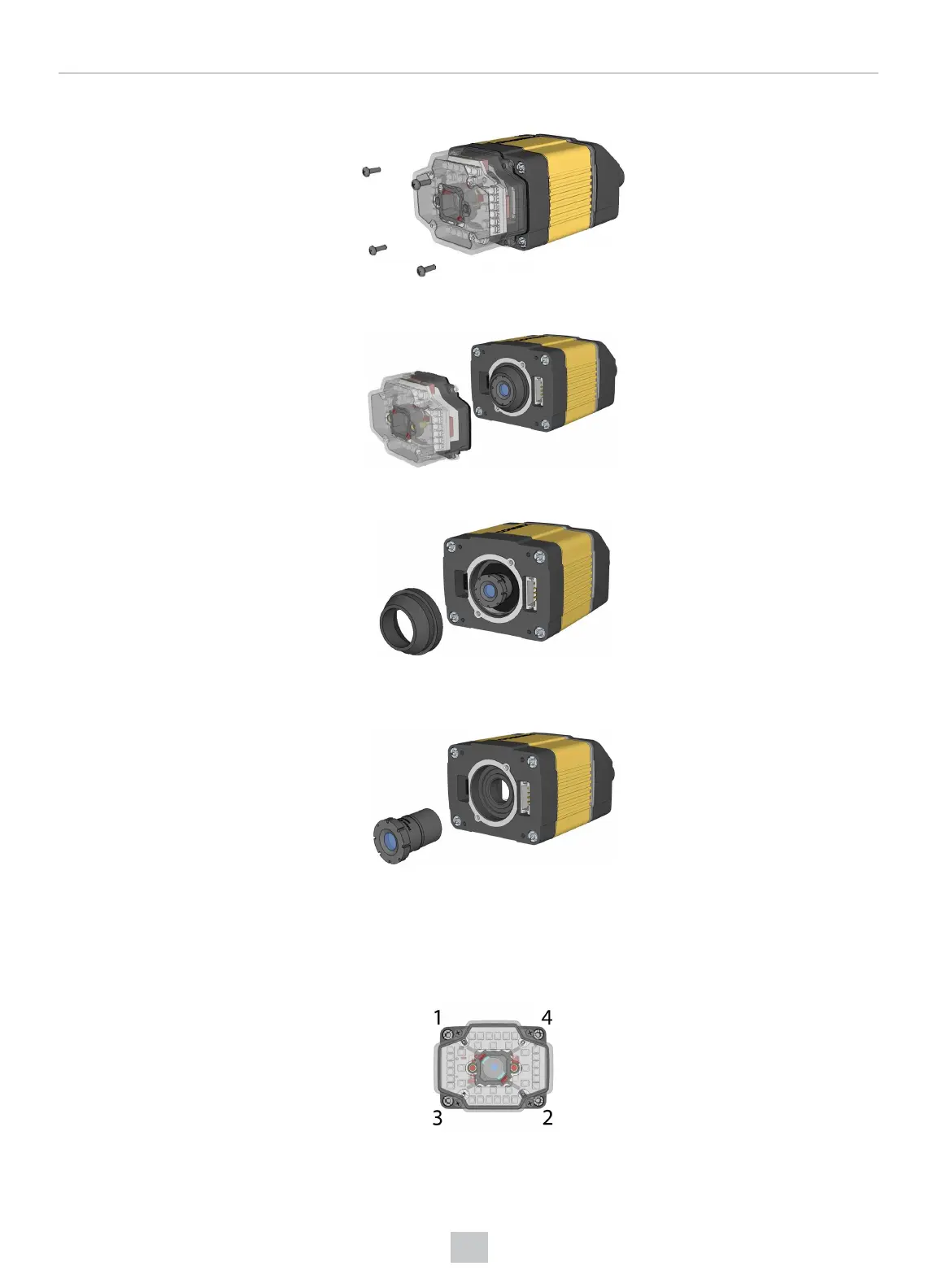
1. Remove and retain the four screws at the corners of the front cover.
2. Remove the front cover.
3. Remove the rubber lens-locking cone from the lens.
4. Remove the lens.
When replacing the lens, observe the following precaution:
l Avoid rotating the lens when you insert it. Press the rubber lens-locking cone into the reader until it snaps
into place inside the C-mount threads and around the nose of the 16 mm lens.
When reattaching the front cover, tighten the screws in the sequence shown and observe a torque limit of 9 N-cm
(0.8 Lb-In).
56
Mechanical Information











 To Next Page