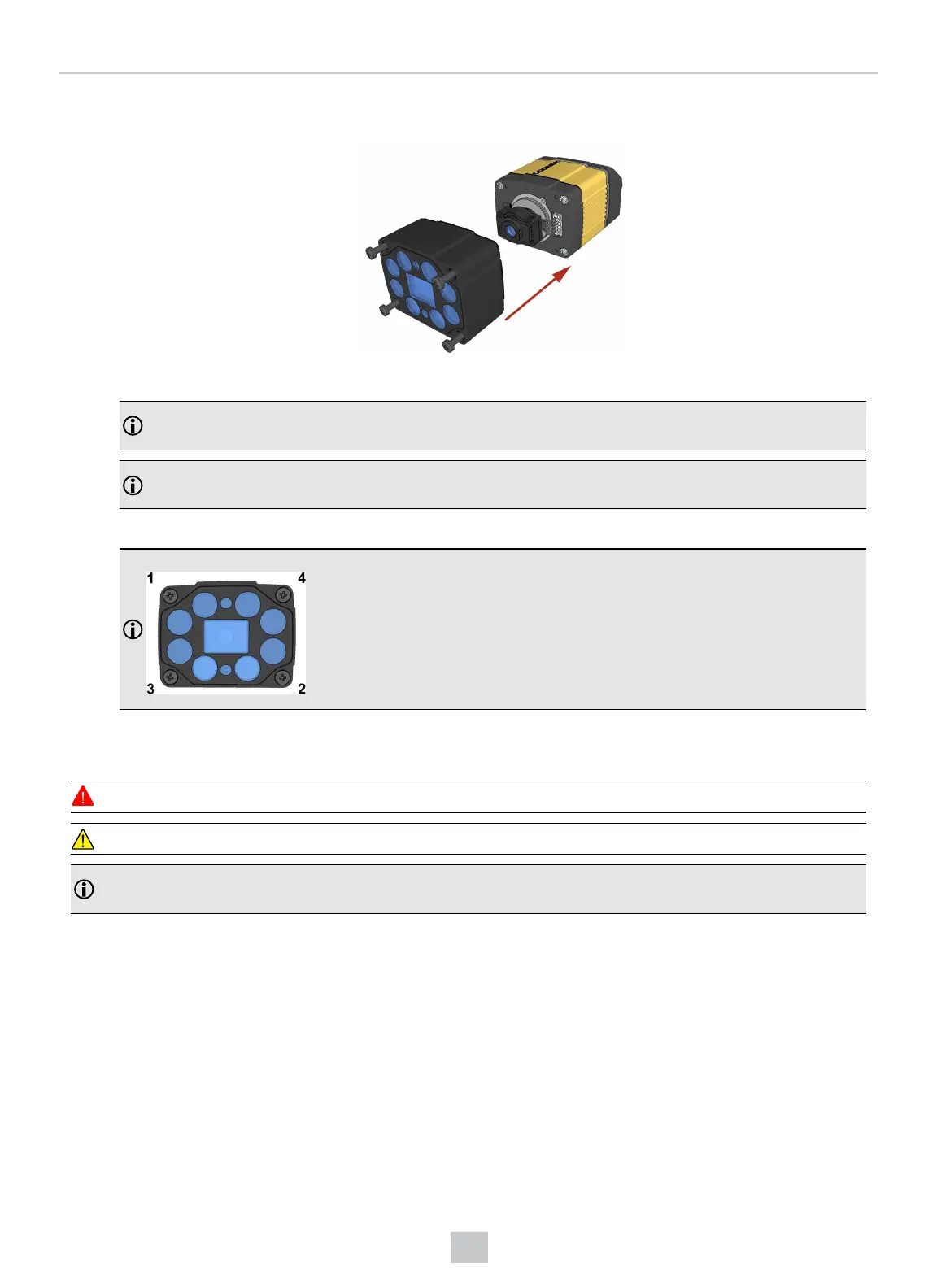
3. Place the DM360-HPIL-RE-01 or DM360-HPIL-RE-P-01 unit on the front of the device.
CUSTOMIZED CAPTIVE SCREW, PHILLIPS PAN HEAD, M3x28mm
Note: The minimum peak current capacity of the power supply for the device and the DM360-HPIL-RE-01 /
DM360-HPIL-RE-P-01 is 2 A per unit for the DataMan 300 and 2.2 A per unit for the DataMan 360.
Note: The DM360-HPIL-RE-01 or DM360-HPIL-RE-P-01 is also compatible with the 10.3 mm Liquid Lens.
For the 10.3 mm Liquid Lens, use CUSTOMIZED CAPTIVE SCREW, PHILLIPS PAN HEAD, M3x28mm.
4. Screw in the four screws.
Note: Use 0.2 Nm torque on the screws and tighten in sequence.
Replacing a 16 mm (SHD) Lens
To remove and replace a 16 mm (SHD) lens of a DataMan 300 or 360 series reader, perform the following steps:
WARNING: Disconnect the DataMan reader from power before continuing.
CAUTION: Do not leave the image sensor exposed to the environment.
Note: The following steps describe service procedures for both the DataMan 300 and the 360 readers, but the
images show only the DataMan 360.
55
Mechanical Information











 To Next Page