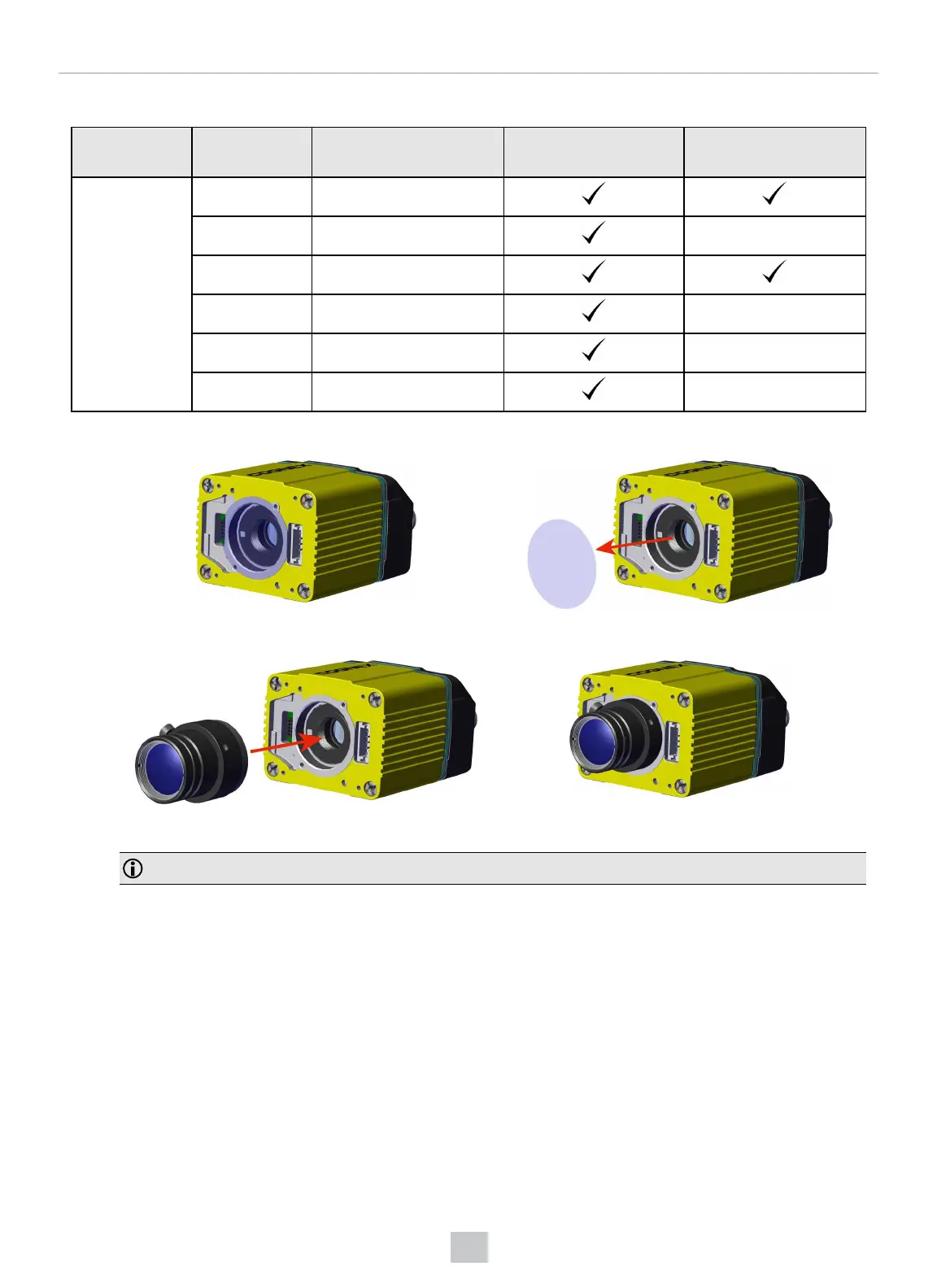
Possible hardware configurations using a C-Mount lens with a DataMan 370 or 470 series reader:
System Lens Lens Part Number C-Mount Cover
(DM300-CMCOV)
Short C-Mount Cover
(DM300-CMCOV-SH)
DM370
DM470
12 mm F8 LEC-CFF12-F8
16 mm F8 LEC-CFF16-F8
25 mm F8 LEC-CFF25-F8
35 mm F8 LEC-CFF35-F8
40 mm F8 LEC-CFF40-F8
50 mm F8 LEC-CFF50-F8
1. Remove the adhesive protective film.
2. Thread the lens into the reader.
3. Place the reader at the desired working distance from focus target.
Note: Make sure to set focus for the reader before fitting the lens cover.
a. Connect the reader to the DataMan Setup Tool.
b. Navigate to the Optimize Image pane, and on the Basic tab, click the triangle on the Live button to
access the drop-down list, and check the Focus Feedback option.
c. Use the DataMan Focus Target template, available through the Windows Start menu or the DataMan
Setup Tool Help menu, to align the edge of the reader body to the line marked with the target distance
used in your application.
67
Mechanical Information











 To Next Page