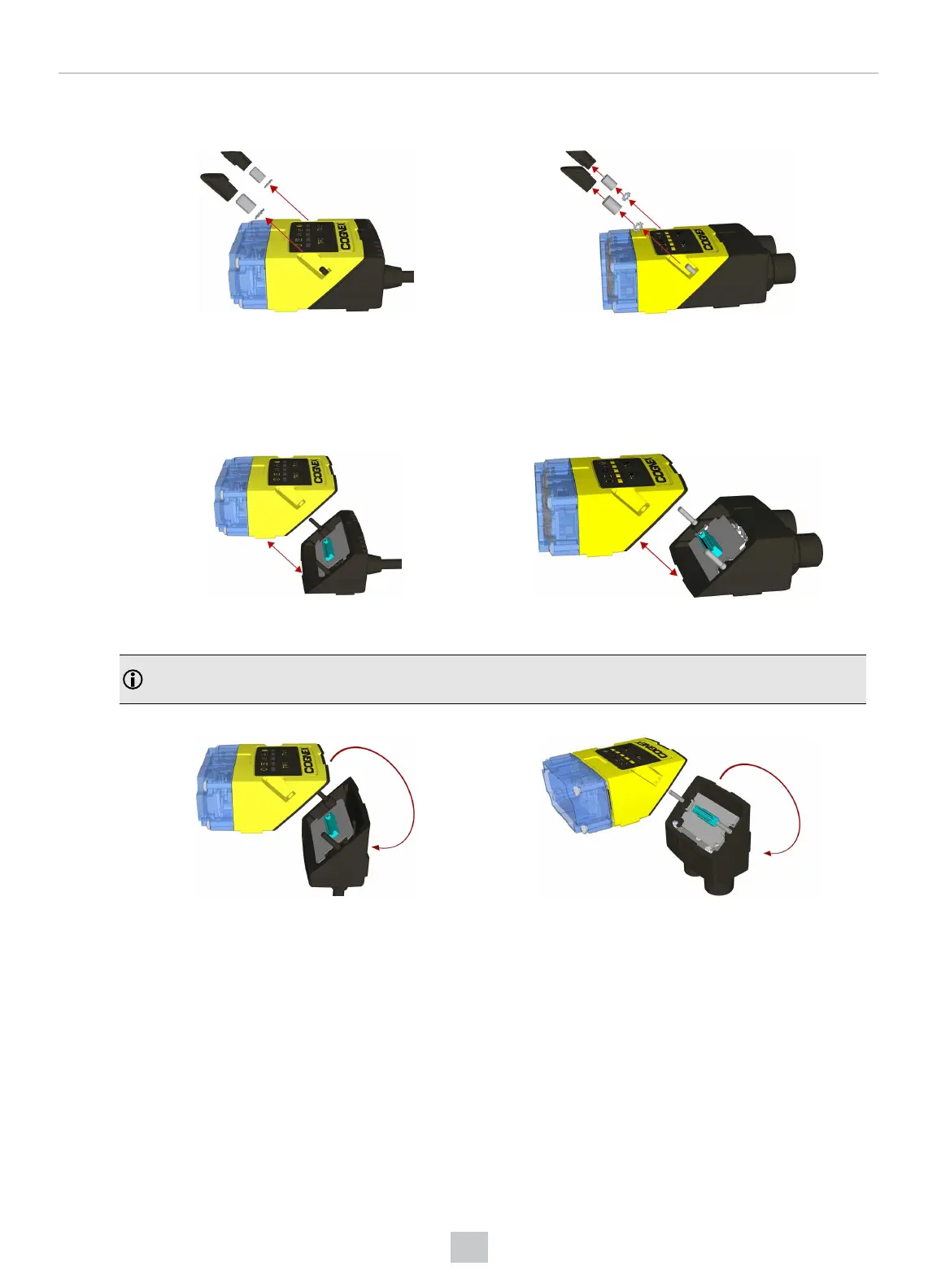
1. Carefully remove the screw covers, threaded nuts and washers.
DataMan 150 DataMan 260
M2 Torx 10 CAPNUT
DIN 6798A M2 LOCKWASHER
2. Detach the main module and the I/O connector module by firmly pulling them apart.
DataMan 150 DataMan 260
3. Change the orientation.
Note: Make sure that the gasket is properly seated on the main module. Ensure that the flat gasket side is
facing away from the module
DataMan 150 DataMan 260
Place the bottom edge of the gasket onto the underside of the main module. Press on the top edge to fully seat
the gasket:
77
Mechanical Information











 To Next Page