3-23
Compaq ProLiant 5500 and 5500R Servers Setup and Installation Guide
For use with Pentium II Xeon and Pentium III Xeon processor-based servers only
Writer: Michele Wray Project: Compaq ProLiant 5500 and 5500R Servers Setup and Installation Guide Comments: 328470-002
File Name: D-CH03.DOC Last Saved On: 2/8/99 10:49 AM
COMPAQ CONFIDENTIAL - NEED TO KNOW REQUIRED
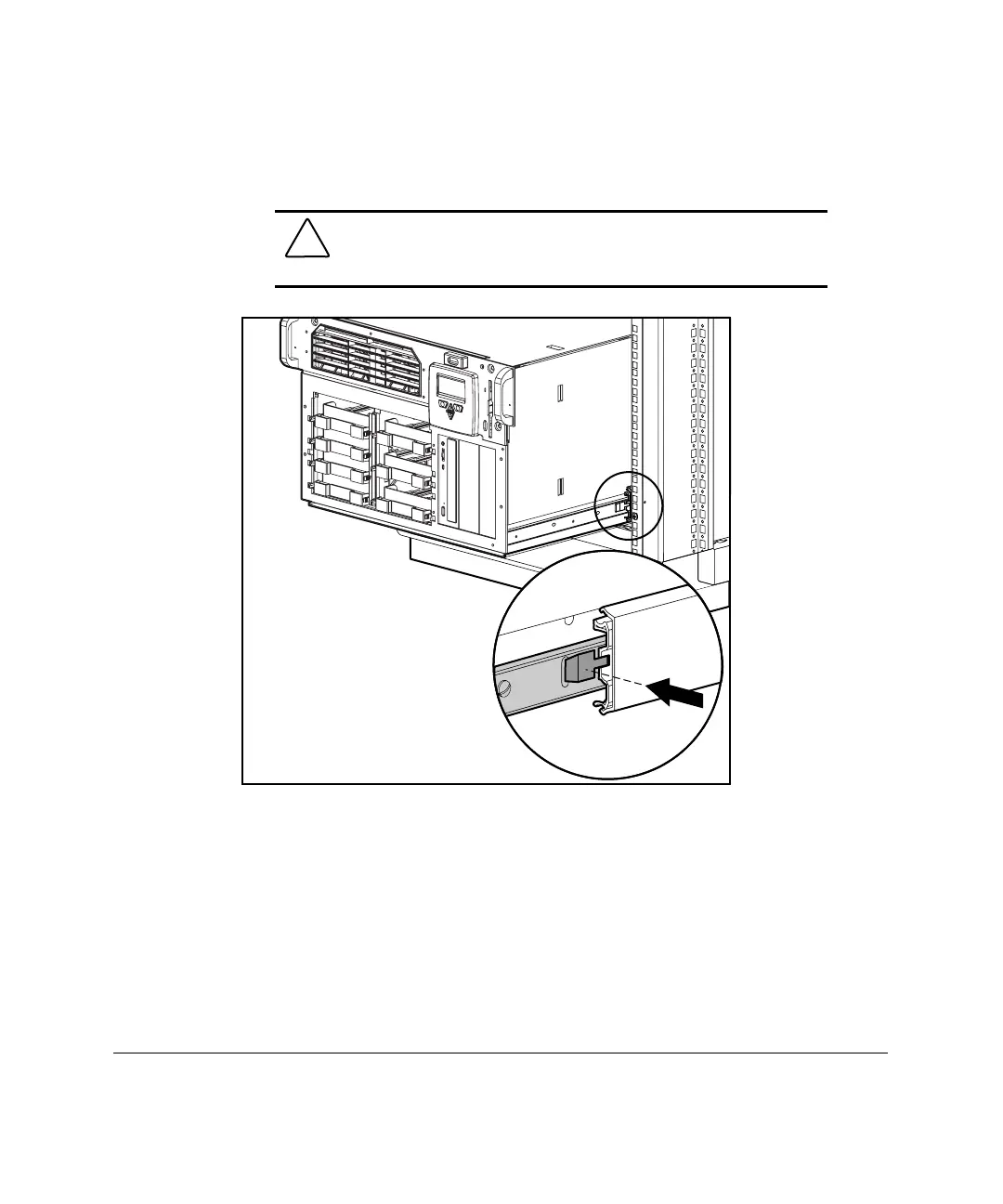
1. Pull the slide rails forward from the mounting brackets.
2. Carefully align the server rails with the slide rails of rack and slide the
server into the rack.
CAUTION: Be sure to keep the server parallel to the floor when
sliding the server rails into the slide rails. Tilting the server up or
down could result in damage to the rails.
Figure 3-14. Loading the rack server



 To Next Page