4-18
Installing Hardware Components
For use with Pentium II Xeon and Pentium III Xeon processor-based servers only
Writer: Michele Wray Project: Compaq ProLiant 5500 and 5500R Servers Setup and Installation Guide Comments: 328470-002
File Name: E-CH04.DOC Last Saved On: 2/12/99 12:18 PM
COMPAQ CONFIDENTIAL - NEED TO KNOW REQUIRED
Table 4-5
Interlock LED Labels
Memory CPU4 CPU3 CPU2 CPU1 I/O Fault
Origination
ON ON ON ON ON ON
Memory
Board
OFF
ON ON ON ON ON
Processor 4
OFF OFF
ON ON ON ON
Processor 3
OFF OFF OFF
ON ON ON
Processor 2
OFF OFF OFF OFF
ON ON
Processor 1
OFF OFF OFF OFF OFF
ON
Peripheral
Board
OFF OFF OFF OFF OFF OFF No
interlock
error
NOTE: Only the left-most illuminated LED in any given row can provide a valid
indication of the interlock error. After ensuring that server is powered down and
power cables are disconnected, reseat the device associated with the left-most
illuminated LED.
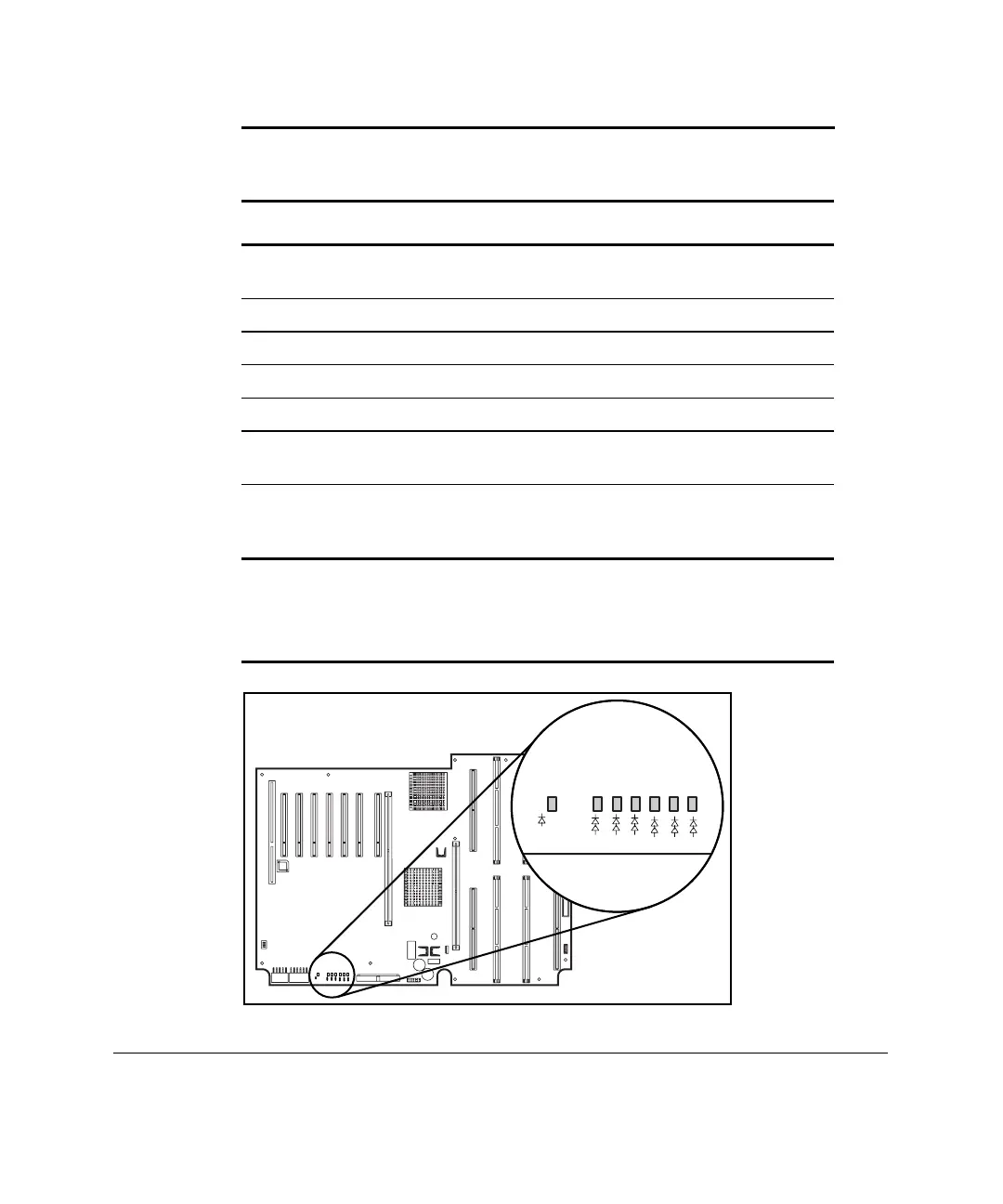
MEMORY
CPU4
CPU3
CPU2
CPU1
I/O
GENERAL
INTERLOCK
FAULT
Figure 4-14. Interlock LEDs



 To Next Page