Product Manual — Doc. 9349B Crestron Zūm® Wired Solutions • 165
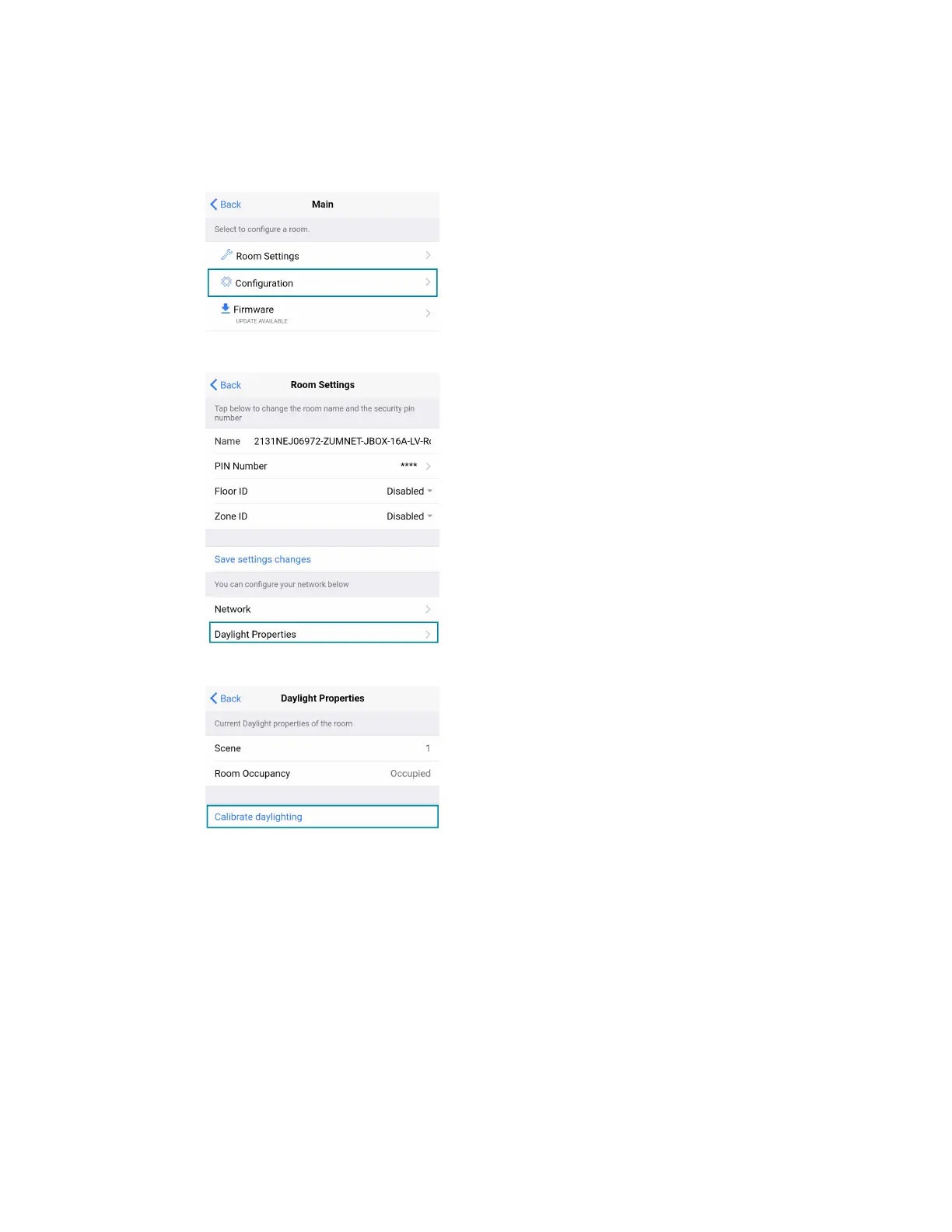
4. Calibrate Daylighting.
a. Navigate back to the Main screen.
b. Click Room Settings.
c. Click Daylight Properties.
d. Click Calibrate Daylighting.
During Daylight calibration, the lights in the space will turn full on, turn off, and then
back on with the Daylighting settings. Whenever Scene 1 is recalled, the Daylighting
settings are initiated.



 To Next Page