Product Manual — Doc. 9349B Crestron Zūm® Wired Solutions • 227
Turn Rooms On or Off
Control a room by turning on/off the all rooms, all rooms in a Room Category, all rooms on a
Floor, or by choosing a lighting scene for a specific room.
This section provides the following information:
l
Turn On/Off All Discovered Devices on page 227
l
Turn On/Off a Room Category on page 227
l
Turn On/Off a Floor on page 228
l
Turn On/Off a Room on page 228
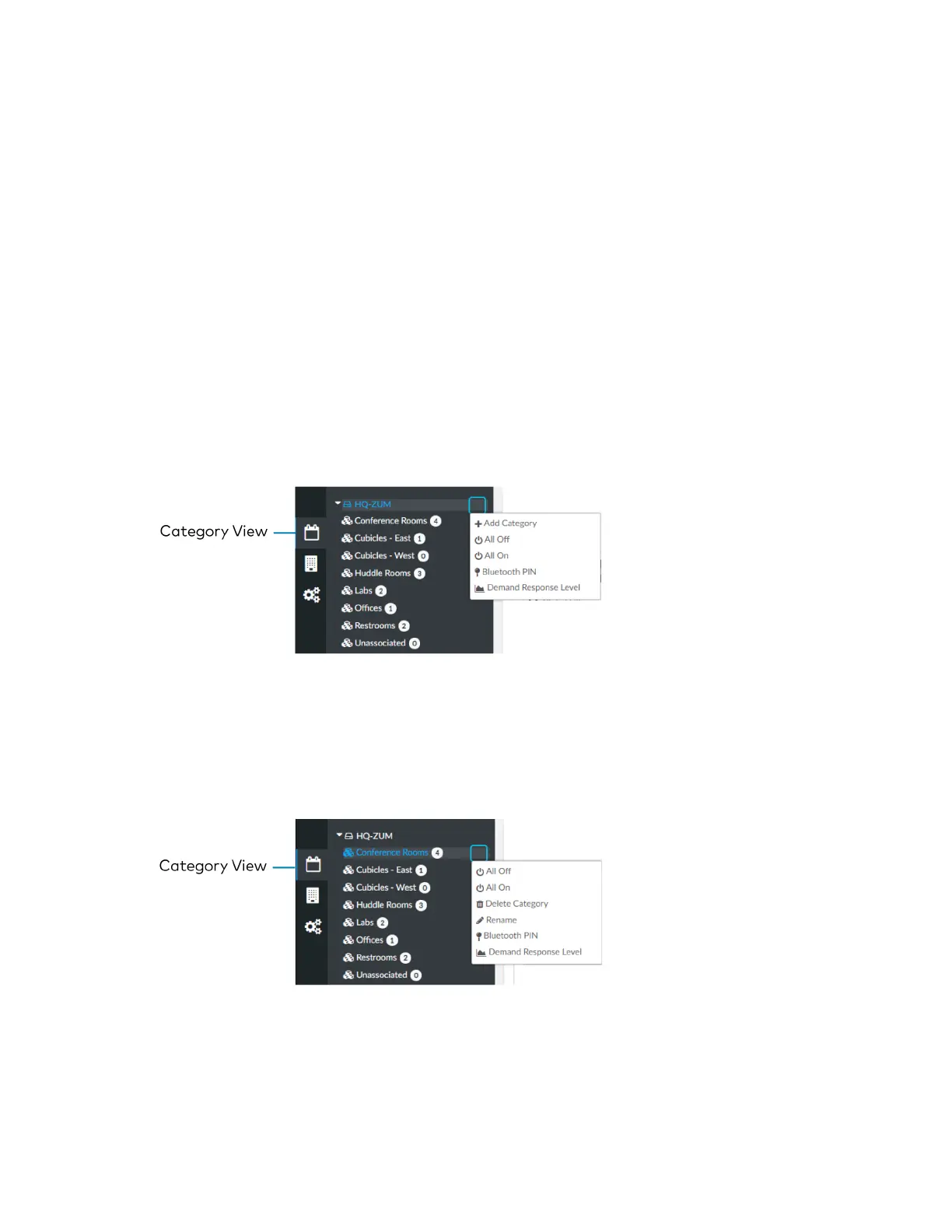
Turn On/Off All Discovered Devices
To turn all devices on/off:
1. Open the Category View.
2. Click the menu beside the ZUM-HUB4.
3. Click All Off or All On.
Turn On/Off a Room Category
To turn all devices on/off in a Room Category:
1. Open the Category View.
2. Click the menu beside the Room Category name.
3. Click All Off or All On.



 To Next Page