242 • Crestron Zūm® Wired Solutions Product Manual — Doc. 9349B
Day Patterns
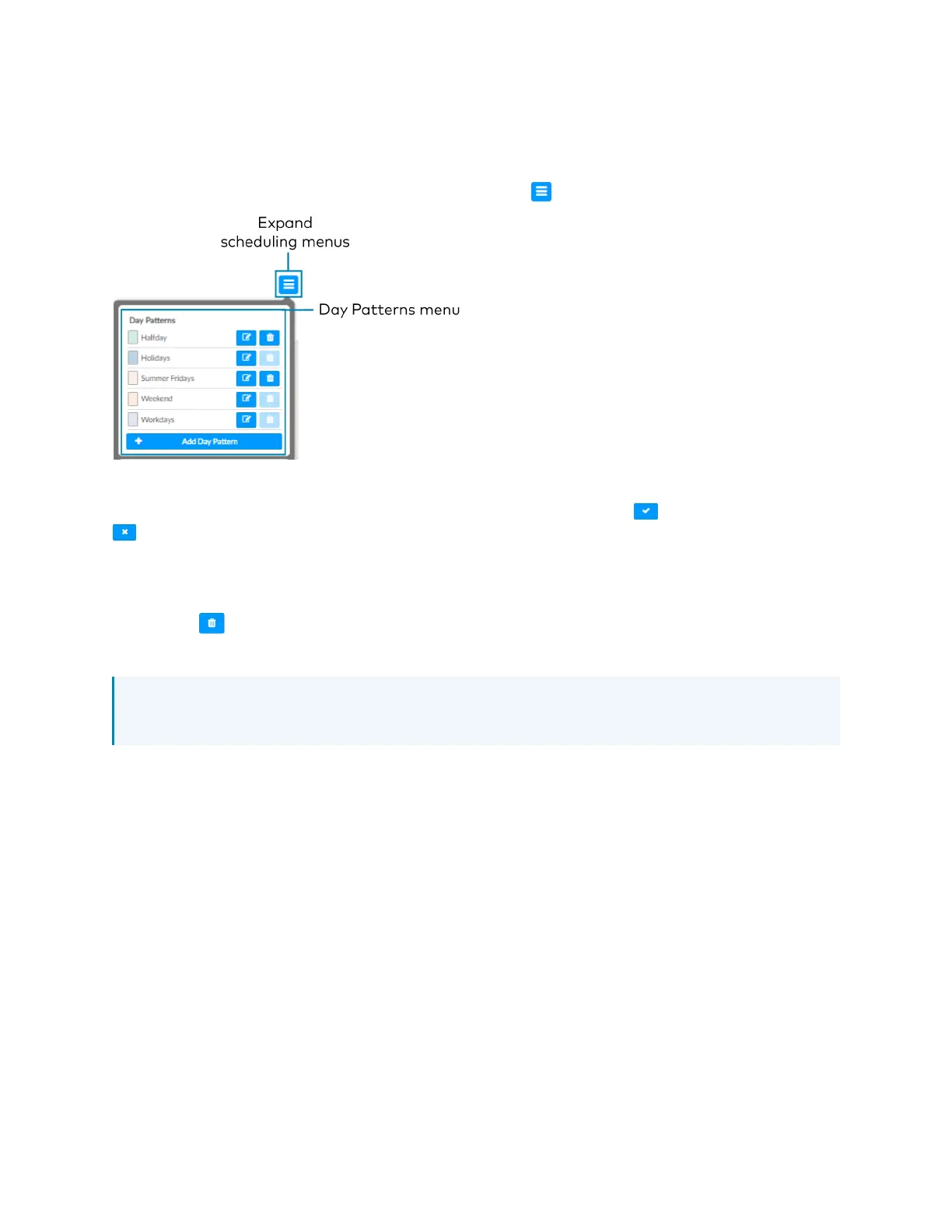
A Day Pattern consists of various Room States that are assigned throughout the day. Each
category can be assigned a different schedule of room states in a given day pattern. To access
the Day Patterns menu, click the Schedule tab and click to expand the scheduling menus.
Add Day Patterns
Click Add Day Pattern and enter the desired Day Pattern name. Click to save the name, click
to cancel.
Delete Day Pattern
To delete a Day Pattern:
1.
Click to delete a Day Pattern. A Confirmation window opens.
2. Click Yes to delete the Day Pattern, or click No to keep the Day Pattern.
NOTE: A Default Day Pattern (such as Holidays, Weekend, and Workdays) cannot be
deleted.


 To Next Page