Product Manual — Doc. 9349B Crestron Zūm® Wired Solutions • 243
Configure Day Patterns
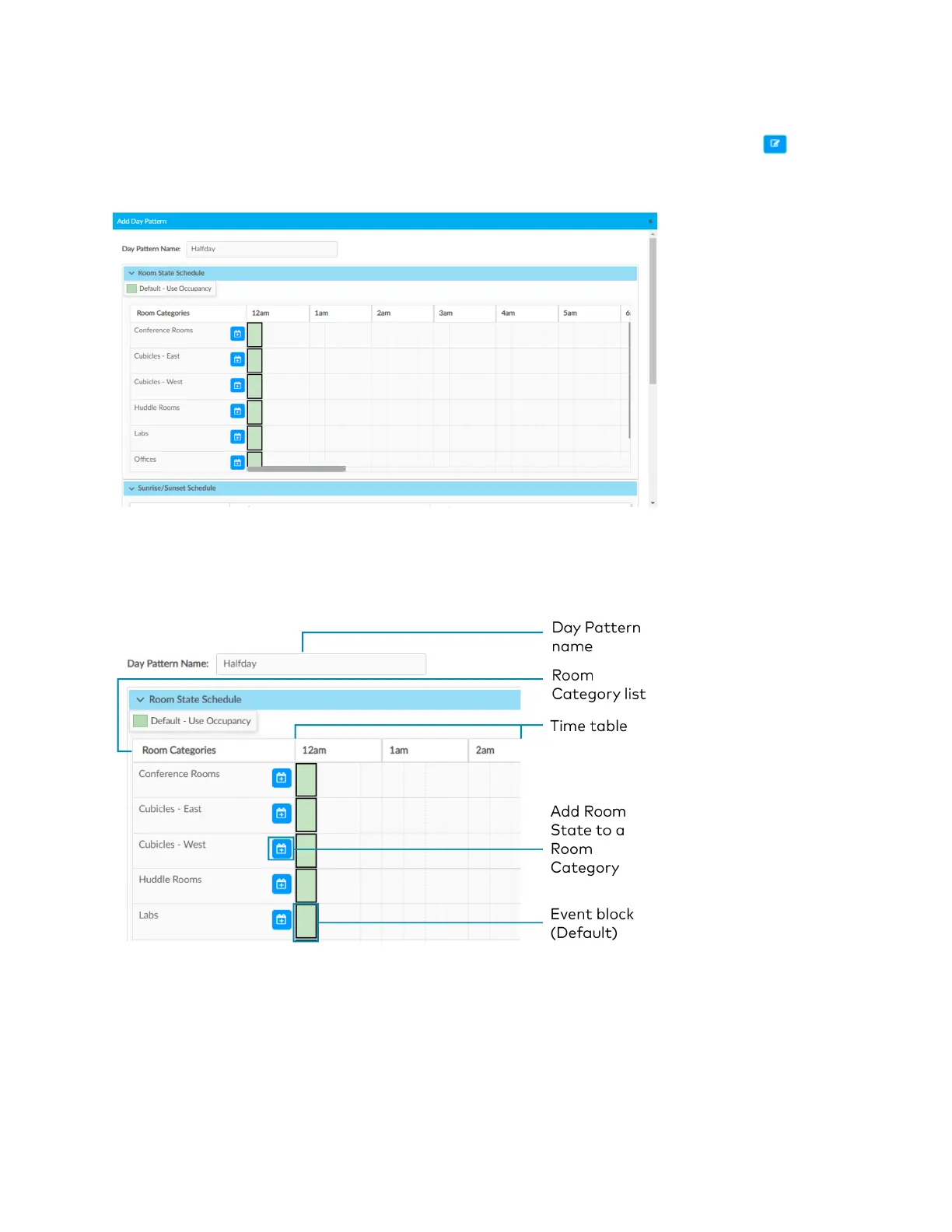
After adding a Day Pattern, the Add Day Pattern window opens. Alternatively, clicking beside
a Day Pattern opens the Edit Day Pattern window. These windows display two menus: Room
State Schedule and Sunrise/Sunset Schedule. The Room State Schedule opens by default.
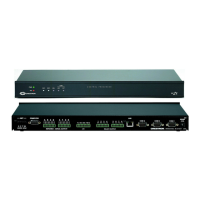
Room State Schedule
Use the Room State Schedule window to modify the pattern of Room States in each Category
for the selected Day Pattern.


 To Next Page