246 • Crestron Zūm® Wired Solutions Product Manual — Doc. 9349B
Room States
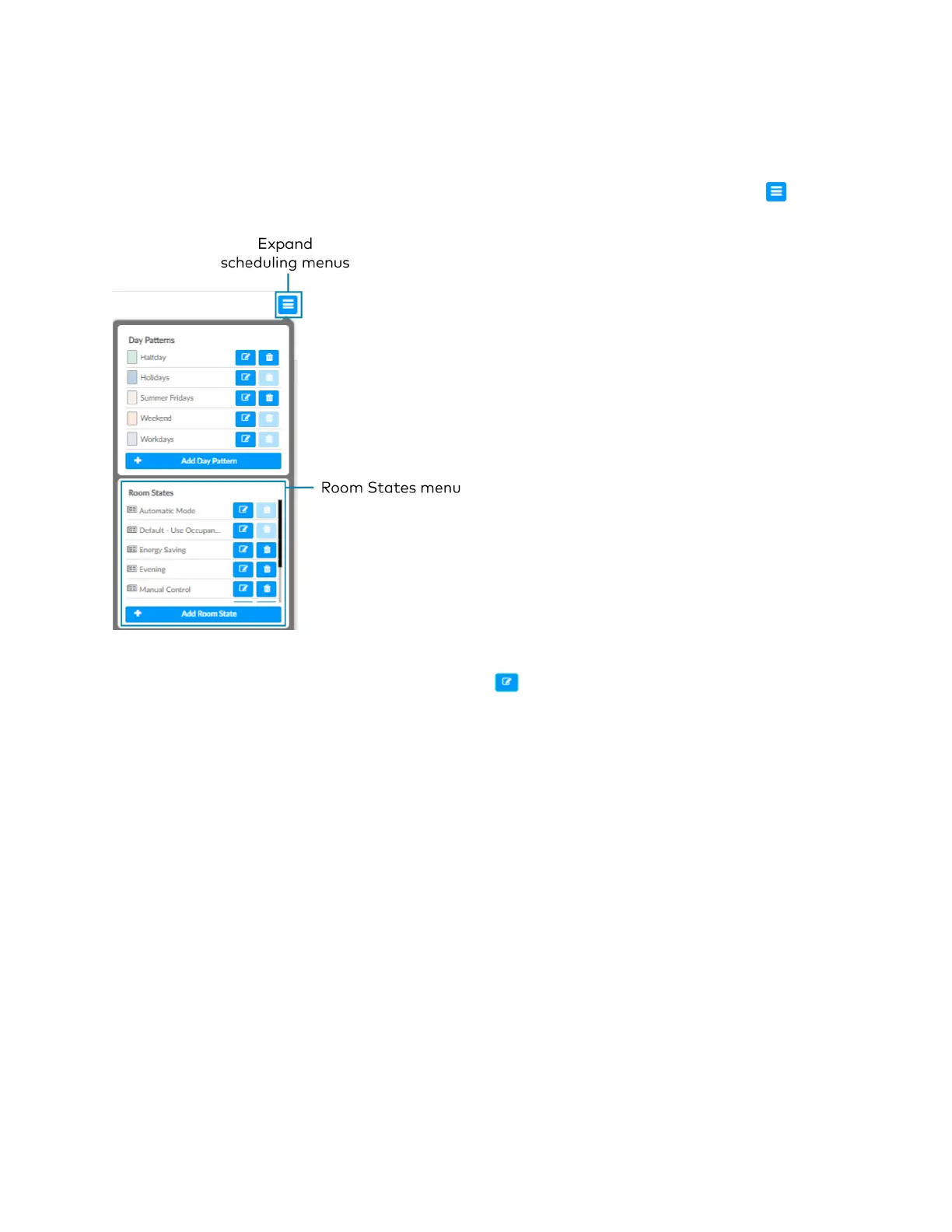
A Room State is both a set of events as well as a set of behaviors for a Room Category. It
identifies the lighting scene that is recalled, the functionality of the occupancy sensor and the
plug load controllers. To access the Room States menu, click the Schedule tab and click to
expand the scheduling menus.
Configure a Room State
Click Add Room State to add a new Room state or to edit an existing Room State. The Room
State Settings window opens. To configure a Room State in the Room State Settings window:
1. Enter or edit the name of the desired Room State in the Room State Name filed.
2. Configure the Properties:
l
Scene: Select Scene 1 - 16, None, or Room Off.
l
Occupancy: Select Enabled to allow occupancy sensing, Disabled to turn occupancy
sensing off, or Unaffected to use the setting of the previous event.
l
Plug Loads: Select On to turn on the Plug loads, Off to turn off the Plug Loads, or
Unaffected to use the setting of the previous event.
3. Click Cancel to close the window without saving, or Add to add the Room State.


 To Next Page