262 • Crestron Zūm® Wired Solutions Product Manual — Doc. 9349B
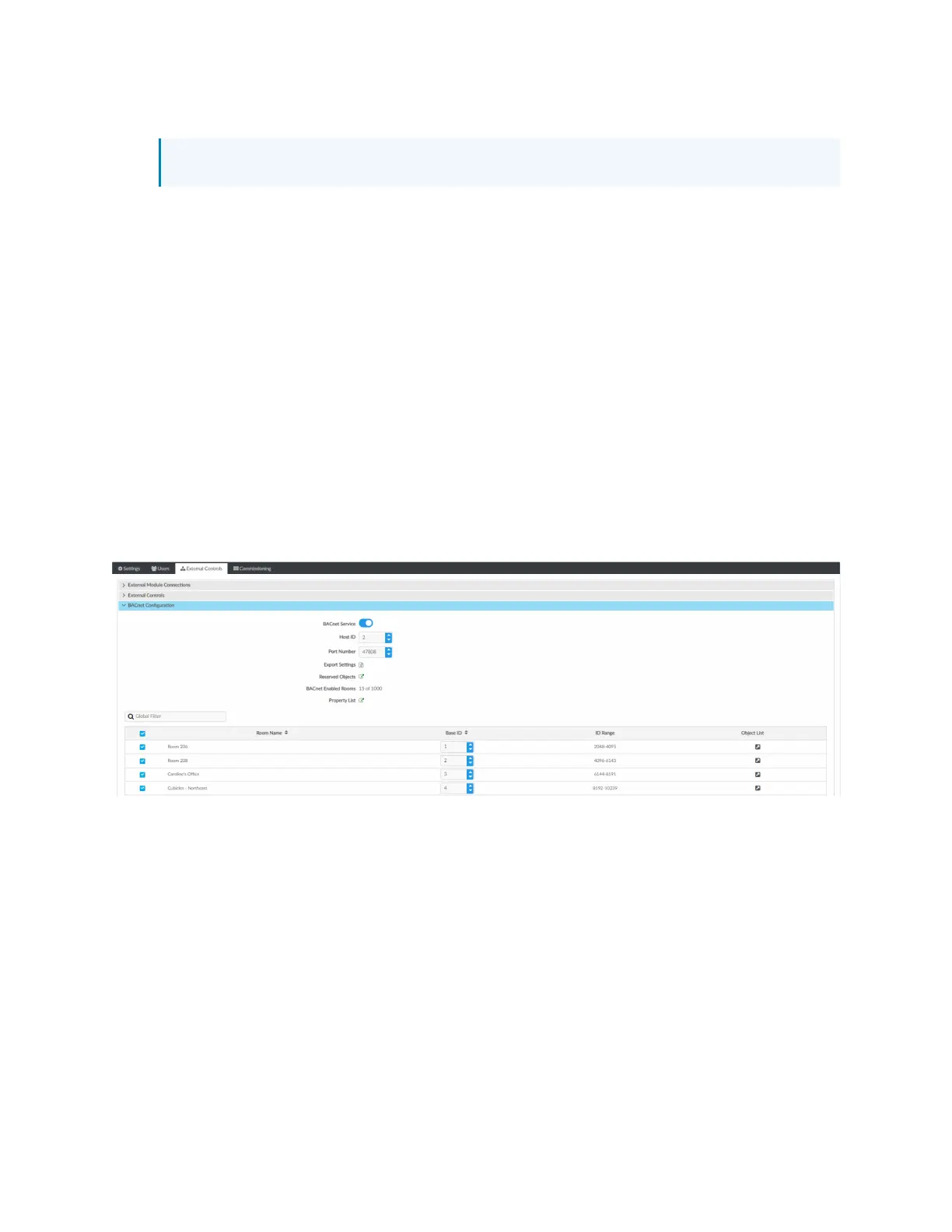
3. Configure the BACnet settings:
NOTE: Use the search to find a specific room.
l
BACnet Service: Click the toggle to turn the BACnet service on or off.
l
Host ID: The ID that the ZUM-HUB4 uses when communicating with the BACnet
system.
l
Port Number: The port number that is used when communicating with the BACnet
system.
l
Export Settings: Export the BACnet settings to a CSV (comma separated value) file.
l
Reserved Objects: Display objects that send signals to the ZUM-HUB4.
l
BACnet Enabled Rooms: The number of rooms with BACnet.
l
Property List: Allows users to select which objects are enabled for all rooms.
l
Room Name: The name of the room.
l
Base ID: Orders the device in the system and assigns the object IDs.
l
IDRange: The range of Object IDs that the room can use.
l
Object List: Displays a list of all Object IDs, Object Names, and Object Types within
the selected room. A blue checkmark indicates objects that are enabled.
Room Mirroring Configuration
Room Mirroring allows an external processor to send or receive information from an existing
Zūm room.
1. Open Settings View.
2. Click the External Controls tab and expand the Room Mirroring Configuration menu.
3. Click the toggle to turn Allow Mirroring on or off .



 To Next Page