User's Manual
6
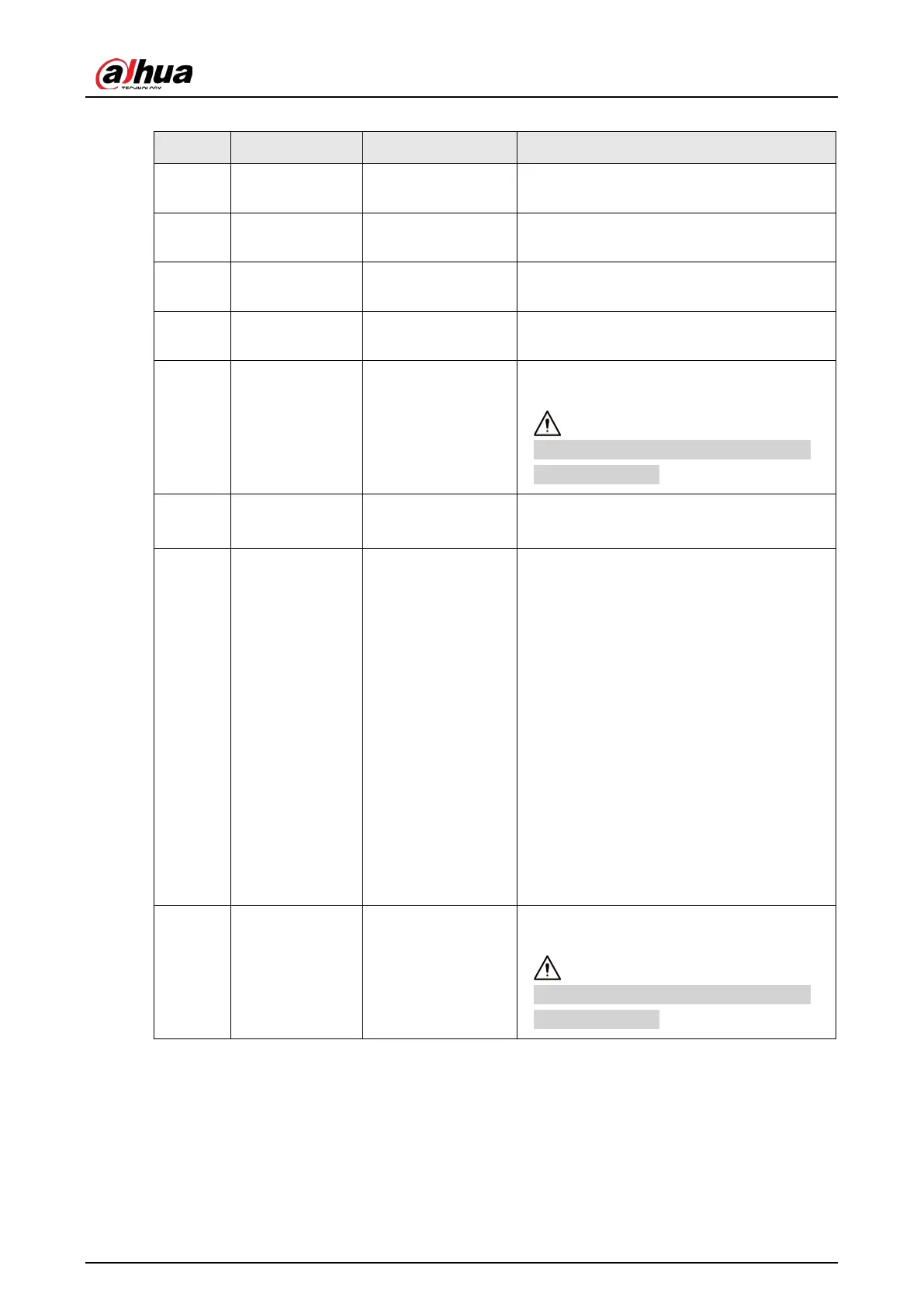
Table 2-3 Cable connection description
No. Port Function Description
1 LAN Ethernet port
Connects to standard Ethernet, supports
PoE power supply.
2 AUDIO OUT Audio output port
The Camera sends out audio signal through
this port.
3 AUDIO IN Audio input port
The Camera gets audio signal through this
port.
4 BNC Video output port
The Camera sends out video signal through
this port.
5 12 VDC Power input port
Inputs 12 VDC power. Please be sure to
supply power as instructed.
Device damage will occur if power is not
supplied correctly.
6 RS-485 RS-485 port
●
Yellow: RS-485_A1
●
Orange: RS-485_B1
7 ALARM Alarm port
●
Alarm output, connecting to barrier,
and alarm output devices such as alarm
light.
◇
Brown: ALARM_OUT1
◇
Green: ALARM_OUT_GND1
◇
Red: ALARM_OUT2
◇
Black: ALARM_OUT_GND2
●
Alarm input, connecting to vehicle
detector, IR detector, induction loop,
and more.
◇
Blue: ALARM_IN1
◇
White: ALARM_IN2
◇
Yellow: ALARM_IN3
◇
Gray: ALARM_IN_GND
8 24 VAC Power input port
Inputs 24 VAC power. Please be sure to
supply power as instructed.
Device damage will occur if power is not
supplied correctly.


 To Next Page
 Loading...