Design Guide | iC2-Micro Frequency Converters iC2-Micro Frequency Converters
Table 6: Operation Buttons and Potentiometer (continued)
Name Function
Stops the drive in local mode.Stop/Reset
Resets the drive to clear a fault.
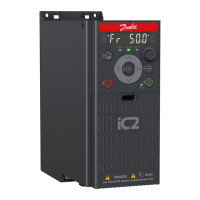
Potentiometer Changes the reference value when the reference value is selected as potentiometer.
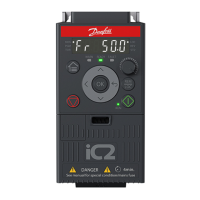
Table 7: Status Indicator Lights
Name Function
MON On: The main display is showing the drive status.
PGM On: The drive is in programming status.
On: The drive is in torque mode.TOR
Off: The drive is in speed mode.
On: The drive is in local mode.LOC
Off: The drive is in remote mode.
On: The drive is in reverse direction.REV
Off: The drive is in forward direction.
ST2 Refer to Table 10.
Table 8: Operating Indicator Lights
Name Function
WARN Steadily lit when a warning occurs.
READY Steadily lit when the drive is ready.
FAULT Flashes when a fault occurs.
Table 9: Run Indicator Light
Name Function
On: The drive is in normal operation.
Off: The drive has stopped.
RUN
Flash: In the motor-stopping process; or the drive received a RUN command, but no frequency output.
Table 10: Multiple Setups Indicator Light
ST2 Off On Flash Flash quickly
Active setup
(1)
Setup 1 Setup 2 Setup 1 Setup 2
Programming setup
(2)
Setup 1 Setup 2 Setup 2 Setup 1
1) Select active setup in parameter P 6.6.1 Active Setup.
2) Select programming setup in parameter P 6.6.2 Active Setup.
Danfoss A/S © 2024.08 AJ402315027937en-000401 / 130R1239 | 23


 To Next Page